 Nadia Mohamed
Technical SEO
301 Redirect SEO: 301 vs 302, 307 and 308, Chains, and How to Set Them Up by Framework
A 301 redirect is the SEO-safe way to move a page: Google follows it and treats it as a strong signal that the new URL should be the canonical one, and Google states that 301 and other permanent redirects don’t cause a loss in PageRank. The damage in practice comes from everything around it: the wrong status code for the job, chains that grow one deploy at a time, and framework defaults that quietly send a 302, 307 or HTML page instead of the 301 you asked for.
This guide covers what each redirect type signals to Google, a decision table for 301, 302, 307, 308, meta refresh and JavaScript, how to find and flatten chains in a crawl, the exact setup for Next.js, Astro, WordPress, Netlify and Vercel, and the redirect map pattern that keeps a site migration clean.
Key takeaways
- Use 301 or 308 when the move is permanent, and 302 or 307 when the original URL should stay in results. Google’s own framing: permanent redirects show the new target in search results; temporary redirects show the source page.
- Google treats 308 like 301 and 307 like 302. Its crawler documentation lists 308 as “equivalent to 301” and 307 as “equivalent to 302”, so the permanent or temporary choice matters far more than the exact code.
- Frameworks rarely default to 301. Next.js and Vercel send 308 or 307, WordPress’s
wp_redirect()defaults to 302, and a static Astro build writes an HTML page with an instantmeta refreshand no 3xx status at all. - Chains cost one crawl request per hop, and Google stops at 10. Google’s crawlers follow up to 10 redirect hops, and its migration guide asks for no more than 3 where a direct redirect is impossible.
- A migration redirect map is a build artefact, not a spreadsheet. Map every old URL, flatten it so each source points at its final target, and keep the redirects for at least 1 year.
What a 301 redirect does for SEO
A 301 tells a client the page has moved permanently. For Google, that has three consequences worth separating.
It is a strong canonical signal. Google’s crawler documentation says that for a 301, Google systems use the redirect as a strong signal that the redirect target should be processed, while a 302 is only a weak signal. In search, the target normally replaces the source as the URL shown in results.
It does not leak link equity. The long-running worry that a 301 loses a share of PageRank is answered directly in Google’s site move guide: 301 and other permanent redirects don’t cause a loss in PageRank. The equity question is settled. The questions that remain are whether the target is relevant and whether the redirect is reached in one hop.
The old URL is not forgotten. Google keeps track of both the source and the target, and the non-canonical one becomes an alternate name that may appear in search results when a query hints that the user trusts the old URL more. That is intended behaviour, covered further down.
Which redirect to use: the decision table
Google’s redirect documentation lists the types ordered by how likely Google is able to interpret correctly, with server-side redirects at the top. Combining that page with Google’s HTTP status code reference gives the whole decision in one place:
| Redirect | Google reads it as | Use it when | Watch out for |
|---|---|---|---|
301 Moved Permanently | Permanent, strong canonical signal | A page or site has moved for good | Using it for a temporary change removes the source from results |
308 Permanent Redirect | Permanent, “equivalent to 301” | Same as 301; also preserves the request method (matters for POST) | The default in Next.js and Vercel, so check it is what you meant |
302 Found | Temporary, weak signal | The original URL should stay indexed (short outage, test, out-of-season page) | A permanent move served as 302 keeps the old URL competing with the new one |
303 See Other | Temporary | After a form submission | Not a content redirect; do not use it for moved pages |
307 Temporary Redirect | Temporary, “equivalent to 302” | Same as 302, preserving the request method | The default for permanent: false in Next.js and Vercel, and for Next.js redirect() |
meta refresh, 0 seconds | Permanent | Server configuration is out of reach | Page returns 200 and is only read when the HTML is fetched |
meta refresh, over 0 seconds | Temporary | Rarely a good idea | Users see the old page first |
HTTP Refresh header | Same rules as meta refresh | Headers are editable but status codes are not | Uncommon and easy to miss in audits |
JavaScript location | Permanent, but only if rendering succeeds | Nothing server-side or meta refresh is possible | Invisible to crawlers that do not render |
| ”Crypto redirect” (a link saying you moved) | Maybe | Nothing else is possible at all | Google says not all search engines may recognize it |
Two rows need more explanation than a table cell allows.
JavaScript redirects sit near the bottom for a reason. Google interprets and executes JavaScript using the Web Rendering Service once crawling of the URL has completed, and says that if rendering fails, it “might never see” the redirect. Most AI crawlers are worse off: a Vercel and MERJ analysis published in December 2024 found that none of the major AI crawlers currently render JavaScript, naming OpenAI’s crawlers, ClaudeBot and PerplexityBot among them. A JavaScript redirect is invisible to those crawlers, so if a URL matters for AI citation as well as search, the redirect has to be in the HTTP response. The wider version of that constraint is in JavaScript SEO.
A meta refresh changes meaning at zero seconds. Google reads an instant meta refresh as permanent and a delayed one as temporary. That one-character difference matters more than it sounds, because a static Astro build produces exactly this kind of redirect by default (see the Astro section below).
301 vs 302: the question is which URL you want in the results
The usual framing, permanent means forever and temporary means for a while, is not wrong, but it is not the decision. Google’s framing is about output:
Permanent redirects: Show the new redirect target in search results. Temporary redirects: Show the source page in search results.
Ask which URL you want people to land on from Google in three months, and the answer follows.
Use a permanent redirect (301 or 308) when the page has genuinely moved and you want the new URL to become the canonical one. Google’s recommendation is direct: if you need to change the URL of a page as it is shown in search results, use a permanent server-side redirect whenever possible.
Use a temporary redirect (302 or 307) when you want to keep the original URL in the index. Google’s own example is a service that is temporarily unavailable: send users to a page explaining what is happening “without compromising the original URL in search results.”
The costly mistake is the second case done with a 301. Redirect a product URL to a category page while the product is out of stock, with a permanent redirect, and you have told Google the product page’s canonical is now the category page. It comes out of the index, and getting it back is slower than taking it out was.
The mirror-image mistake is a permanent move served as a 302. Google will follow it, but for temporary redirects the indexing pipeline doesn’t use the redirect as a signal that the redirect target should be canonical, so the old URL keeps showing in results and the new one competes with it. Migrations that “did not pass authority” often turn out to be this, and the diagnosis takes one curl.
301 vs 308, and 302 vs 307
For Google the pairs behave the same way. Its status code reference lists 307 as “equivalent to 302” and 308 as “equivalent to 301”, while noting they are semantically different and that you should use the one that fits so that other clients benefit.
The difference is the request method. Next.js explains why it uses the newer codes: with a 302, many browsers changed the request method of the redirect to GET, so a POST could arrive as a GET, and 307 and 308 preserve the method. That matters for API endpoints and form handlers. For content URLs it almost never does, so a 308 from your framework is fine for SEO. What is not fine is a 307 where you meant a 308.
Redirect chains: what they cost and how to find them in a crawl
“Avoid long redirect chains, which have a negative effect on crawling” is the whole of Google’s crawl budget guidance on the subject. The rest of the documentation supplies the mechanism, and it is more concrete than the vague dilution story usually told.
What a chain costs
Google’s Crawl Stats documentation is explicit:
“If a URL has a server-side redirect, each request in the redirect chain is counted as a separate request. So if page1 redirects to page2, which redirects to page3, if Google requests page1, you will see separate requests for page1 (returns 301/302), page2 (returns 301/302), and page3 (hopefully returns 200).”
So the cost is arithmetic: a three-hop chain spends three crawl requests to deliver one page. On a site large enough to have a crawl budget problem, with redirects accumulated over several migrations, that becomes a measurable share of everything Googlebot does.
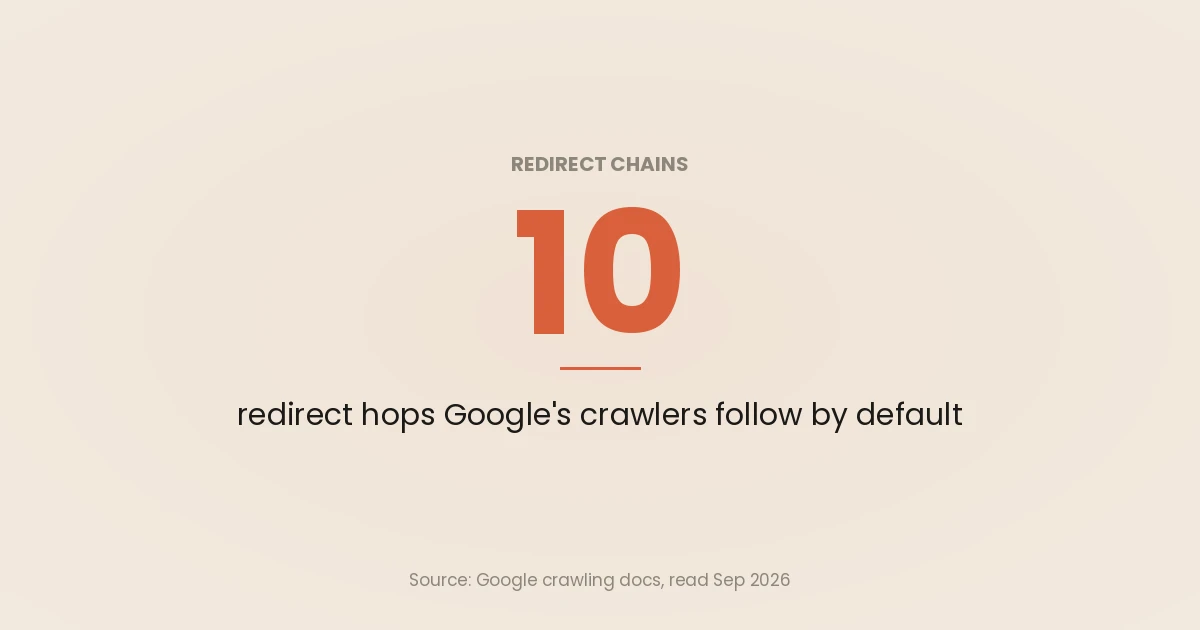
There is also a hard ceiling. Google’s crawlers follow up to 10 redirect hops by default, and specific tools differ: the same page notes that Google Inspection Tools do not follow redirects at all. The site move guide sets the practical target well below the ceiling: redirect to the final destination directly, and if that is not possible, keep the chain “ideally no more than 3 and fewer than 5”, because chains add latency and not all user agents support long ones.
How chains show up in a crawl
Chains are almost never authored. They accumulate:
/old-product/redirects to/products/old-product/during a URL restructure./products/old-product/redirects to/shop/old-product/when the shop moves./shop/old-product/redirects to/shop/new-product/when the SKU is replaced.
Nobody wrote a three-hop rule. Three people each wrote one, months apart. You find the result in three places:
- A site crawler. Any desktop or cloud crawler will report redirect chains and the internal links that point into them. Crawl with redirects followed, then export the chains with their hop count and the pages linking to the first URL. If you are choosing a crawler, Screaming Frog alternatives compares the main options.
- The Crawl Stats report in Search Console. Redirect responses are grouped under the file type “Other file type”, and the response table separates “Moved permanently (301)”, which covers 301 and 308, from “Moved temporarily (302)”, which covers 302 and 307. A rising temporary share after a migration is a warning sign. Client-side redirects are not counted there at all.
- Redirect errors. When a chain runs too long, loops, or ends in an empty redirect, Search Console reports a “Redirect error” (Crawl Stats defines it as “too many redirects, empty redirect, or circular redirect”). The status-by-status fixes are in crawl errors in Google Search Console.
Chains also hide in internal links. A link that resolves through a 301 works for users, but every crawl of it costs the extra hop. After any restructure, update internal links to the final URL rather than relying on the redirect.
Flatten, never append
The fix for chains is to flatten: when you add a rule, rewrite every existing rule whose target is the URL you are now redirecting, so all of them point at the final destination. That is a five-minute discipline that rarely happens without a check enforcing it, so script it. This Node script reads a from,to CSV, resolves each source to its final target, and reports loops instead of silently following them:
// flatten-redirects.mjs
// Usage: node flatten-redirects.mjs redirects.csv   (CSV header: from,to)
import { readFileSync } from 'node:fs';

const rows = readFileSync(process.argv[2], 'utf8')
  .trim().split('\n').slice(1)
  .map((line) => line.split(',').map((s) => s.trim()));

const map = new Map(rows);
const flat = [];
const loops = [];

for (const [from] of rows) {
  const path = [from];
  let to = map.get(from);
  while (map.has(to) && !path.includes(to)) {
    path.push(to);
    to = map.get(to);
  }
  if (path.includes(to)) loops.push([...path, to].join(' -> '));
  else flat.push(`${from},${to},${path.length}`);
}

console.log('from,to,hops_before');
console.log(flat.join('\n'));
if (loops.length) console.error('\nLOOPS (fix by hand):\n' + loops.join('\n'));
Run against the three-hop product example above, plus a two-rule loop, it prints:
from,to,hops_before
/old-product/,/shop/new-product/,3
/products/old-product/,/shop/new-product/,2
/shop/old-product/,/shop/new-product/,1
/about-us/,/about/,1

LOOPS (fix by hand):
/blog/a/ -> /blog/b/ -> /blog/a/
/blog/b/ -> /blog/a/ -> /blog/b/
The hops_before column is the chain length each source had before flattening. After flattening, every row is one hop.
Loops, and the rules that rot
A redirect loop, A to B to A, takes a page out of the index immediately. Loops are usually produced by two rules that were each correct in isolation: a trailing-slash normaliser and a lowercase normaliser can loop on a mixed-case path with no slash; an HTTPS rule and a www rule can loop when they are evaluated in the wrong order behind a proxy that rewrites the protocol header.
Rarer and more damaging is the rule that quietly stops doing its job. Redirect configuration is one of the few parts of a site with no test coverage anywhere, and it decays in three specific ways:
- The target 404s. The destination page was renamed or deleted months after the rule was written. The rule still fires and now delivers a redirect to nothing.
- The rule chains into another rule. Someone added a second rule whose source is the first rule’s target. Two rules, each fine on its own, now form a chain.
- The rule shadows a real route. A broad pattern added for an old section starts matching a URL that later became a real page. The page is unreachable, and it is unreachable silently: the redirect works perfectly, which is the problem.
I gate all three in CI on this site. The build produces the routes, a script reads them alongside the redirect configuration, and the build fails on a dead internal link or a broken rule; a link that resolves only through a 301 is reported rather than fatal, because the hop is worth knowing about and not worth blocking a deploy for. Adding that check found rules that had been broken for months and had never appeared in any report, because nothing in Search Console tells you that a redirect rule’s target has since been deleted.
The general principle is worth more than my implementation: redirect rules are code, so treat them like code. They belong in version control, they need a test that runs on every deploy, and the test should read the built site rather than the source, because the failure mode is always a target that changed somewhere else.
How to implement 301 redirects by platform
The status code your redirect actually returns depends on the platform’s default, and those defaults are not 301. Everything below was read from each platform’s documentation in September 2026.
Platform defaults at a glance
| Platform | Default when you just “add a redirect” | How to get a permanent redirect |
|---|---|---|
Apache (mod_alias, mod_rewrite) | Redirect temp and a bare RewriteRule [R] are temporary | Redirect permanent or [R=301] |
| NGINX | Whatever you write in return | return 301 |
Next.js next.config.js | permanent: true gives 308, false gives 307 | permanent: true, or statusCode: 301 |
Next.js redirect() in server code | 307 | permanentRedirect() (308) |
| Astro, static build, no adapter | HTML page with 0-second meta refresh | Use host config or an adapter |
WordPress wp_redirect() | 302 | Pass 301 as the second argument |
Netlify (netlify.toml) | 301 | Default |
Vercel (vercel.json) | 308 (permanent defaults to true) | Default, or statusCode: 301 |
Apache and NGINX
Google’s redirect page gives both. On Apache, mod_alias handles simple cases and mod_rewrite the complex ones:
# Permanent redirect with mod_alias
Redirect permanent "/old" "https://example.com/new"

# Permanent redirect with mod_rewrite (a bare [R] is temporary)
RewriteEngine on
RewriteRule "^/service$" "/about/service" [R=301]
On NGINX, a return inside a location block:
location = /service {
    return 301 $scheme://example.com/about/service;
}
Next.js
The redirects key in next.config.js is the right place for known, path-based redirects. Next.js documents that permanent: true uses the 308 status code, and false uses 307, and that config redirects are checked before the filesystem:
// next.config.js
module.exports = {
  async redirects() {
    return [
      { source: '/old-blog/:slug', destination: '/blog/:slug', permanent: true },
      // Only when a crawler or client needs a literal 301:
      { source: '/legacy', destination: '/', statusCode: 301 },
    ];
  },
};
statusCode replaces permanent on a rule; the docs say to use one or the other, not both.
The trap is the functions. In server components and route handlers, Next.js’s redirect() uses a 307 (Temporary Redirect), and permanentRedirect() uses a 308. A page that has moved for good and is redirected with redirect() is telling Google the move is temporary. The same guide notes that on Vercel there is a limit of 1,024 config redirects, and suggests a proxy with a lookup table for larger maps. More on the framework in Next.js SEO.
Astro
Astro accepts a redirect map in astro.config.mjs, with an object form for a custom status:
// astro.config.mjs
import { defineConfig } from 'astro/config';

export default defineConfig({
  redirects: {
    '/old-page/': '/new-page/',
    '/old-temp/': { status: 302, destination: '/new-page/' },
  },
});
Astro’s docs say what happens next: when running astro build, Astro will output HTML files with the meta refresh tag by default, supported adapters write the host’s redirect configuration instead, and “if building to HTML files the status code is not used by the server.”
I built exactly that config with Astro 5.18.2 and no adapter. Both redirects produced the same file, with the requested 302 ignored:
<!doctype html><title>Redirecting to: /new-page/</title><meta http-equiv="refresh" content="0;url=/new-page/"><meta name="robots" content="noindex"><link rel="canonical" href="https://example.com/new-page/"><body> <a href="/new-page/">Redirecting from <code>/old-temp/</code> to <code>/new-page/</code></a></body>That page is served with a 200. Google will likely still get the message, because an instant meta refresh reads as permanent and the page carries a noindex and a canonical to the target. But it is a client-side redirect that sits below server-side redirects in Google’s list, the “302” you configured has become permanent, and crawlers that ignore meta refresh see a 200 page with a link on it. On a static host, put permanent redirects in the host’s own configuration instead. That is what this site does: its redirects live in netlify.toml, not in the Astro config. There is more on the framework in Astro SEO.
WordPress
WordPress’s wp_redirect() has the signature wp_redirect( $location, $status = 302, ... ): the default status is 302 (Moved Temporarily), and it does not exit on its own. For a permanent redirect in theme or plugin code, pass the status and exit:
<?php
add_action( 'template_redirect', function () {
    $path = trim( (string) parse_url( $_SERVER['REQUEST_URI'], PHP_URL_PATH ), '/' );

    if ( 'old-page' === $path ) {
        wp_redirect( home_url( '/new-page/' ), 301 );
        exit;
    }
} );
The destination here is hard-coded. If any part of it comes from user input, use wp_safe_redirect(), which a highly voted note on the WordPress reference page recommends because it validates that the location is on the current host, to avoid an open redirect. Most WordPress sites manage redirects through an SEO or redirection plugin instead; the check that matters is the same either way: curl the old URL and confirm the plugin is sending a 301 and not a 302.
Netlify
Netlify accepts rules in a _redirects file in the publish directory or as [[redirects]] tables in netlify.toml. In the config file, status is 301 by default, and force is false by default:
[[redirects]]
  from = "/old-path/"
  to = "/new-path/"
  status = 301
The force default is the detail that catches static sites. With force = false, a rule does not override existing content at that path, which is why this site’s netlify.toml notes that its 301s apply only when no static file matches. Combine that with the Astro behaviour above and you get a quiet conflict: if Astro has already written a meta refresh HTML file at /old-path/, Netlify serves that file with a 200 and the 301 rule never fires. Keep a redirect in one place, not both.
Netlify also processes rules top to bottom and uses the first match, with _redirects rules processed before netlify.toml rules, so a broad pattern above a specific rule will win.
Vercel
In vercel.json, the redirects array takes source, destination and an optional permanent flag. Vercel documents that permanent defaults to true, which gives a 308, and false gives a 307; statusCode sets any other code and cannot be combined with permanent:
{
  "redirects": [
    { "source": "/old-blog/:slug", "destination": "/blog/:slug", "permanent": true },
    { "source": "/legacy", "destination": "/", "statusCode": 301 }
  ]
}
For very large maps, Vercel’s configuration reference points to bulkRedirectsPath, which it says can import many thousands of redirects per project, without wildcard or header matching.
The site migration redirect map
Google’s site move guide describes the process in five steps, and the middle one is the one that decides whether a migration keeps its traffic: prepare a URL mapping from the current URLs to their corresponding new format. The pattern I use turns that mapping into something that can be tested.
1. Build the list of old URLs from several sources, not one. Google suggests starting with the URLs in your sitemaps, the pages with the most traffic in server logs or analytics, and the pages with internal and external links in Search Console, then filling in from the CMS and from logs over a period that covers seasonal traffic. Include images, PDFs, JavaScript and CSS files: Google notes these need to be moved in the same way as pages.
2. Map each old URL to one destination, or to nothing. Every row gets a target that is the genuine equivalent page. Where there is no equivalent, the right answer is a 404 or 410 on the new site, which Google’s guide asks for explicitly for deleted or merged content. Do not send the leftovers to the homepage: Google’s fix guidance reserves the 301 for a page that has moved or has “a clear replacement”, and a homepage is neither, so those URLs can end up treated as soft 404s. Consolidating several old pages into one new page that covers them is fine.
3. Merge with the existing redirect rules and flatten. Old redirects from previous migrations are the main source of chains. Put the old rules and the new mapping in one CSV, run the flattening script above, and fix every loop by hand before anything ships.
4. Generate the host configuration from the map. The CSV is the source of truth; netlify.toml, vercel.json, next.config.js or the server config is generated from it. That keeps the permanent status code consistent and makes the map diffable in review.
5. Update everything that still points at old URLs. Internal links, each page’s canonical tag, hreflang annotations and the XML sitemap should all use the new URLs from launch. Google’s guide lists all of these, because a redirect that works but is linked internally still costs a hop on every crawl.
6. Test the whole map, then keep it. After launch, request every old URL and confirm one hop, the intended status code and a 200 at the end. Google suggests the URL Inspection tool for individual URLs and command-line tools or scripts for large numbers. Then keep the redirects for as long as possible, generally at least 1 year; Google adds that from a user’s perspective you might keep them indefinitely.
The full sequencing, including what to do before and after launch day, is in site migration.
Redirect, canonical, or 404?
Redirects get reached for in situations where they are the wrong instrument. The distinction is between telling a crawler a page moved and telling it a page is gone or duplicated.
| Situation | Correct response | Why |
|---|---|---|
| Page permanently moved to a new URL | 301 / 308 | Transfers canonical status to the target |
| Page temporarily unavailable, URL should stay indexed | 302 / 307 | Google keeps showing the source URL |
| Page permanently deleted, no equivalent | 404 or 410 | A 404 is a strong signal not to crawl that URL again |
| Near-duplicate that should stay reachable | rel="canonical" | Consolidates without removing the page |
| Site moved to a new domain | 301 across the board, plus Change of Address in Search Console | Google’s primary documented use case |
| Page you do not want in the index but users need | noindex | A redirect would remove the page from users too |
The row people get wrong is the third. Redirecting every deleted page to the homepage is a habit, and a redirect to an irrelevant target can be treated as a soft 404. Google notes that soft 404 pages will continue to be crawled, and waste your budget, where an honest 404 would retire the URL. If a removed page has a genuine equivalent, redirect to it. If it does not, let it 404. The full decision between removing, consolidating and suppressing is in canonical vs noindex.
Why the old URL still shows up after a 301
This one generates support tickets, and it is documented behaviour rather than a fault.
When you redirect a URL, Google keeps track of both the source and the target. One becomes the canonical, and the other becomes an alternate name, which Google describes as “different versions of a canonical URL that users might recognize and trust more.” After a domain move, Google says it is very likely to continue to occasionally show the old URLs, and that “as users get used to the new domain name, the alternate names will fade away without you doing anything.”
So an old URL appearing in results after a correctly implemented 301 is not evidence the redirect failed. Check that the redirect returns a 301 with the right target, then leave it alone.
Verifying redirects properly
Three checks, and the first two take seconds.
Follow the chain and count the hops. Do not use a browser, because it hides everything interesting:
curl -sIL https://example.com/old-page/ | grep -iE "^HTTP|^location"Every HTTP/ line is a hop. Two or more redirect lines before the 200 is a chain to flatten. curl also caps redirects, so a loop announces itself by exhausting the limit rather than by hanging.
Check the status code is the one you intended, not the one your platform defaulted to:
curl -sI https://example.com/old-page/ | head -1CDNs, hosting platforms and CMS plugins all have opinions here, and a rule written as permanent in a config file can emerge as a 302 at the edge, or, on a static build, as a 200 with a meta refresh in the body. The response is the only thing that counts.
Crawl the whole set after any migration. Individual checks miss the patterns that hurt: a section where every URL gained a hop, a rule that matches more than it was meant to, a chain that only appears for URLs with query strings. Then keep the crawl, because the value of the redirect map is that you can diff it after the next deploy. Redirect checks are one step in the wider technical SEO audit checklist.
Where this fits
Redirects sit between two adjacent decisions: whether a URL should exist at all, covered in canonical vs noindex, and what happens to the crawl requests they consume, covered in crawl budget. At scale they are a migration concern, and site migration covers the sequencing. The URL-level evidence of whether Googlebot is spending its time on redirect hops lives in log file analysis for SEO.
If you are planning a migration and would rather have the redirect map designed, tested and gated than discovered afterwards in a traffic chart, that is part of GEO and technical SEO consulting.
Frequently asked questions
Do 301 redirects hurt SEO?
Not in themselves. Google states that 301 and other permanent redirects don’t cause a loss in PageRank, and it treats a 301 as a strong signal that the target should be canonical. The harm comes from how redirects are used: an irrelevant target such as the homepage can be treated as a soft 404, chains waste crawl requests, and a permanent redirect used for a temporary change removes the original URL from results.
What is the difference between a 301 and a 302 redirect for SEO?
It is about which URL appears in search results. A permanent redirect shows the new target and is used as a signal that the target should be canonical. A temporary redirect is followed, but the indexing pipeline does not use it as a canonical signal, so the source URL keeps its place. Use a 301 when the move is real and you want the new URL to rank, and a 302 when the original URL should stay indexed, such as during a temporary outage.
Is a 308 redirect as good as a 301 for SEO?
Yes. Google’s crawler documentation lists 308 as “equivalent to 301”, and in the same way 307 is equivalent to 302. The only practical difference is that 308 and 307 preserve the request method, which is why Next.js and Vercel use them by default. Check that a framework has not given you a 307 where you meant a permanent move.
How many redirects in a chain is too many?
Google’s crawlers follow up to 10 redirect hops by default, and Search Console’s Crawl Stats report counts “too many redirects” as a redirect error. That is a ceiling, not a target: Google’s site move guide asks you to redirect straight to the final destination, and if that is not possible to keep chains ideally to no more than 3 hops. Each hop is a separate crawl request and adds latency, so flatten chains whenever you add a rule.
How long should you keep a 301 redirect in place?
Google recommends keeping redirects for as long as possible, generally at least 1 year, which gives it time to recrawl and transfer signals, including links on other sites that still point at the old URLs. From a user’s point of view, it suggests considering keeping them indefinitely. Redirects are cheap to keep and expensive to lose, so removing them is rarely worth it.
Do AI crawlers follow redirects?
They follow HTTP redirects, which are resolved before any page content is processed. They do not follow JavaScript redirects: a Vercel and MERJ analysis in December 2024 found that none of the major AI crawlers currently render JavaScript, including those from OpenAI, Anthropic and Perplexity. If a URL matters for AI citation, the redirect must be in the HTTP response rather than in a script.