 Nadia Mohamed
Technical SEO
Infinite Scroll vs Pagination for SEO: Which One Google Can Actually Crawl
In the infinite scroll vs pagination SEO decision, pagination wins whenever the listing needs to be crawled, because Google follows <a href> links and does not scroll. Infinite scroll is only safe for SEO when it sits on top of real paginated URLs, at which point it is a UX layer rather than an alternative.
This article is the decision, not the implementation manual. It shows a rendering test I ran on one course catalogue built three ways, what a crawler reached in each build, which pattern suits which kind of listing, and the “load more” code that keeps real URLs underneath. The page-by-page mechanics (canonicals, rel="next", audit steps) are covered in pagination SEO, so I link there rather than repeat them.
Key takeaways
- Google finds listing pages by following
<a href>links. Its pagination documentation says its crawlers “don’t ‘click’ buttons and generally don’t trigger JavaScript functions that require user actions”. - In my test, a link-following crawl with full JavaScript rendering reached 12 of 60 courses on the infinite-scroll build and on the load-more-button build, and all 60 on the build with real page URLs.
- On the infinite-scroll build, how many courses rendered depended on the viewport height (12, 24 or 60). That is a number you do not control, so it is not a crawl strategy.
- The choice is not scroll or pages. It is whether page URLs exist. Build
?page=nfirst, then add infinite scroll or “load more” as enhancement. - Pure infinite scroll is fine for feeds with no search value. For catalogues, archives and category pages, it costs you discovery.
The short answer: Google crawls links, not scroll events
Pagination, “load more” and infinite scroll are three interfaces for the same job: showing a long list a slice at a time. For search, the interface matters less than what sits underneath it.
Google’s pagination and incremental loading guide puts it in two sentences: “Google generally crawls URLs found in the href attribute of <a> elements. Google’s crawlers don’t ‘click’ buttons and generally don’t trigger JavaScript functions that require user actions to update the current page contents.”
Its lazy-loading guidance is blunter: “Google Search does not interact with your page.” The same page describes the indexable way to build infinite scroll, which is to “give each chunk its own persistent, unique URL” and “link sequentially to the individual URLs so that search engines can discover the URLs in a paginated set”.
So the real comparison is not infinite scroll against pagination. It is a listing whose deeper items are reachable through links against one where they only appear after a scroll or a click. The first is crawlable whatever the interface looks like. The second is not, however good the rendering.
The rendering test: one course catalogue, three builds
Documentation tells you the rule. I wanted to see what the rule does to a real listing, so I built one catalogue three ways and measured what each kind of crawler got back.
The setup
The test site is a small Node server with a catalogue of 60 courses, 12 per page, so five pages of results. Every course has its own detail URL (/courses/python-course-1/ and so on), because on a real course site the detail pages are what you want indexed.
The three builds:
| Build | How the list loads | Page URLs | ”More” control |
|---|---|---|---|
| A: infinite scroll | Client-side, from a JSON API, triggered by an IntersectionObserver sentinel | None | None (scroll) |
| B: load-more button | First 12 in the HTML, the rest from a JSON API | None | <button> |
| C: load more with real URLs | Each ?page=n server-rendered | /c/courses/?page=2 to ?page=5 | <a href> upgraded by JavaScript |
I measured four things for each build, in September 2026, using headless Chromium 141 driven by Playwright:
- Raw HTML. The course links present in the server response, with no JavaScript. This is what a crawler that does not render sees.
- Rendered, no interaction. The course links in the DOM after the page loads and the network goes idle, with nothing scrolled or clicked. I ran this at three viewport heights: 800, 3,000 and 12,000 pixels.
- A user. The course links after a script scrolls and clicks “load more” until nothing new arrives.
- A link-following crawl. Starting at the catalogue URL, queue every catalogue URL found in an
<a href>, fetch it, repeat, and count the course detail URLs found. I ran it once on raw HTML and once on rendered HTML.
This is not Googlebot. It is a local Chromium following Google’s documented rules: render, do not interact, follow <a href>. The point is to isolate the variable that decides the outcome, which is whether the deeper items are behind links or behind events.
What each crawler reached
| Build | Raw HTML | Rendered (800px) | Rendered (3,000px) | Rendered (12,000px) | User | Crawl, raw | Crawl, rendered |
|---|---|---|---|---|---|---|---|
| A: infinite scroll | 0 | 12 | 24 | 60 | 60 | 0 of 60 | 12 of 60 |
| B: load-more button | 12 | 12 | 12 | 12 | 60 | 12 of 60 | 12 of 60 |
| C: real URLs | 12 | 12 | 12 | 12 | 60 | 60 of 60 | 60 of 60 |
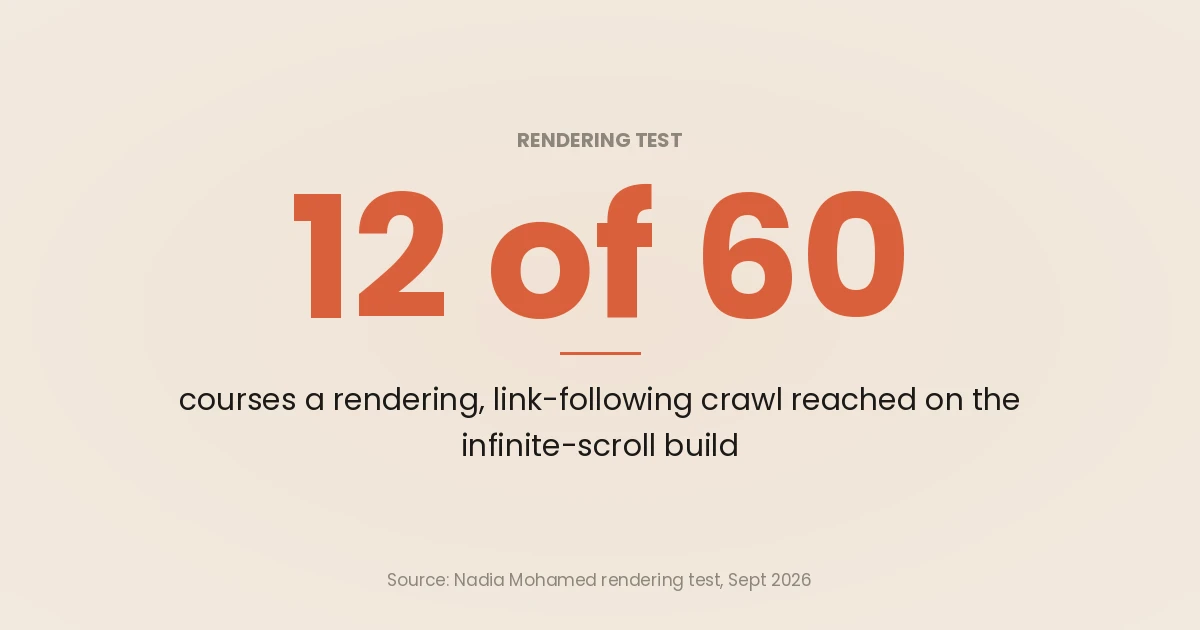
Every build shows a user all 60 courses. Only one of them shows a crawler all 60.
Build A: the viewport decides what exists
The raw HTML of the infinite-scroll build contains an empty list and a script. There are no course links at all, so a crawler that does not execute JavaScript gets nothing:
<body><h1>Courses (A: infinite scroll, no URLs)</h1><ul id="list"></ul><div id="sentinel"></div>
<script>
let page = 0, loading = false, done = false;
Rendered, it is more interesting. At an 800-pixel viewport the sentinel sits below the first 12 courses, never comes into view, and the page stops at 12. At 3,000 pixels it stops at 24. At 12,000 pixels the sentinel stays on screen long enough for all five batches to load.
That is the behaviour Google’s lazy-loading page is designed around: an IntersectionObserver loads what is visible in the viewport, with no scroll needed. It also means the number of courses a rendering crawler sees is set by the height of a viewport you cannot see or configure. I would not stake 48 course pages on that number.
The link-following crawl settles it. Even rendered, build A has one catalogue URL and no links to any other, so the crawl ends after one page and 12 courses.
Build B: the button is invisible, and ?page=3 lies
The load-more build is better in one way: the first 12 courses are in the raw HTML, so every crawler gets them. Beyond that, the <button> is a JavaScript event with no URL, and no crawler in the test pressed it. Twelve of 60, whichever way you crawl.
It also produced a quieter failure. Requesting /b/courses/?page=3 returned HTTP 200 with the first 12 courses, because the template ignored the parameter. If anything links to that URL, Google gets a page claiming to be page 3 that duplicates page 1. That is the pattern behind “duplicate without user-selected canonical” reports.
Build C: same interface, full coverage
Build C looks like build B to a user: 12 courses and a “Load more courses” control. The difference is that the control is <a href="/c/courses/?page=2">, each ?page=n URL returns its own 12 courses in the server response, and an out-of-range page such as ?page=9 returns a 404.
The crawl followed the links to five catalogue URLs and found all 60 course pages, in raw and rendered mode alike. The user still got a single, growing list, because JavaScript intercepts the link and appends the next page in place.
The interface did not change the result. The URLs did.
The decision: which pattern for which listing
Google’s guide is even-handed about the interfaces. It lists pagination’s pros and cons alongside load more and infinite scroll, and notes that load more and infinite scroll both “can’t handle very large numbers of results”. The UX research agrees there is no universal winner: the Nielsen Norman Group says infinite scrolling “works best for situations where users will want to scroll through homogeneous items with no particular task or goal in mind”, and advises against it when people want to find something specific or compare items.
Put the SEO requirement and the UX evidence together and the decision is short:
| Listing | Search value of deeper items | What to ship |
|---|---|---|
| Course catalogue, product category, job board | High: every item has a page you want indexed | Paginated URLs. Numbered links, or “load more” as an <a href> over them |
| Blog or resource archive | Medium: posts are also reachable elsewhere, but the archive is a main discovery path | Paginated URLs; infinite scroll on top if the design wants it |
| Reviews or comments under a product | Low to medium: they add content to one page | Server-render the first batch; paginate the rest if it matters |
| Activity feed, notifications, “recently viewed” | None | Pure infinite scroll is fine; keep it out of the crawl |
| Internal search results | Usually none | Paginate for users; noindex the result pages |
The pattern in the first column matters less than whether each row gets real URLs. If deeper items should be found, they need a URL a crawler can reach by following a link. Everything else is presentation.
The “load more” pattern with real URLs
This is the build C code from the test, trimmed to the parts that matter. It is framework-neutral: the server part translates directly to an Astro paginate() route, a Next.js route with a page search parameter, or a Django view.
Server: every page is a real, stable URL
// GET /courses/?page=n  (server-rendered; no JavaScript needed to see the list)
// Express-style handler; notFoundPage() and pageLinks() are your own template helpers.
const PER_PAGE = 12;
const totalPages = Math.ceil(courses.length / PER_PAGE);

function catalogue(req, res) {
  const page = Number(req.query.page ?? 1);
  if (!Number.isInteger(page) || page < 1 || page > totalPages) {
    return res.status(404).send(notFoundPage());   // never serve page 1 for ?page=99
  }
  const items = courses.slice((page - 1) * PER_PAGE, page * PER_PAGE);
  const next = page < totalPages ? `/courses/?page=${page + 1}` : null;
  res.send(`
    <ul id="list">${items.map((c) => `<li><a href="/courses/${c.slug}/">${c.title}</a></li>`).join('')}</ul>
    ${next ? `<a id="more" href="${next}">Load more courses</a>` : ''}
    <nav aria-label="Catalogue pages">${pageLinks(page, totalPages)}</nav>`);
}
Three details carry the SEO weight. The page number is absolute (?page=3), which Google’s lazy-loading guide asks for so that “the content shown on each URL remains the same every time it’s loaded”. An out-of-range page returns a 404 instead of a copy of page 1, which avoids build B’s duplicate. And the numbered <nav> gives crawlers a route to every page in one hop, not just the next one.
Client: intercept the link, keep the URL honest
// Progressive enhancement: the <a href> still works if this script never runs.
const list = document.getElementById('list');

document.addEventListener('click', async (e) => {
  const link = e.target.closest('#more');
  if (!link) return;
  e.preventDefault();
  const html = await (await fetch(link.href)).text();
  const doc = new DOMParser().parseFromString(html, 'text/html');
  list.append(...doc.querySelectorAll('#list > li'));
  history.pushState({}, '', link.href);        // the address bar matches what is on screen
  const next = doc.getElementById('more');
  if (next) link.href = next.getAttribute('href'); else link.remove();
});
The script fetches the same URL a crawler would follow, so there is one source of truth for page 2. The history.pushState call follows Google’s advice to “update the displayed URL using the History API” when a new chunk becomes the main thing on screen, so a refreshed or shared URL returns the same slice.
If the design calls for automatic infinite scroll rather than a click, attach an IntersectionObserver to the same #more link and call the same function when it comes into view. The link stays in the HTML either way. That is the difference between build A and build C: identical scroll behaviour for a person, and a completely different crawl.
For the canonical on each page, the rel="next" question and the audit checklist, use the pagination SEO guide. The short version is a self-referencing canonical on every ?page=n, never one pointing at page 1.
Course catalogues: the worked example
Course sites hit every trap in this article at once, because the catalogue is usually built by a product team optimising for browsing, and the course pages are what the marketing team needs indexed.
The course page is the target; the catalogue is the route
Nobody searches for page 3 of your catalogue. They search for “UX design course online” and land on a course page. The catalogue’s SEO job is to be the path a crawler takes to every course page, and to pass internal link equity to them.
That reframes the test results. Build A did not only hide 48 listing cards. It left 48 course pages with no crawlable link from the catalogue, which makes them weakly linked or orphan pages unless something else on the site links to them. Once the course pages are reachable, the next job is making them understandable, which is where Course schema comes in.
Filters and sort orders are a separate decision
Catalogues get filters: subject, level, format, start date, price. Each combination can produce a URL, and most of those should not be indexed. Google’s guide says to avoid indexing “variations of the same list of results” using noindex or robots.txt rules for the unwanted URL patterns.
Keep the two apart. Pagination URLs (?page=2) carry different items and should be crawlable and self-canonical. Sort and filter URLs (?sort=price, ?level=beginner&format=online) usually repeat items already reachable elsewhere, and are candidates for noindex or a canonical to the unfiltered list. The trade-offs between those two tools are in canonical vs noindex and canonical tags. The exception is a filter with real search demand of its own, such as “online data analytics courses”, which is better built as a proper landing page than left as a parameter.
Sitemaps are the backstop, not the plan
Google’s guide suggests “using a sitemap file or a Google Merchant Center feed to help Google find all of the products on your site”. For a course site, list every course URL in the sitemap. It catches whatever the catalogue misses.
It does not fix the catalogue. A course listed in the sitemap but linked from nowhere is discoverable but poorly connected, and on a large site that affects how often it is crawled. The mechanics are in crawl budget. For a view of where course buyers are searching and why the course pages need to be found at all, see edtech marketing strategy.
How to check your own listing in five minutes
Three checks tell you which build you have.
- Count items in the raw HTML. Run
curl -s "https://example.com/courses/" | grep -c 'href="/courses/'(adjust the pattern to your markup). Zero means build A: no crawler that skips JavaScript sees anything. - Load
?page=3directly. If it returns the same items as page 1, or the page ignores the parameter, you have build B’s duplicate. If it returns items 25 to 36, the URLs are real. - Inspect the “more” control. It needs to be an
<a>with anhrefto the next page. A<button>or adivwith a click handler is invisible to a crawler.
For the rendered view, Google’s lazy-loading page recommends the URL Inspection tool in Search Console: “Check the rendered HTML to make sure your content is in the rendered HTML.” If your listing is a single-page app, the router can hide all of this; single-page application SEO covers that case and JavaScript SEO covers the render path in general.
If you would rather have someone run this across your templates, this is part of the GEO and technical SEO work I do.
Frequently asked questions
Is infinite scroll bad for SEO?
Infinite scroll with nothing underneath it is bad for SEO, because Google does not scroll or click and the items that load later have no URL to find. Infinite scroll on top of real paginated URLs is fine: in my test, the build with ?page=n URLs and an <a href> “more” link was fully crawled, while the scroll-only build exposed at most 12 of 60 courses to a link-following crawl.
Is “load more” better for SEO than infinite scroll?
Not by itself. A “load more” <button> that fetches JSON is as invisible to crawlers as a scroll event, and in my test it exposed the same 12 of 60 courses. “Load more” is only better when the control is an <a href> pointing to a real next-page URL that JavaScript intercepts.
Does Googlebot scroll the page?
Google says it does not. Its lazy-loading documentation states that “Google Search does not interact with your page”, and its pagination guide says its crawlers “don’t ‘click’ buttons”. Content that loads when it enters the viewport can still be rendered, but how much appears depends on a viewport height you do not control, so do not rely on it.
Why did Google stop using continuous scroll in its own results?
In 2024 Google turned off continuous scrolling on its search results pages, first on desktop and then on mobile. According to Overdrive Interactive’s summary of Google’s statement to Search Engine Land, Google said automatically loading more results did not lead to notably higher user satisfaction. That was a UX decision about Google’s own results, not a ranking signal for your site.
Should a course catalogue use infinite scroll or pagination?
Use paginated URLs with numbered links, and add “load more” or infinite scroll on top only if user research supports it. Every course page should be reachable by following <a href> links from the catalogue, and every course URL should also be in the XML sitemap as a backstop.
Do paginated pages need unique titles and descriptions?
No. Google’s pagination guide says pages in a paginated sequence “don’t need to follow this recommendation” and “You can use the same titles and descriptions for all pages in the sequence.” Many sites still add “Page 2” to the title, which is harmless and helps users with several tabs open.