 Nadia Mohamed
Technical SEO
Best Technical SEO Tools in 2026: Crawlers, Log Analysers and Audit Suites
The best technical SEO audit tool is not one product but a small stack, because a technical audit asks six different questions: what can be crawled, what bots actually fetched, what renders, what the structured data says, how fast real users find the page, and what Google indexed. A crawler answers the first question well and the other five partly or not at all.
This article groups the tools by the job they do rather than by brand. For each job it names the free option and the paid one worth paying for, with prices read off each vendor’s own page, then ends with two complete stacks: a free one for a solo SEO and a paid one for an in-house team.
Key takeaways
- Buy by job, not by brand. A crawler, a log analyser, a rendering check, a schema validator, a Core Web Vitals source and an index monitor each answer a question the others cannot.
- A solo SEO can run a full technical audit for nothing: Screaming Frog’s free tier, Google’s own testing tools, Search Console, the command line for logs and the Ahrefs Free site audit for verified sites.
- The first paid tool worth buying is almost always a desktop crawler licence, because the free crawl limit is the constraint you hit first.
- Log files are the only record of what bots actually fetched. Every crawler, however good, shows what a bot could fetch.
- In-house teams pay for shared data and history, not for more checks. Cloud crawlers earn their price when several people need to work from the same crawl and the same alerts.
Why “the best technical SEO tool” is the wrong question
Most roundups for this query rank suites, desktop crawlers and browser extensions against each other as if they compete. They do not. They sit at different points in the pipeline Google runs on every URL: discover, crawl, render, index, serve.
A useful way to choose is to name the question first. The table below is the map for the rest of this article.
| Job | The question it answers | Free option | Paid option worth considering |
|---|---|---|---|
| Crawler | What can a bot reach, and what is broken on the way? | Screaming Frog SEO Spider (500 URLs) | Screaming Frog licence, Sitebulb |
| Log analyser | What did Googlebot and AI crawlers actually request? | grep and awk, GoAccess | Screaming Frog Log File Analyser, JetOctopus |
| Rendering tester | Does the content exist before JavaScript runs, and after? | URL Inspection live test, curl | Crawler JavaScript rendering at scale |
| Schema validator | Is the markup valid, and is it eligible for a Google feature? | Rich Results Test, Schema Markup Validator | Crawler-level structured data validation |
| Core Web Vitals | How fast is the page for real users? | PageSpeed Insights, CrUX API, Lighthouse CI | Monitoring built into a cloud crawler |
| Index monitor | What did Google keep, drop or choose as canonical? | Search Console, URL Inspection API | Alerting in a cloud platform |
The audit suites (Semrush, Ahrefs) cover several rows at a shallower depth, so they come last, once you know what the specialist version does.
If you want the order in which to run the checks rather than the tools, that is the technical SEO audit checklist. The methodology behind it is in how I run a technical SEO audit.
Crawlers: what a bot can reach
A crawler requests your pages the way a search engine would, follows the links, and reports status codes, redirects, directives, canonicals, duplicates and missing metadata. It is the backbone of any audit.
Screaming Frog SEO Spider
The Screaming Frog pricing page sets out the model plainly: the SEO Spider is free, and a licence lets you crawl more than 500 URLs and use the advanced features. A licence is $279 per user per year for one to four licences, with bulk discounts from five. Licences are per user, so two people need two.
It runs on Windows, macOS and Linux, and the feature list on that page includes JavaScript rendering, structured data validation, crawl comparison, custom extraction, and integrations with Search Console, Google Analytics and PageSpeed Insights. For the paid version the crawl limit is listed as unlimited, with the footnote that the real ceiling depends on the memory and storage you allocate.
Best for: anyone who audits sites hands-on. It is the default for a reason: it exposes the raw data rather than a score. Where it falls short: it is a desktop application, so the crawl lives on one machine, and sharing results means exporting them.
Sitebulb
Sitebulb’s pricing page splits its desktop product into two plans. Lite allows 10,000 URLs per audit; Pro allows 500,000 URLs per audit, and Sitebulb says the limit can be raised to 2 million if your machine can cope. JavaScript crawling is included on every plan, while structured data, hreflang, accessibility, scheduling and performance reports are Pro features.
The dollar figures on that page load with JavaScript and did not render when I read it, so I am not quoting a desktop price. There is a 14-day free trial equivalent to Pro. Sitebulb Cloud, the browser-based version for teams, is stated on the same page to start from £95 a month.
Best for: consultants who hand audits to clients or developers. Its strength is prioritised explanations of each issue, not just a list. Where it falls short: Lite’s 10,000-URL cap and missing reports make Pro the realistic plan for technical work.
Cloud crawlers: JetOctopus
A cloud crawler runs on the vendor’s servers, so crawl size is a billing question rather than a laptop question, and a whole team sees the same data. JetOctopus is a good example because it joins the crawler to log analysis, Search Console and GA4 in one platform.
Its Growth plan for in-house teams lists 500K crawled URLs and 2M log lines a month, three Search Console properties, and unlimited seats and projects. It is $349 a month billed annually, or $459 a month billed quarterly. There is a 7-day trial capped at 10k URLs, with no card required.
Best for: large sites and teams that need recurring crawls, alerts and logs in one place. Where it falls short: it is a platform price. A solo consultant with a desktop crawler and a terminal gets most of the same answers for far less.
Mapping internal links as a graph
A crawler gives you inlinks as a table, which is poor at showing structure: which pages act as hubs, which clusters are disconnected, and which pages nothing links to from the body copy.
For that I built a free internal link graph tool. It counts only in-content links, ignoring navigation, header and footer, and draws the result as a graph so orphans and de facto hubs are visible at a glance. It reads server-rendered HTML, so on a site that renders its links with client-side JavaScript it flags the site rather than drawing a misleadingly empty graph. Why orphans matter more now that AI crawlers visit far less often is covered in orphan pages and AI search.
Log file analysers: what bots actually fetched
A crawler simulates a bot. The access log records the real one: every request, with the real status code, byte count and user agent. When the crawl, Search Console and the logs disagree, the log is the one to believe.
The command line and GoAccess
You do not need a product to start. The combined log format is space-delimited, and grep, awk, sort and uniq answer most questions. This counts Googlebot requests per status code:
grep -i "googlebot" access.log | awk '{print $9}' | sort | uniq -c | sort -rnThe ninth field is the status code in the combined format. Change the grep to GPTBot or ClaudeBot to see AI crawlers. User agents can be spoofed, so verify bots against their published IP ranges before trusting the numbers, as described in AI crawler log analysis.
For a browsable view, GoAccess is an open-source log analyser that runs in the terminal or generates a self-contained HTML report, with JSON and CSV output. It reads Apache, Nginx, CloudFront and most other common formats. It is built for general traffic analysis, not SEO, so you still do the bot filtering yourself.
The full method, with more one-liners, is in log file analysis for SEO.
Screaming Frog Log File Analyser
The Log File Analyser is a separate desktop application from the SEO Spider. The free version handles 1,000 log events and one project; a £99 annual licence removes both limits. It verifies search engine bots automatically, reports AI bots such as ChatGPT’s alongside Googlebot and Bingbot, and accepts Apache, W3C Extended and Amazon Elastic Load Balancing formats.
Its most useful feature is the join: import a crawl or a URL list and it shows URLs bots requested that you did not know about, and URLs you care about that bots never requested.
Best for: SEOs who want log analysis without scripting. Where it falls short: 1,000 events is a sample, not an analysis, so the free version is for trying the tool rather than using it.
Rendering testers: what exists before and after JavaScript
Rendering problems are the audit findings most crawlers hide by default, because they show the rendered result without telling you the raw HTML was empty. The test that matters is the comparison: the HTML the server sends against the DOM after scripts run.
URL Inspection live test
Google’s own URL Inspection tool in Search Console is the authoritative rendering check for a single URL. The live test shows a screenshot of how Google-InspectionTool sees the page, and View tested page exposes the rendered HTML, the loaded resources and the JavaScript output.
It works one URL at a time, and only for properties you have verified. That makes it the right tool for confirming a diagnosis, not for finding the problem across a site.
Raw HTML against the rendered DOM, at scale
For a quick check without any tool, fetch the raw HTML and look for text you can see in the browser:
curl -s -A "Mozilla/5.0 (compatible; Googlebot/2.1; +http://www.google.com/bot.html)" \
  https://example.com/pricing/ | grep -c "Compare plans"
A count of zero for text that is visible on the page means it is injected by JavaScript. Google can still render it, but crawlers that do not execute JavaScript will never see it, which is why this check now matters for AI search as well.
To run the comparison across a whole site, switch on JavaScript rendering in your crawler. Screaming Frog, Sitebulb and JetOctopus all offer it, and a crawl with rendering on, compared with a crawl with rendering off, shows exactly which templates depend on the client. The failure modes and fixes are in the JavaScript SEO guide.
Schema validators: valid markup and eligible markup
There are two separate questions here, and Google provides one tool for each. On its structured data testing page, Google recommends starting with the Rich Results Test to see which Google rich results your page can generate. For generic validation of any schema.org type, without Google-specific checks, it points to the Schema Markup Validator.
The difference matters. The Rich Results Test only reports markup that can generate a Google rich result, so a type that is perfectly valid schema.org but not used by Google for a rich result will pass the Schema Markup Validator and simply not appear in the Rich Results Test. That is not an error in your markup. It is a statement about what Google displays.
Both tools test one page at a time. For bulk validation, use the structured data checks in your crawler (Screaming Frog includes them, and Sitebulb includes them on Pro), then confirm a sample of templates in Google’s tool. Copy-paste JSON-LD for the common types is in schema markup examples.
Core Web Vitals tools: field data first
Core Web Vitals tools split into two kinds: field data from real Chrome users and lab data from a simulated load. They answer different questions, and confusing them is the most common mistake I see in performance audits.
PageSpeed Insights
PageSpeed Insights shows both. Its field data comes from the Chrome User Experience Report (CrUX) over the previous 28-day collection period. When a page has too little traffic for page-level data, it falls back to the whole origin, and sometimes there is no field data at all. Its lab data comes from Lighthouse running a simulated load.
Google’s own documentation is explicit that a good lab score does not guarantee good real-user experience. Use the field data to decide whether there is a problem, and the lab data to debug it. The metrics and fixes are covered in Core Web Vitals for developers.
CrUX API and Lighthouse CI
For more than a handful of URLs, the CrUX API returns the same field data programmatically, at page or origin level, split by phone, tablet and desktop. It is limited to 150 queries per minute per Google Cloud project, free of charge, and Google states the quota cannot be increased by paying. Data updates daily as a 28-day rolling window.
To stop regressions rather than find them after release, Lighthouse CI runs Lighthouse on every commit and can fail a build against performance budgets. It is lab data, so it catches regressions in code, not problems that only real devices and networks reveal.
Index monitors: what Google kept
Crawlers and logs tell you what Google could fetch and did fetch. Only Google can tell you what it indexed, and which URL it chose as canonical.
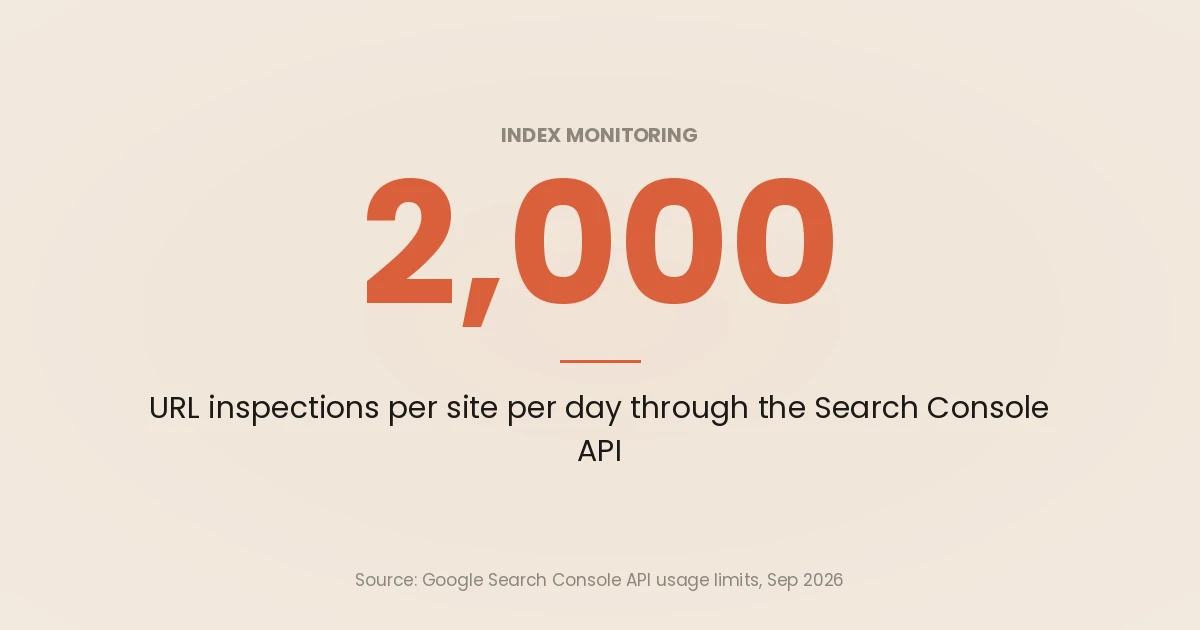
The Page indexing report and URL Inspection in Search Console are the source of truth, and both are free. The limit is scale: the interface shows one URL at a time for inspection. The Search Console API usage limits allow 2,000 URL inspections per site per day, at up to 600 a minute, which is enough to monitor the templates and money pages of most sites every day.
The practical setup is a scheduled script that inspects a fixed list of priority URLs and flags any change in coverage state or Google-selected canonical. How to pull the Search Console data the interface hides is in the Search Console API guide. Status-specific diagnosis, such as a soft 404 or a crawled page left out of the index, starts from what this monitoring surfaces.
Paid platforms add alerting on top. JetOctopus lists alerts for indexability, Core Web Vitals and Googlebot behaviour on its plans, which saves writing the script but does not change the data underneath.
Audit suites: breadth over depth
Semrush and Ahrefs are keyword, backlink and ranking platforms that include a site audit. Their audits are good at a fast, scored overview and at monitoring the same issues over time. They are weaker on the raw, configurable data a dedicated crawler gives you, and neither reads your logs.
Ahrefs Free (formerly Ahrefs Webmaster Tools)
Ahrefs Webmaster Tools is now called Ahrefs Free. For websites you verify, it gives Site Audit, which checks for 170+ technical and on-page issues, alongside Site Explorer and Web Analytics. Site Audit has 5,000 crawl credits per verified project each month, and Ahrefs says credits are only used on HTML pages that return 200, so redirects and broken URLs do not count.
For a small site this is a free cloud-based audit that tracks a health score over time, which is exactly what the free Screaming Frog tier lacks. The catch is that it only works on sites you can verify, so it is no use for auditing a prospect or a competitor.
Semrush Site Audit
Site Audit is included in every paid Semrush plan. On the Semrush pricing page, the cheapest paid tier, SEO, is $139 a month, or $117.33 a month billed annually. The free account allows one demo project and 10 reports a day. If your team already pays for Semrush for keyword research, the audit is effectively free. If not, it is an expensive way to buy a crawler.
Where MCP fits
Sitebulb, JetOctopus and Semrush now advertise MCP access, so an AI assistant can query crawl and audit data directly. That changes how you read an audit, not what it finds; the options are compared in the best MCP servers for SEO.
Prices at a glance
Every price below was verified on 24 September 2026 on the vendor’s own page. Prices change, so check the linked page before you buy.
| Tool | Free tier | Paid entry point | Unit |
|---|---|---|---|
| Screaming Frog SEO Spider | 500 URLs per crawl | $279 per year | Per user |
| Screaming Frog Log File Analyser | 1,000 log events, 1 project | £99 per year | Per licence |
| Sitebulb Desktop | 14-day trial | Price not rendered on the page | Lite 10,000 URLs, Pro 500,000 URLs per audit |
| Sitebulb Cloud | None listed | From £95 per month | Team |
| JetOctopus | 7-day trial, 10k URLs | $349 per month billed annually | Unlimited seats |
| Ahrefs Free | 5,000 crawl credits per verified project per month | Paid Ahrefs plans for unverified sites | Per project |
| Semrush | 1 demo project, 10 reports a day | $139 per month ($117.33 billed annually) | Per account, extra users cost more |
| GoAccess | Open source | Not applicable | Not applicable |
| Google tools (Search Console, Rich Results Test, PageSpeed Insights, CrUX API) | Free | Not applicable | Quotas apply |
The free stack for a solo SEO
This stack covers all six jobs for nothing, and it is what I would hand a freelancer starting out on sites up to a few hundred pages.
- Crawler: Screaming Frog SEO Spider, free tier. Crawl by section if the site is over 500 URLs.
- Scheduled audit: Ahrefs Free on every site you can verify, for a cloud crawl that does not depend on your laptop and tracks issues over time.
- Logs:
grepandawk, with GoAccess for a visual overview. Ask the client for a week of raw access logs. - Rendering:
curlfor raw HTML, the URL Inspection live test to confirm what Google sees. - Schema: Rich Results Test for Google eligibility, Schema Markup Validator for everything else.
- Core Web Vitals: PageSpeed Insights for field data, the CrUX API for more than a few URLs.
- Index: Search Console, plus the URL Inspection API for a daily check on priority URLs.
- Internal links: the free internal link graph to see orphans and hubs.
The first thing worth paying for is the Screaming Frog licence. The 500-URL limit is the constraint you hit first, and the licence also lets you save and compare crawls, which is what turns a one-off audit into monitoring.
The stack for an in-house team
An in-house team has different problems. The site is larger, several people need the same data, and the job is catching regressions from releases rather than running one audit.
- Crawler: a Screaming Frog licence for each person who crawls hands-on, plus a cloud crawler (JetOctopus or Sitebulb Cloud) for scheduled crawls everyone can see.
- Logs: a log pipeline that does not depend on someone requesting files. Either the cloud crawler’s log integration or a scheduled export into your own warehouse.
- Rendering: JavaScript rendering on in every scheduled crawl, compared against a non-rendered crawl of the same templates after each major release.
- Schema: crawler-level validation on every crawl, with the Rich Results Test used to confirm template changes before release.
- Core Web Vitals: Lighthouse CI in the deployment pipeline for lab regressions, and the CrUX API on a schedule for field data.
- Index: a scheduled URL Inspection API job on priority URLs, feeding the same dashboard as the crawl and log data.
- Suite: whichever of Semrush or Ahrefs the marketing team already pays for, used for monitoring and reporting rather than as the primary crawler.
The money goes on shared data and history, not on more checks: the paid layer makes results visible to the whole team and catches changes between audits. In the 12-phase audit that monitoring layer is what gets handed over at the end, so the findings do not decay after the report.
If you would rather have that stack configured and wired into your release process than assemble it yourself, that is part of my GEO and technical SEO consulting.
Frequently asked questions
What is the best technical SEO audit tool?
There is no single best tool, because a technical audit covers crawling, logs, rendering, structured data, Core Web Vitals and indexing. For most people the core is a desktop crawler such as Screaming Frog or Sitebulb, used alongside Google Search Console. Add a log analyser and Google’s own testing tools, and you have covered every part of the audit.
Can I do a technical SEO audit with free tools only?
Yes, for small and medium sites. Screaming Frog’s free tier crawls 500 URLs, Ahrefs Free audits sites you have verified, and Google’s Search Console, Rich Results Test and PageSpeed Insights are free. Logs can be analysed with the command line or GoAccess. The limits are crawl size and the lack of saved crawl comparisons, which is when a paid crawler licence pays for itself.
Is Screaming Frog free?
The SEO Spider is free up to 500 URLs per crawl. A licence removes the limit and adds the advanced features, and it cost $279 per user per year for one to four licences when I checked on 24 September 2026. The Log File Analyser is a separate product with its own free version, limited to 1,000 log events.
Do I need a log file analyser for technical SEO?
If crawl behaviour matters to the audit, yes. A crawler shows what a bot could reach; only the server log shows what Googlebot and AI crawlers actually requested and what status code they got. You can start with grep and awk on the raw access log before buying anything.
How do I check how Google renders a page?
Use the live test in Search Console’s URL Inspection tool. It shows a screenshot of the page as Google’s inspection crawler saw it, plus the rendered HTML, loaded resources and JavaScript output. To find rendering problems across a site, compare a crawl with JavaScript rendering on against one with it off.
Are all-in-one SEO suites good for technical audits?
They are good for a quick scored overview and for monitoring the same issues over time. They are weaker than a dedicated crawler on configurable, raw data, and they do not analyse server logs. If your team already pays for Semrush or Ahrefs, use their site audit for monitoring and a desktop crawler for the investigation.