 Nadia Mohamed
Technical SEO
Keyword Research for SaaS: A Practical Method
Keyword research for SaaS is the process of finding the searches your buyers make at each stage of choosing software, checking what Google already ranks for them, and deciding which page on your site should own each one. It differs from general keyword research in one way that changes everything: most of the terms that lead to a trial or a demo have tiny reported volume, so product fit and the live results page decide what you target, not the volume column.
This guide sets out a six-step method you can run in a spreadsheet. Start from the product, mine Search Console and treat volume as a range. Then read the SERP for intent, group terms into pages and prioritise by pipeline value. Each step ends with a check, so the output is a ranked page list rather than a pile of keywords.
Key takeaways
- Volume is the weakest signal you have: Ahrefs’ search volume experiment found Keyword Planner volumes roughly accurate in just 45% of cases.
- Search Console comes first, with known gaps: it shows real queries for your own site but hides anonymised queries and caps interface exports at 1,000 rows.
- The live SERP is the intent test: if the top results are not the page type you plan to publish, change the page or drop the keyword.
- AI Overviews change the payoff, not the method: searchers who saw an AI summary clicked a result link roughly half as often as those who did not.
- Rank terms by pipeline value: alternatives, comparisons and use-case pages sit closest to a trial, so they go first.
What keyword research for SaaS is, and why the volume column misleads
SaaS keyword research has one job: connect what buyers type to a page that can move them towards a trial, a demo or a purchase. That makes the page type part of the research. “Best invoicing software for agencies” needs a comparison page, “[competitor] alternatives” needs an alternatives page, and “how to automate client invoices” needs a guide that shows the product doing the job.
The volume problem is structural. Keywords with fewer than 10 searches per month make up almost 93% of the U.S. database in Ahrefs’ long-tail keyword analysis. The same analysis notes that roughly 15% of daily Google searches are new, a figure it attributes to Google.
A niche B2B product sits deep in that long tail. Many of its best terms will show “0–10” or no volume at all.
So the rule for keyword research for SaaS is to judge a term by buyer fit first and volume last. A term with 20 searches a month from people comparing your category is worth more than 2,000 searches from students. If you need the wider strategy around this, such as site architecture and content types, the SaaS SEO guide covers it; this article stays on the research method.
Step 1: Start from the product and the buyer, not a seed list
A generic seed list (“project management”, “CRM”) produces generic keywords. Start instead from the pages a SaaS site can realistically publish, then find the terms each page type attracts. This keeps B2B SaaS keyword research tied to what you can build.
The page types that recur across software buying journeys:
- Alternatives: “[competitor] alternatives”, “[competitor] competitors”.
- Comparisons: “[you] vs [competitor]”, “[competitor A] vs [competitor B]”.
- Category and best-of: “best [category] software for [segment]”.
- Integrations: “[your category] [tool] integration”, “connect [tool A] to [tool B]”.
- Use cases and jobs: “how to [job the product does]”, “[category] for [industry]”.
- Pricing and evaluation: “[category] pricing”, “[competitor] pricing”.
Fill each row with language from the people who buy. Sales call notes, support tickets, onboarding surveys and review-site complaints give you the phrasing buyers actually use, which is often not the phrasing your product team uses. Competitor navigation menus and their comparison pages show which page types they think are worth building.
The output of this step is a list of candidate SaaS keywords grouped by page type, with no volume data yet. Pick-by-job rule: if a row has no page you would be willing to publish, delete the row now rather than researching it.
Step 2: Mine Search Console before buying any tool
If the site has any traffic, Google Search Console is the first data source, because it reports queries that real users typed before seeing your pages. It is the most direct keyword analysis for SaaS you can get, and it is free. It also has limits that change how you read it.
What Search Console hides
Google’s Search Console data deep dive explains that anonymised queries are those not issued by more than a few dozen users over a two-to-three month period. Those queries are left out of the query table but still counted in the chart totals. For a niche SaaS product, that can be a large share of the long tail you care about.
The same Google article sets the export limits. The interface exports a maximum of 1,000 rows, and the Search Analytics API tops out at 50,000 rows per day per site per search type. The Performance report is a dashboard, not the raw data.
How to pull more than the interface shows
Use the API. The Search Analytics API reference lists a valid rowLimit range of 1–25,000 with a default of 1,000, and you page through larger sets with startRow. Pull by query and page together, so you can see which URL Google already pairs with each query.
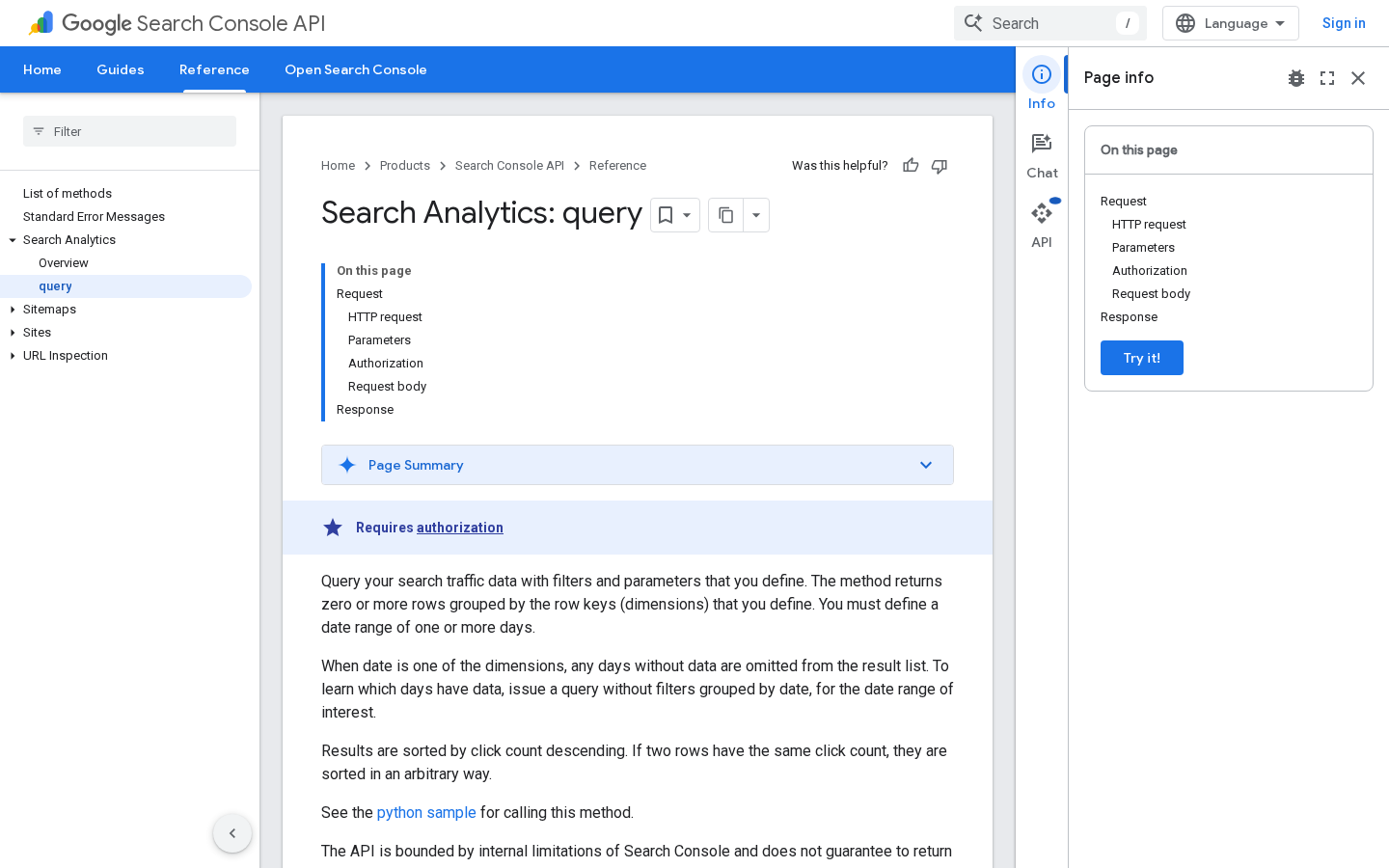
The rowLimit and startRow parameters control how many rows each request returns.
Run three checks on the export. First, queries with impressions but an average position beyond page two: demand you are not serving. Second, queries where two of your URLs swap impressions, a cannibalisation signal. Third, question-style queries for the FAQ. If you want the setup steps, the Search Console API guide walks through authentication and paging.
Step 3: Treat search volume as a range, not a fact
Third-party volumes are estimates, and they disagree with each other. Use them to compare terms against each other, never as a traffic forecast.
Three facts set the ceiling on what volume can tell you.
Google Ads Help on Keyword Planner metrics states that historical stats like average monthly searches are only shown for exact matches. Ahrefs compared Keyword Planner volumes with Search Console impressions for the same keywords, in the experiment linked in the key takeaways, and found them roughly accurate in just 45% of cases. And Google’s Trends data FAQ describes Trends as a largely unfiltered sample of search requests, normalised for comparison.
What this means for SaaS keyword research in practice:
- Keep each tool’s number in its own column. Don’t blend three tools into one average; it hides which source said what.
- Use volume for order, not size. If two tools agree that term A beats term B, that ordering is usable even when the absolute numbers differ.
- Use Trends for direction. Seasonality and a rising or falling category matter more than one month’s estimate.
Caveat: for terms below the reporting floor, every tool is guessing. Those terms earn a place through Step 4 and Step 6, not through volume.
Step 4: Read the live SERP to confirm intent
The results page tells you what Google thinks a searcher wants, so it is the most reliable intent signal available. Read it for every keyword that survives Step 3, rather than guessing intent from the wording. In keyword research for SaaS, this step stops you writing a comparison page for a query Google answers with a definition.
The pass/fail check
Open the SERP for the term in a clean browser session for your target market and note the page type of each of the top 10 results. Then apply one rule.
- Pass: at least half of the top 10 are the page type you plan to publish (for example, comparison pages for a “vs” term).
- Fail: the top 10 is dominated by a different type, such as forum threads, tool homepages or dictionary definitions. Change the planned page type to match, or drop the keyword.
- Note the weakest result: record the authority of the weakest page on page one. That number feeds the winnability score in Step 6.
Position matters once you pass. Backlinko’s CTR study of 4 million results found the #1 organic result has an average CTR of 27.6% and is 10x more likely to be clicked than the #10 result. A term you can only reach position 9 on is worth far less than its volume suggests.
What AI Overviews change
Note whether an AI Overview appears, because it changes the payoff. Ahrefs’ April 2025 study of 300,000 keywords found an AI Overview correlated with a 34.5% lower average clickthrough rate for the top-ranking page. Pew Research Center (July 2025) found users who saw an AI summary clicked a traditional result link in 8% of visits, against 15% for users who did not see one.
Clicks on links inside the summary itself were rarer still, at 1% of visits in the same Pew analysis. Don’t drop a buyer-fit term because it shows an AI Overview; lower its traffic estimate and make sure the page states its answer clearly enough to be cited.
Step 5: Group by shared results, then give each group one page
Once intent is confirmed, group keywords whose top results overlap heavily: if Google ranks the same URLs for two terms, one page can serve both. If the results differ, they need separate pages. The comparison of keyword clustering tools by method covers the software options, and the method itself is explained in clustering by SERP overlap.
Two rules keep this step short. Each group maps to exactly one URL, and before creating a page you check whether an existing page already ranks for any term in the group. If one does, update that page instead of publishing a competitor to it.
A quick way to apply this in SaaS keyword research: put the top 10 URLs for each term side by side and count the shared ones. Terms that share several of the same URLs belong together; terms that share none need their own page or no page at all.
The output is a page list: one row per planned or existing URL, with its primary term and the terms that ride along. Keep it to the method above; a deeper treatment of clustering algorithms belongs in a separate exercise.
Step 6: Prioritise by pipeline value, not traffic
Keyword research for SaaS ends with an ordered list of pages, so the last step is scoring. Score each page from Step 5 on four inputs and sort by the total.
A scoring sheet you can copy
| Input | 3 points | 2 points | 1 point |
|---|---|---|---|
| Funnel stage | Alternatives, vs, pricing | Use case, integration | Educational guide |
| Product fit | Product solves the exact job | Product helps with part of it | Related topic only |
| Winnability | Weakest page-one result is weaker than your site | Similar authority | Much stronger across page one |
| Effort | Existing page to update | New page, no assets needed | New page plus data, design or engineering |
Bottom-of-funnel pages usually win the first slots because they sit closest to a trial. Informational terms still matter, but expect less traffic from them where AI summaries appear. The same Pew Research Center analysis found users ended their browsing session on 26% of pages with an AI summary, against 16% of pages with only traditional results.
The sheet is deliberately coarse. In B2B SaaS keyword research, the inputs you can defend in a planning meeting beat a precise-looking score built on volume estimates that disagree with each other.
Two rules for the final list. Ties go to the page with the stronger product fit, and no term goes on the list without a named page type from Step 1, which is the check that stops a keyword spreadsheet growing without a plan. For how this research feeds a wider technical programme, see the B2B tech SEO guide.
Automate the repeat pulls, keep the judgement
Most of this method repeats every month. The repetitive parts suit scripts: the Search Console export, SERP snapshots for your shortlist, the overlap comparison and a first draft of each brief. Product fit and the final pick stay with a person. Automating keyword research for SaaS means automating the collection, not the decision.
A workable monthly loop has four parts. Pull last month’s queries by page from the API and refresh the SERP snapshot for every term on the page list. Flag terms whose top 10 changed page type, then draft briefs only for pages that moved up the scoring sheet.
The data is cheaper than many teams assume. DataForSEO’s SERP API pricing lists results from $0.0006 per SERP in the standard queue to $0.002 in live mode, and DataForSEO’s pricing page sets a $50 minimum account top-up. A monthly snapshot of a few hundred shortlisted terms is a small line item next to the hours spent copying results by hand.
Buy for the bottleneck. If the slow part is pulling and cleaning data, automate that first; if it is deciding what to publish, a better spreadsheet will help more than another tool. The SEO automation map shows which tasks are worth automating, and if you want help building the pipeline, an automation audit is where that work starts.
Frequently asked questions
How is keyword research for SaaS different from general keyword research?
It ranks terms by buyer fit and the page type that converts, not by volume. Most SaaS terms have tiny or unreported volume, so product fit and the live SERP decide what you target.
Is Google Search Console enough for SaaS keyword research?
It is the best place to start because it shows real queries for your own site, but it hides anonymised queries and caps exports. Pair it with a third-party tool for terms you do not rank for yet.
Should a SaaS company target bottom-of-funnel or top-of-funnel keywords first?
Start with bottom-of-funnel terms such as alternatives, comparisons and use-case pages, because they sit closest to a trial or demo. Add informational topics once those pages exist and you can link to them.
How accurate is keyword search volume?
Treat it as a range. Ahrefs found Keyword Planner volumes roughly accurate in only 45% of cases, so use volumes to compare terms against each other, not as a traffic forecast.
Can keyword research for SaaS be automated?
The repeat work can: Search Console exports, SERP snapshots, overlap checks and draft briefs. Deciding whether a term fits the product and which page should own it still needs a person.