 Nadia Mohamed
AI-SEO & GEO
Peec AI Review: What It Tracks, What It Costs, and Who It's For
Peec AI is an AI search analytics platform that runs a fixed set of prompts through AI assistants every day and reports how often your brand is mentioned, where it appears in the answer, how it is described, and which web pages the assistants used. It is a monitoring tool: it measures your AI visibility, it does not change it.
This review covers what Peec AI actually tracks, how it collects answers (which decides how far you can trust its numbers), what each plan includes, how you get data out, and where it falls short. It ends with the question most buyers have before they reach the pricing page: whether you need a paid tracker yet, or whether the free AEO Analyzer and a manual prompt check will do for now. Every feature and plan detail below was read from the vendor’s own plans page and documentation in September 2026, and each claim links to the page it came from.
Key takeaways
- Peec AI tracks brand mentions, position, sentiment and share of voice across AI assistants, plus the sources and citations behind each answer. It does not score or fix your pages.
- It collects answers by driving each assistant’s web interface as a logged-out user, daily, so the data reflects what an ordinary user sees rather than an API response.
- Self-serve plans let you choose three models to track from a list of six; Perplexity, Claude and Grok sit in the Enterprise column or the add-on list, and API access is Enterprise-only.
- One answer per prompt, per model, per day is a small sample for a single prompt. Read Peec at the topic level over weeks, not prompt by prompt day by day.
- If you have not yet run 20 buyer prompts by hand and fixed the pages the answers draw on, you do not need to pay yet. Pay when manual checks stop scaling or you need a trend line someone else will read.
What Peec AI is, and what it is not
Peec AI describes itself as tracking “how your brand appears when people ask AI platforms questions about your industry”, measured on three things: visibility, position and sentiment (Peec AI docs). It is built by a team in Berlin and sold to in-house marketing teams and, on a separate agency plan, to agencies.
It belongs to the brand-level monitoring category covered in the comparison of AI visibility tools: tools that run prompts on a schedule and record who gets named. It is a different job from page-level optimisation, where a tool scores one URL for how easy it is to extract and cite. Peec now has adjacent features (a crawlability audit, AI referral reporting and recommended actions), but its core is still prompt-based tracking (plan comparison).
That distinction matters when you buy. A tracker tells you that a competitor is named in 60% of answers and you are named in 20%. It does not tell you what is wrong with your pages. You still need to do that work, with something like a GEO audit or a page-level score.
What Peec AI tracks
Engines
The engines you can track depend on the plan. On the Peec AI pricing page, the Starter, Pro and Advanced columns list six available models: ChatGPT, Google AI Mode, Google AI Overviews, Microsoft Copilot, Gemini and Naver AI. Each of those plans says “Choose 3 models”, so you pick three of the six.
The Enterprise column adds Claude, GPT-5 Search, Grok, DeepSeek, Qwen, Mistral, Meta and Perplexity, and the Enterprise card says “Up to 13 LLM models tracked”. A separate “Additional Models” add-on lets self-serve plans track more models “without switching plans”, and its list includes Perplexity.
In practice, the self-serve choice for most English-language buyers is ChatGPT plus two of Google’s surfaces or Copilot. If your buyers research in Perplexity or Claude, confirm what the add-on costs before you commit: the page text did not show a figure.
Prompts, topics and locations
A prompt in Peec is a conversational question, not a keyword. The prompt setup guide gives the example “What CRM would work best for a sales team of 10 people?” in place of “best CRM software”. Each prompt belongs to exactly one topic, can carry tags, and runs from a location you set per prompt.
You can add prompts by hand, upload a CSV (up to 200 characters per prompt), accept suggestions generated from your website, or use Prompt discovery. Discovery asks for your products, buyer personas and markets, then generates prompts to a branded versus unbranded split and an intent mix you set. The documented defaults are 20% branded and a 25/50/25 split across informational, commercial and transactional intent (Peec AI docs).
Two details from the same guide are worth knowing before you build a prompt set. Informational “how do I” prompts rarely produce brand names unless you add brand context, so they add little to a visibility score. And archived prompts stop counting against your limit while keeping their history, which makes it cheap to rotate prompts in and out.
Mentions, sources and citations
This is where Peec is more precise than most write-ups about it. It separates three things that are often blurred:
- A mention is your brand named in the answer text. Visibility is built from mentions.
- A source is any URL the assistant accessed while generating the answer.
- A citation is a source explicitly referenced in the answer text.
Peec’s guide to reading chats puts it plainly: “Not all sources are citations, but every citation is a source.” Its example is an answer that cites 5 URLs in the text but lists 8 in the sidebar. The Data Studio connector exposes both as separate metrics, citation and retrieval, so you can report them apart (Data Studio connector docs).
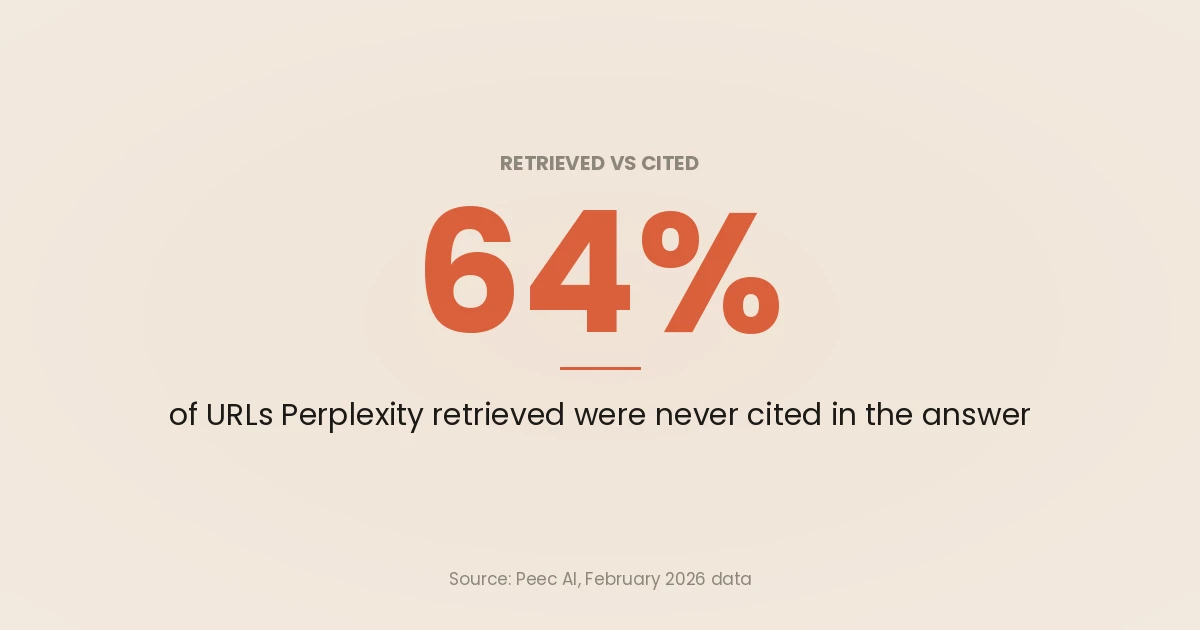
The gap between the two is large. Peec’s own research page on retrieval versus citation reports that on Perplexity, 64% of retrieved URLs are never cited in the answer (February 2026 data). If you only count citations, you miss most of the pages shaping the answer.
The practical use is Gap Analysis: sources that appear often and name your competitors but not you, which Peec ranks by a gap score (sources docs). That list is an outreach and content plan. Peec’s introduction also flags the case worth fixing first: when you are “cited as a source but not mentioned as a brand”.
The four headline metrics
| Metric | How Peec defines it | What to watch for |
|---|---|---|
| Visibility | Responses mentioning your brand divided by total responses, as a percentage (docs) | The most robust number, because it does not depend on competitors |
| Share of voice | Your brand mentions divided by all brand mentions (docs) | Moves when competitors move, even if your visibility does not |
| Position | Order of mention in the answer, counting every detected brand, not only the ones you track (docs) | An untracked brand appearing above you pushes your position down |
| Sentiment | How the model talks about your brand, scored 0 to 100 (docs) | A model-assigned score; spot-check it against the answer text |
These match the definitions used in the AI share of voice methodology on this site, with one difference. That method fixes the brand set in advance and counts each brand at most once per response. Peec’s position metric deliberately counts every detected brand, so read position as “where we sit in the whole answer”, not “where we sit among our competitors”.
How Peec AI collects answers
The collection method is the part of any tracker that decides whether its numbers mean anything, and Peec documents its method more openly than most.
UI scraping, logged out
Peec does not call model APIs for its standard tracking. Its introduction says it “uses UI scraping technology to interact with AI platforms exactly as real users do”, through browser automation. The stated reason is that API responses and their sources can differ from what users see in the interface.
The consequence is spelled out in the same page: “For most platforms, this means the platform decides which model to use and whether it runs a web search. This is the reality for a logged-out user.” You are measuring the default, logged-out experience. That is a sensible baseline, but it is not what a paying ChatGPT user with memory and a chosen model sees.
It also means some answers carry no sources at all. Peec’s chat guide notes that ChatGPT “sometimes performs web searches and sometimes doesn’t”, and an answer without a search shows no sources. Each chat is flagged with features such as web search, ads, maps and shopping, so you can filter to answers that searched (chats docs).
Daily runs and what they add up to
Prompts run on a 24-hour cycle, and newly accepted prompts join that cycle immediately (prompt setup guide). The pricing page defines monthly AI answers as prompts multiplied by active models multiplied by tracking frequency, and its FAQ gives the worked example of 25 prompts across 3 models for 30 days producing 2,250 answers (Peec AI pricing page).
That is a good volume at the project level. It is a thin one at the prompt level. One prompt on one engine gives you about 30 answers a month.
The arithmetic from the share of voice method applies directly. With 16 responses per engine, the 95% interval on a 50% mention rate is 44 points wide, and it takes about 400 responses per engine to get it under 10 points (AI share of voice methodology). By the same Wilson formula, 30 responses gives an interval about 34 points wide.
There is a second catch. Daily answers to the same prompt from the same location are not fully independent draws, so the true uncertainty is wider than the formula suggests. Peec’s own docs make the same point in plainer words: sources appear one day and vanish the next, so “focus on trends over weeks rather than daily changes” (chats docs).
The way to use Peec well follows from that. Report visibility per engine and per topic (many prompts pooled), over four-week windows, and treat a single prompt’s daily line as a list of examples to read, not a metric to report.
What Peec AI costs
Peec AI sells four tiers, all with unlimited users and daily tracking: Starter, Pro and Advanced (50, 150 and 350 prompts; 1, 2 and 5 projects), each capped at three models, plus a custom Enterprise tier. The Peec AI pricing page renders its prices dynamically, and the page text fetched on 29 September 2026 confirmed the plan structure below but not the amounts, so check the live page for the current price before you buy. Monthly billing costs more: Peec’s FAQ gives a 15% discount for annual billing.
The plan limits that did render in September 2026:
| Plan | Prompts | Models | Monthly AI answers | Projects | Countries | Notable extras |
|---|---|---|---|---|---|---|
| Starter | 50 | Choose 3 | 4,500 | 1 | 1 | Unlimited users, daily tracking |
| Pro | 150 | Choose 3 | 13,500 | 2 | 3 | As Starter |
| Advanced | 350 | Choose 3 | 31,500 | 5 | 3 | Multi-country, Looker Studio integration |
| Enterprise | Custom | Up to 13 | Custom | Unlimited | Custom | API access, SSO, daily or weekly frequency |
Source: peec.ai/pricing, read 29 September 2026. Monthly AI answers are Peec’s own figures (prompts × 3 models × 30 days).
Agencies get a separate credit model on the agency pricing page. One credit is one prompt on one model for one day, so a prompt tracked on three models for a month uses 90 credits. The tiers are Essential (10,000 credits), Growth (25,000) and Scale (65,000), and credits are allocation slots that do not reset or expire. The page also advertises white-label reporting and free “pitch projects” for prospect audits.
To compare Peec with other trackers on a like-for-like basis, convert every plan to cost per answer per month. Most comparisons stop at the headline price, and headline prices hide whether you get three engines or one.
Getting data out: exports, Data Studio, API and MCP
For a monitoring tool, export decides whether the data ends up in a report anyone reads. Peec’s options, by what they need:
- CSV from any chart. The visibility chart menu offers “export as a CSV, save as an image, or copy to clipboard” (visibility docs).
- Every chat. “You can also export all chats generated on your account so far via the Project tab” (chats docs). This is the raw data, and the export to take if you want to rescore answers yourself.
- Data Studio (Looker Studio) connector. It exposes brand, model, prompt, topic, tag, country, source URL and domain as dimensions, and visibility, share of voice, position, sentiment, citation and retrieval as metrics. It needs “a valid Peec API Key in their account” (connector docs). The pricing page lists the Looker Studio integration on the Advanced card.
- REST API. “Access to this API is currently limited to Enterprise customers” (API docs).
- MCP server. Peec runs an MCP server at
https://api.peec.ai/mcpthat lets Claude, Cursor and other MCP clients query your data and edit prompts, topics and tracked brands, with write tools flagged for confirmation (MCP docs).
If you already report SEO in Looker Studio, the connector is the cleanest route: add Peec visibility beside Search Console clicks in the same SEO dashboard instead of maintaining a second report. If you only have Starter or Pro, the chats export plus a spreadsheet does most of the same job.
Where Peec AI falls short
These are limits of the product as documented, not complaints about the interface.
- Three models below Enterprise. Every self-serve plan tracks three engines. A brand that needs ChatGPT, AI Overviews, AI Mode and Perplexity is either paying for add-ons or choosing what to ignore.
- API behind Enterprise. Scheduled exports into your own warehouse need the API, and the API needs Enterprise. The MCP server and the chats export are the workarounds.
- History starts when you start. Prompts begin running when you add them, so there is no backfill. Set up the prompts you care about before a launch or migration, not after.
- Logged-out answers only. The method is deliberate and well explained, but it does not capture personalised or logged-in answers, where many heavy users actually are.
- Position counts everyone. Because every detected brand counts towards position, a marketplace or review site named first in an answer pushes every vendor down a place. Read position alongside the chat text.
- It measures, it does not fix. Recommended actions and gap analysis point at sources, but the work on your own pages (structure, schema, crawlability) is still yours.
Peec AI vs the free AEO Analyzer: do you need to pay yet?
The comparison is uneven on purpose. The AEO Analyzer on this site is a free, page-level tool: it scores one article from 0 to 100 against 10 AEO criteria and gives three fixes, with three free analyses a month. It does not track your brand in AI answers at all. Peec does the opposite: it tracks the brand and never scores a page.
| AEO Analyzer | Manual prompt matrix | Peec AI | |
|---|---|---|---|
| Question it answers | Is this page easy for an AI engine to extract and cite? | Are we named for our buyers’ questions this month? | How is our AI visibility trending, per engine and topic, against competitors? |
| Unit | One URL | One prompt, one engine, one run | One prompt, one model, one day |
| Engines | None (scores the page) | Whichever you open | Three on self-serve plans |
| Cost | Free, 3 checks a month | Your time | Paid plan |
| Output | Score, criteria, three fixes | A spreadsheet | Dashboards, sources, exports |
The free route is two steps. First, run 20 buyer prompts by hand across ChatGPT, Gemini and Perplexity, twice, using the prompt-matrix method for checking whether your business appears. Second, put the pages those answers draw on, and your own pages that should have been cited, through the AEO Analyzer and fix what it flags.
You do not need to pay yet if any of these are true:
- You have never run your buyer prompts by hand, so you do not know which prompts matter.
- Your brand is named in almost none of the answers. A tracker will draw a flat line at zero every day, and the fix is content and third-party coverage, not measurement.
- Nobody outside your team needs to see a trend line.
You probably do need a tracker when:
- Your manual matrix has grown past what you can run monthly: 20 prompts on 3 engines twice a month is already 120 answers to read and score.
- Leadership or a client wants a monthly AI visibility number, and you need it to be the same method every month.
- You want the source and citation lists at scale for outreach, which is the part manual checks do worst.
In short, the free tools tell you what to fix and whether it is working in a rough way. Peec tells you, in a way you can defend in a meeting, whether it is working over time.
Who Peec AI is for
A good fit: in-house marketing and SEO teams at brands that are already named in some AI answers and need a consistent weekly and monthly read across a few engines; agencies reporting AI visibility to several clients, where the credit model, pitch projects and white-label reporting are built for that job; teams already reporting in Looker Studio.
A weaker fit: new brands with almost no presence in AI answers; teams whose buyers mainly use Perplexity or Claude and who do not want Enterprise or add-ons; anyone expecting the tool itself to raise visibility.
How to trial it so the trial answers a question. There is a free trial, linked from the plans page. Before you start, write down 20 to 50 prompts from real sales and support questions, grouped into three to five topics, pick the three engines your buyers use, and decide which competitors you are comparing against. Then read the chats, not just the dashboard. At the end of the trial you should know your visibility per engine per topic, the ten sources that name competitors and not you, and whether the method matches how you want to report.
If you want help turning a Peec account into a reporting and content plan, or deciding whether you need one yet, that is part of the GEO and technical SEO service.
Frequently asked questions
What does Peec AI do?
Peec AI runs a set of conversational prompts through AI assistants such as ChatGPT, Gemini, Copilot and Google’s AI Overviews and AI Mode every day. It reports how often your brand is mentioned, where it appears in the answer, how it is described, and which web pages the assistants used or cited. It is a monitoring tool, not an optimisation tool.
Which AI engines does Peec AI track?
Self-serve plans let you choose three models from ChatGPT, Google AI Mode, Google AI Overviews, Microsoft Copilot, Gemini and Naver AI. The Enterprise tier adds engines including Claude, Grok, DeepSeek, Mistral, Meta and Perplexity, with up to 13 models tracked. Extra models can also be added to self-serve plans as a paid add-on.
How does Peec AI collect its data?
It drives each assistant’s web interface through browser automation as a logged-out user, rather than calling the model APIs. That means the platform chooses the model and decides whether to search the web, as it would for an ordinary visitor. Prompts run once a day per selected model, from the location you set for each prompt.
Does Peec AI track citations or just mentions?
Both, separately. A mention is your brand named in the answer text; a source is any URL the assistant accessed; a citation is a source explicitly referenced in the answer. Peec reports visibility from mentions and shows sources and citations as separate counts, which is useful because many retrieved pages are never cited.
Can I export data from Peec AI?
Yes. Charts export to CSV, and the Project tab exports every chat generated on your account. The Looker Studio (Data Studio) connector needs an API key, and the REST API is limited to Enterprise customers, while the MCP server lets AI assistants such as Claude query your Peec data directly.
Is there a free alternative to Peec AI?
Not one that does the same job automatically. You can run your buyer prompts by hand in a spreadsheet each month, which is free and slow, and use the free AEO Analyzer to score the pages those answers should cite. That combination is enough until manual checks stop scaling or someone needs a consistent trend line.