 Nadia Mohamed
Measurement
Connect the Ahrefs API to Google Sheets: A Step-by-Step Setup (No Zapier)
To connect the Ahrefs API to Google Sheets without Zapier or a paid add-on, paste one Apps Script file into the spreadsheet, store your API key as a script property, and call Ahrefs API v3 from custom functions with UrlFetchApp. The whole setup takes about fifteen minutes, and the only running cost is the API units each formula consumes.
This guide gives you the script, the unit cost of every call it makes, and three formulas you can use straight away: a Domain Rating lookup, a keyword volume lookup and a top pages table. It also covers what most guides leave out: how a recalculating spreadsheet can spend your allowance unnoticed, and how to stop it.
Key takeaways
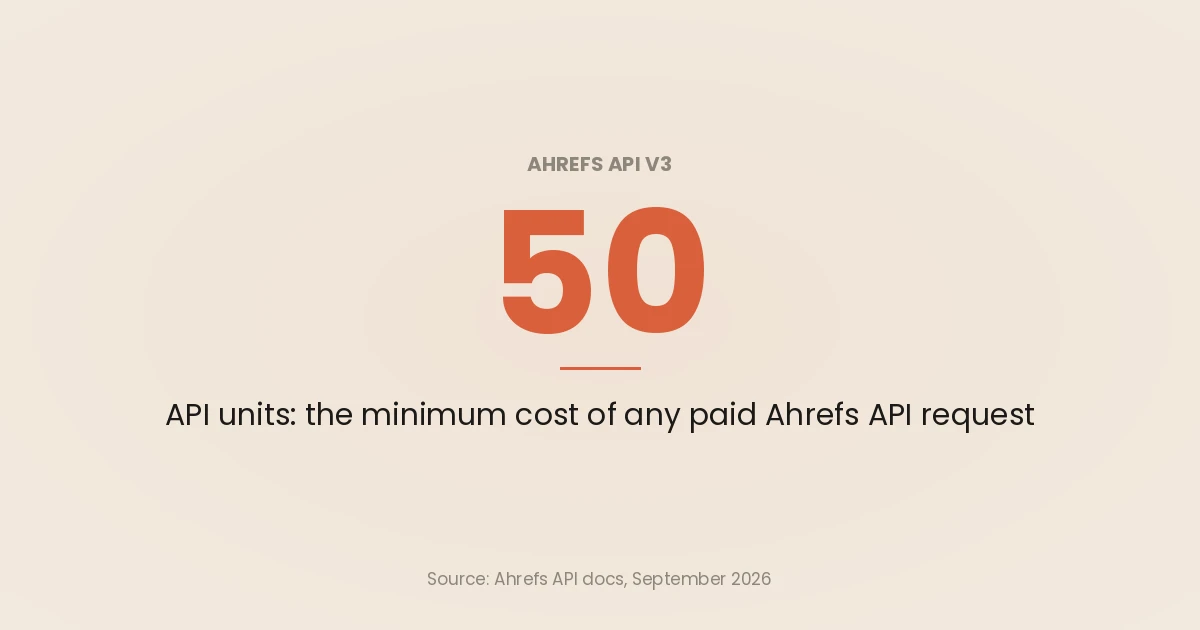
- Ahrefs charges every paid request at least 50 API units. A request costs
max(50, per-row cost × rows), and units once consumed are non-refundable. - Test for free first. Requests that target
ahrefs.com,yep.comorfirehose.com, or ask only for the keywordsahrefs,yeporfirehose, consume no units. - Keep the API key in Script properties, not in a cell, and give that key its own monthly unit limit in Ahrefs.
- Pass whole ranges to one formula instead of one formula per row. It is faster, it avoids Apps Script’s per-second limits, and for keyword volume it turns fifty requests into one.
- Freeze results as values once you have them. A formula that never runs again never costs anything again.
What you need before you start
You need three things: an Ahrefs plan that includes API access, an API key, and a Google account that can open Apps Script from a spreadsheet.
The plan. Several of the guides ranking for this query say API v3 is Enterprise-only. That is out of date. As of 24 September 2026, Ahrefs’ pricing page lists “API and MCP access” on the Lite, Standard and Advanced plans, with direct API access capped at 100, 250 and 500 rows per request respectively, and unlimited on Enterprise. Ahrefs’ API introduction says eligible plans include a monthly API unit allowance, and that plans supporting pay-as-you-go charge extra units automatically once the included limit is exceeded.
The row cap matters for one formula below: on Lite, a top pages request returns at most 100 rows however high you set limit.
The key. Ahrefs’ key management docs say only workspace owners and admins can create keys, in Account settings, API keys. Each key lasts one year, and a key is invalidated if the person who created it leaves the workspace. Create one key just for this spreadsheet, so you can cap it and revoke it without breaking anything else.
Free test queries. Every paid plan can run a limited set of free test queries. Site Explorer requests are free when the target is ahrefs.com, yep.com or firehose.com. Keywords Explorer and SERP Overview requests are free when the only keyword is ahrefs, yep or firehose. The script below uses this for its connection test, so setting it up costs nothing.
How Ahrefs API units are charged
The cost model decides how the script is built, so read this first.
Ahrefs’ limits consumption page gives the formula:
max(base_cost, per_row_cost * num_rows)The base cost is 50 units. The per-row cost is the sum of every unique field in the response, the where filter or the order_by parameter. Most fields cost 1 unit, and some metrics cost 5 or 10. A field used in both select and order_by is counted once, and requests served from Ahrefs’ cache consume no units.
Two consequences for a spreadsheet:
- Small requests all cost 50. A Domain Rating lookup returns two fields in one row, a per-row cost of 2, so it is charged the 50-unit base. Twenty domains is twenty requests and 1,000 units.
- Expensive fields multiply. On the top pages endpoint,
sum_trafficcosts 10 units a row andreferring_domainscosts 5. Adding one “nice to have” column to a 500-row pull can double its cost.
Every response carries its own receipt in the headers: x-api-rows, x-api-units-cost-row, x-api-units-cost-total, x-api-units-cost-total-actual and x-api-cache. The script logs these on every call, so you can check what each formula really spent.
What each formula in this guide costs
| Formula | Endpoint | Fields requested | Per-row cost (documented) | Example | Units |
|---|---|---|---|---|---|
AHREFS_DR | /site-explorer/domain-rating | domain_rating, ahrefs_rank | 2 | 1 domain | 50 |
AHREFS_VOLUME | /keywords-explorer/overview | keyword (1), volume (10) | 11 | 50 keywords, one request | 550 (see note) |
AHREFS_TOP_PAGES | /site-explorer/top-pages | url (1), sum_traffic (10), top_keyword (1) | 12 | 10 pages | 120 |
AHREFS_UNITS | /subscription-info/limits-and-usage | usage fields | free | any | 0 |
The field costs come from each endpoint’s reference page: Keywords Explorer overview marks volume and difficulty at 10 units each, and the limits and usage endpoint states that requests to it “are free and do not consume any API units.”
A note on keyword volume. When I ran the Keywords Explorer overview request against the free keyword ahrefs on 24 September 2026, the cost fields reported 50 units per row, not 11, even with only keyword selected. The Domain Rating and top pages requests reported exactly the documented per-row costs (2 and 12). I could not test a multi-keyword request without spending units, so I cannot tell you whether that 50 is a per-row floor on this endpoint or an artefact of a one-row request. Budget 50 units per keyword until the x-api-units-cost-row header on your own first real request says otherwise.
The API also allows 60 requests per minute by default and returns HTTP 429 above that, or when it throttles under heavy load. The script retries a 429 twice before giving up.
Step 1: Open Apps Script from your spreadsheet
Open the Google Sheet you want the data in, then choose Extensions > Apps Script. That creates a script bound to this spreadsheet. Google’s custom functions guide describes the same route: delete any code in the editor, paste yours, and save.
A bound script has one property worth knowing before you add a key to it. Google notes that bound scripts share the access list of their container, so anyone with permission to edit the spreadsheet can also edit the attached code. Treat edit access to this sheet as access to your API key, and share view-only with anyone who does not need to change it.
Step 2: Store the API key as a script property
Do not paste the key into a cell or into the code. In the Apps Script editor, open Project Settings (the gear icon), scroll to Script properties, and add:
- Property:
AHREFS_API_KEY - Value: your Ahrefs API key
Custom functions can read script properties. Google’s list of services available to custom functions includes Properties, with the caveat that getUserProperties() only gets the properties of the spreadsheet owner. Script properties avoid that problem, because they belong to the project rather than to a user.
Then, in Ahrefs, set a monthly unit limit on this key. Ahrefs’ key management docs let you limit usage per key in Account settings, API keys, and if your plan allows pay-as-you-go, you can cap or disable pay-as-you-go units in Limits and usage. A per-key cap is the one control that still works when a formula misbehaves at 2am.
Step 3: Paste the script
Replace everything in Code.gs with the following and save. It defines one private helper that calls the API, four custom functions, and a small menu.
/**
 * Ahrefs API v3 -> Google Sheets. No add-on, no Zapier.
 * Paste into Extensions > Apps Script, save, then set the script property
 * AHREFS_API_KEY in Project Settings > Script properties.
 */
const AHREFS_BASE = 'https://api.ahrefs.com/v3';
const CACHE_SECONDS = 21600; // 6 hours, the CacheService maximum

function ahrefsGet_(path, params, useCache) {
  const key = PropertiesService.getScriptProperties().getProperty('AHREFS_API_KEY');
  if (!key) throw new Error('Set AHREFS_API_KEY in Project Settings > Script properties');

  const query = Object.keys(params)
    .filter(function (k) { return params[k] !== '' && params[k] !== null && params[k] !== undefined; })
    .sort()
    .map(function (k) { return encodeURIComponent(k) + '=' + encodeURIComponent(params[k]); })
    .join('&');
  const url = AHREFS_BASE + path + (query ? '?' + query : '');

  const cache = CacheService.getScriptCache();
  const cacheKey = 'ahrefs:' + Utilities.base64EncodeWebSafe(
    Utilities.computeDigest(Utilities.DigestAlgorithm.MD5, url));
  if (useCache !== false) {
    const hit = cache.get(cacheKey);
    if (hit) return JSON.parse(hit);
  }

  let res;
  for (let attempt = 0; attempt < 3; attempt++) {
    res = UrlFetchApp.fetch(url, {
      headers: { Authorization: 'Bearer ' + key, Accept: 'application/json' },
      muteHttpExceptions: true,
    });
    if (res.getResponseCode() !== 429) break;
    Utilities.sleep(2000 * (attempt + 1)); // 429 = rate limit or throttling
  }

  const code = res.getResponseCode();
  const body = res.getContentText();
  if (code !== 200) throw new Error('Ahrefs ' + code + ': ' + body.slice(0, 200));

  logCost_(path, res.getHeaders());
  if (useCache !== false && body.length < 100000) cache.put(cacheKey, body, CACHE_SECONDS);
  return JSON.parse(body);
}

/** Writes the unit-cost headers to the execution log (View > Executions). */
function logCost_(path, headers) {
  const h = {};
  Object.keys(headers).forEach(function (k) { h[k.toLowerCase()] = headers[k]; });
  console.log(path + ' rows=' + h['x-api-rows'] +
    ' per_row=' + h['x-api-units-cost-row'] +
    ' total=' + h['x-api-units-cost-total'] +
    ' actual=' + h['x-api-units-cost-total-actual'] +
    ' cache=' + h['x-api-cache']);
}

function today_() {
  return Utilities.formatDate(new Date(), 'UTC', 'yyyy-MM-dd');
}

/**
 * Domain Rating for one domain, or a column of domains.
 * Costs the 50-unit minimum per domain.
 * @param {string|Array<Array<string>>} domains A domain or a range of domains.
 * @return Domain Rating (0 to 100).
 * @customfunction
 */
function AHREFS_DR(domains) {
  const one = function (d) {
    if (!d) return '';
    const data = ahrefsGet_('/site-explorer/domain-rating', { target: String(d).trim(), date: today_() });
    return data.domain_rating.domain_rating;
  };
  return Array.isArray(domains) ? domains.map(function (row) { return [one(row[0])]; }) : one(domains);
}

/**
 * Search volume for a column of keywords, in one request.
 * @param {string|Array<Array<string>>} keywords A keyword or a range of keywords.
 * @param {string} country Two-letter country code, for example "gb". Default "us".
 * @return Average monthly search volume, in the same order as the input.
 * @customfunction
 */
function AHREFS_VOLUME(keywords, country) {
  const list = (Array.isArray(keywords) ? keywords.map(function (r) { return r[0]; }) : [keywords])
    .map(function (k) { return String(k).trim(); });
  const wanted = list.filter(function (k) { return k !== ''; });
  if (wanted.length === 0) return '';

  const data = ahrefsGet_('/keywords-explorer/overview', {
    keywords: wanted.join(','),
    country: (country || 'us').toLowerCase(),
    select: 'keyword,volume',
  });
  const byKeyword = {};
  data.keywords.forEach(function (row) { byKeyword[row.keyword.toLowerCase()] = row.volume; });

  const out = list.map(function (k) {
    if (k === '') return [''];
    const v = byKeyword[k.toLowerCase()];
    return [v === undefined || v === null ? 'n/a' : v];
  });
  return Array.isArray(keywords) ? out : out[0][0];
}

/**
 * Top organic pages for a domain, by estimated traffic.
 * Costs 12 units per row returned (50 minimum).
 * @param {string} domain The domain, for example "example.com".
 * @param {string} country Two-letter country code. Default "us".
 * @param {number} limit Number of pages. Default 10.
 * @return A table: URL, estimated traffic, top keyword.
 * @customfunction
 */
function AHREFS_TOP_PAGES(domain, country, limit) {
  if (!domain) return '';
  const data = ahrefsGet_('/site-explorer/top-pages', {
    target: String(domain).trim(),
    mode: 'subdomains',
    country: (country || 'us').toLowerCase(),
    date: today_(),
    select: 'url,sum_traffic,top_keyword',
    order_by: 'sum_traffic:desc',
    limit: limit || 10,
  });
  const rows = data.pages.map(function (p) { return [p.url, p.sum_traffic, p.top_keyword]; });
  return [['URL', 'Traffic', 'Top keyword']].concat(rows);
}

/**
 * API units used this billing month, and the workspace limit. Free to call.
 * @return A two-row table.
 * @customfunction
 */
function AHREFS_UNITS() {
  const u = ahrefsGet_('/subscription-info/limits-and-usage', {}, false).limits_and_usage;
  return [
    ['Units used (workspace)', 'Units limit (workspace)', 'Resets on'],
    [u.units_usage_workspace, u.units_limit_workspace, u.usage_reset_date],
  ];
}

/** Adds a menu that freezes the selected formulas as plain values. */
function onOpen() {
  SpreadsheetApp.getUi()
    .createMenu('Ahrefs')
    .addItem('Freeze selection as values', 'freezeSelection')
    .addItem('Test connection (free)', 'testConnection')
    .addToUi();
}

function freezeSelection() {
  const range = SpreadsheetApp.getActiveRange();
  range.copyTo(range, { contentsOnly: true });
}

/** Free test query: ahrefs.com is a free test target. */
function testConnection() {
  const data = ahrefsGet_('/site-explorer/domain-rating', { target: 'ahrefs.com', date: today_() }, false);
  SpreadsheetApp.getUi().alert('Connected. ahrefs.com DR = ' + data.domain_rating.domain_rating);
}
How the helper works, in the order it runs:
- It reads the key from script properties and sends it as
Authorization: Bearer, which is the header Ahrefs specifies for API v3. - It sorts the query parameters so the same request always produces the same URL, then hashes that URL into a cache key. Apps Script cache keys can be up to 250 characters, so hashing keeps long keyword lists inside the limit.
- It checks the script cache first. Cached responses are kept for 21,600 seconds, which is the six-hour maximum
CacheServiceallows. Google notes the expiry is only a suggestion and entries can be removed earlier, and each cached value is capped at 100KB, which is why the helper skips caching larger responses. - It sets
muteHttpExceptions: trueso a failed request returns a response object instead of throwing, which lets the script read the status code. Google’sUrlFetchAppreference documents that option and its default offalse. - It logs the unit headers to the execution log. A custom function cannot write to other cells, so the log is where the receipt goes.
Step 4: Run the free connection test
Reload the spreadsheet. An Ahrefs menu appears. Choose Ahrefs > Test connection (free).
The first run asks you to authorise the script, because it fetches an external URL; Google notes that a function run from a menu asks the user for authorization if necessary. Approve it. The test requests Domain Rating for ahrefs.com, which is a free test target, so it confirms the key works without spending a unit.
If it fails, the alert shows the HTTP status and the first 200 characters of Ahrefs’ error message. The most common causes are in the troubleshooting table further down.
The three formulas
Each formula takes a single value or a whole range. Use ranges wherever you can. Google’s optimisation guidance is direct about why: each custom function call in a sheet is a separate call to the Apps Script server, so hundreds of single-cell calls are slow, and a range-based function that returns a two-dimensional array does the same work in one call.
1. Domain Rating lookup
Put domains in A2:A21, then in B2:
=AHREFS_DR(A2:A21)It returns one DR per row and leaves blank rows blank. The domain rating endpoint needs only a target and a date, and the script sends today’s date in UTC.
Cost: 50 units per domain, because each domain is its own request charged at the base cost. Twenty domains is 1,000 units. If you need DR for hundreds of domains, look at the Batch Analysis endpoint, which returns metrics for up to 100 targets per request, before running this formula down a long column.
2. Keyword volume
Put keywords in A2:A51, then in B2:
=AHREFS_VOLUME(A2:A51, "gb")The second argument is the two-letter country code, and it defaults to us. The script sends all the non-blank keywords in one comma-separated request, which the Keywords Explorer overview endpoint accepts through its keywords parameter. It then matches results back to your rows case-insensitively and returns n/a for a keyword Ahrefs has no volume for.
The volume field is documented as “an estimation of the average monthly number of searches for a keyword over the latest known 12 months of data.” If you want difficulty as well, change select to keyword,volume,difficulty and return both fields: difficulty costs another 10 units a row.
Cost: one request for the whole list. Documented cost is 11 units a keyword with a 50-unit minimum; see the note above about the 50 per row I observed on a one-keyword test.
Keep lists to about 50 keywords per formula. Apps Script limits the URL of a fetch to 2 KB, and every keyword goes in the query string. Split long lists into blocks, each with its own formula.
3. Top pages for a domain
In any empty cell with space below and to the right:
=AHREFS_TOP_PAGES("example.com", "us", 10)It returns a header row and then URL, estimated monthly organic traffic and top keyword, sorted by traffic. The script sets mode=subdomains, which the top pages reference lists as the default, so www and other subdomains are included.
Cost: 12 units a row with a 50-unit minimum, so 10 pages is 120 units and 100 pages is 1,200. order_by=sum_traffic:desc adds nothing, because sum_traffic is already selected and a field is counted once.
Bonus: a units meter
=AHREFS_UNITS()This returns units used by the workspace this billing month, the workspace limit, and the reset date, from the free limits and usage endpoint. It skips the cache so the number is current. Put it at the top of the sheet and look at it before you paste a formula down a thousand rows.
What I tested, and how
The response shapes and unit costs in this guide come from real requests, made on 24 September 2026 against Ahrefs’ free test targets through Ahrefs’ own MCP server, which returns the same cost fields the API sends in its headers. No units were consumed.
| Request | Result | Rows | Per-row cost | Total (charged) |
|---|---|---|---|---|
Domain Rating, ahrefs.com | DR 91, Ahrefs Rank 618 | 1 | 2 | 50 (0, free target) |
Keywords Explorer overview, ahrefs, US | volume 83,000 | 1 | 50 | 50 (0, free keyword) |
Top pages, ahrefs.com, US, 3 rows | top page /backlink-checker | 3 | 12 | 50 (0, free target) |
The script itself was tested in Node.js with the Apps Script services mocked and those real responses replayed: single values, ranges with blank rows, a missing keyword, a forced 429 followed by a retry, and a repeat call served from the cache. It has not been run with a paid key against a non-test target, so check the first real call’s log line before you roll it out across a sheet.
Stop the spreadsheet from spending your allowance
A formula looks free once it has a value. It is not, if it runs again. Five habits keep the bill to what you meant to spend.
Know when a custom function recalculates. Google’s guide says a custom function recalculates when a referenced cell passed as an argument changes, or when you edit the function. It also says custom function arguments must be deterministic: NOW() and RAND() are not allowed as arguments, and a function built on them shows Loading... indefinitely. Never wire a “refresh” cell with NOW() into these formulas.
Rely on two caches. The script cache stops a repeat within six hours from reaching Ahrefs at all. Beyond that, Ahrefs does not charge for requests served from its own cache, which the x-api-cache header reports as hit.
Freeze finished results. Select the output cells and choose Ahrefs > Freeze selection as values. The formulas are replaced with their values, so nothing can re-run them. For a monthly competitor sheet, run the formulas once, freeze, and copy the tab next month.
Request only the fields you will use. Every 10-unit field in select or order_by is 10 units a row.
Cap the key. A per-key unit limit in Ahrefs is the backstop for every mistake above.
Apps Script limits that shape this design
The script is written around a handful of Google limits, all from the Apps Script quotas page:
| Limit | Value | What it means here |
|---|---|---|
| Custom function runtime | 30 seconds per execution | A slow Ahrefs response, or several 429 retries, shows #ERROR! |
| URL Fetch calls | 20,000 a day (consumer), 100,000 (Workspace) | Well above what the Ahrefs rate limit lets you reach |
| URL Fetch URL length | 2 KB per call | Caps keyword lists per formula |
Google also warns that “Script invoked too many times per second” most commonly comes from custom functions called repeatedly in one spreadsheet, and that the fix is to call them once per range of data. That is the reason every formula here accepts a range.
Troubleshooting
| What you see | Likely cause | Fix |
|---|---|---|
Set AHREFS_API_KEY in Project Settings | The script property is missing or misspelled | Add AHREFS_API_KEY under Script properties |
Ahrefs 401 or Ahrefs 403 | The key is wrong, expired (keys last one year) or its creator left the workspace | Create a new key and update the property |
Ahrefs 429 after retries | More than 60 requests a minute, or throttling | Use ranges instead of per-row formulas; wait a minute |
#ERROR! with “Exceeded maximum execution time” | The call took longer than 30 seconds | Reduce limit or split the keyword list |
Loading... that never resolves | A volatile function such as NOW() feeds the formula | Pass a plain value or cell instead |
n/a in the volume column | Ahrefs returned no volume for that keyword | Check spelling and country code |
When a different route is better
This script suits someone who wants a few Ahrefs numbers next to other data in a sheet. Other jobs have better routes.
- A shared, scheduled report. Ahrefs’ pricing page lists a Looker Studio integration on the Advanced plan. If the goal is a dashboard rather than a working sheet, build it in Looker Studio instead; the SEO dashboard guide covers the layout and what belongs on it.
- Choosing between data providers. If you have not committed to Ahrefs, compare its API with the alternatives on cost per row in the best SEO APIs compared.
- Your own Search Console data. Rankings and clicks for your own site are better pulled from Google directly; the Search Console API guide covers the row limits and the sampling it documents.
- Asking questions rather than filling cells. The Ahrefs MCP server puts the same index inside Claude or ChatGPT, and building an MCP server for your marketing stack shows how to put your own sheet or exports next to it.
- Wider automation. Pulling metrics into a sheet is one small job. SEO automation covers what else is worth automating and what is not, and the numbers from this sheet are only useful if they map to the SEO KPIs you actually report.
Once volumes are in the sheet, the next step for most keyword lists is grouping them by the pages that rank, which is the method in keyword clustering by SERP overlap.
If you want this kind of pipeline built into your own reporting, with keys, caps and caching set up properly, that is the work I do in AI tools and software.
Frequently asked questions
Can I connect the Ahrefs API to Google Sheets for free?
The connection itself is free: Apps Script is included with a Google account, and no add-on or Zapier plan is needed. The data is not free. You need an Ahrefs plan with API access, and every request outside the free test targets consumes API units, with a 50-unit minimum per request.
Which Ahrefs plans include API access?
As of 24 September 2026, Ahrefs’ pricing page lists API and MCP access on Lite, Standard and Advanced, with direct API requests capped at 100, 250 and 500 rows, and unlimited rows on Enterprise. Older guides that say the v3 API is Enterprise-only are out of date. Check your own allowance with the free limits and usage endpoint or in Account settings.
How many API units does a Google Sheets formula use?
Each request costs the larger of 50 units and the per-row cost multiplied by the rows returned. A Domain Rating lookup costs 50 units per domain. A top pages pull with URL, traffic and top keyword costs 12 units a row. Cached requests cost nothing, so the same formula re-run within the cache window is free.
Is it safe to store an Ahrefs API key in Apps Script?
It is safer in Script properties than in a cell or in the code, but anyone who can edit the spreadsheet can edit the bound script. Share the sheet view-only with people who do not need to change it, create a dedicated key for the sheet, and set a monthly unit limit on that key in Ahrefs.
Why does my Ahrefs formula say Loading or show an error?
Loading... that never finishes usually means a volatile function such as NOW() is passed into the custom function, which Google does not allow. #ERROR! with an execution-time note means the call took longer than the 30 seconds custom functions are allowed. An error beginning Ahrefs followed by a status code is the API’s own response, shown with its message.
Can I pull Ahrefs data into Google Sheets automatically on a schedule?
Yes, but not with custom functions, which only run when the sheet recalculates them. Write a normal function that fetches the data and writes it into a tab, then attach a time-driven trigger to it. Triggers have their own daily runtime quota, and a scheduled pull spends units whether or not anyone opens the sheet.