 Nadia Mohamed
Measurement
Best SEO APIs in 2026: Rank Tracking, SERP, Backlink and Analysis APIs Compared
The best SEO API is the one that sells the data type you need at the volume you will actually call it: a SERP API such as DataForSEO or SerpApi for live results, Google’s Search Console API for your own rankings, and an index API such as Ahrefs or Moz for backlinks. An SEO rank API is only one of five kinds, and most projects need two.
This article compares SEO APIs by the data they return (SERP, rank tracking, backlinks, keywords, crawl), with each vendor’s pricing model, its documented rate limits and whether an MCP server exists for it. Every price and limit below was read on the vendor’s own pricing or documentation page on 24 September 2026. It ends with a worked cost example and two code samples you can adapt.
Key takeaways
- Choose by data type first. A SERP API returns what Google shows right now; an index API returns what the vendor’s crawler has stored; the Search Console API returns what Google recorded for your own site. They answer different questions.
- Pricing models differ more than prices. DataForSEO bills per request, SerpApi sells a monthly search allowance, and Ahrefs, Semrush and Moz meter units or rows that scale with how many lines a response returns.
- Rate limits are published and specific: Ahrefs defaults to 60 requests per minute, SE Ranking and SEOmonitor allow up to 10 requests per second, and SerpApi caps throughput per hour by plan.
- Most of the vendors here now ship an MCP server, but an MCP server does not replace the API for scheduled jobs. It is for asking questions in an assistant, not for filling a warehouse every night.
- For rank tracking, use Search Console for your own positions and buy SERP data for everything Search Console cannot see: competitors, SERP features and keywords you do not yet rank for.
What an SEO API is, and the five kinds
An SEO API is an HTTP interface that returns search data in a structured format, usually JSON, so that a script, dashboard or agent can use it without anyone exporting a report. The phrase “SEO analysis API” covers several products that share almost nothing except the category name.
| Data type | What it answers | Where the data comes from | Examples below |
|---|---|---|---|
| SERP | What does the results page show for this query, here, now? | A live fetch of the search engine, parsed | DataForSEO SERP API, SerpApi |
| Rank tracking | Where do I (and my competitors) rank, over time? | Scheduled SERP fetches, or Google’s own records | Search Console API, SE Ranking, SEOmonitor |
| Backlinks | Who links to this site or page? | The vendor’s own crawl index | Ahrefs API, Moz API, DataForSEO Backlinks |
| Keywords | How often is this searched, and how hard is it? | The vendor’s keyword database | Ahrefs, Semrush, Moz, DataForSEO |
| Crawl and performance | What is technically wrong with these pages? | A crawler run against your site, on request | DataForSEO On-Page API, PageSpeed Insights API |
The distinction matters because the failure modes differ. A SERP API can be wrong about a single moment (personalisation, location, a test Google was running). An index API can be wrong about coverage, because no vendor crawls the whole web. The Search Console API is authoritative for your site but, in Google’s own words on the Search Analytics query reference, “does not guarantee to return all data rows but rather top ones.”
The comparison table
Prices and limits were read on each vendor’s page on 24 September 2026. Where a vendor does not publish a rate limit on the pages I could fetch, the cell says so rather than guessing.
| API | Data type | Pricing model | Documented rate limit | MCP server |
|---|---|---|---|---|
| DataForSEO SERP API | SERP, rank | Pay as you go: $0.0006 per SERP (Standard Queue) to $0.002 (Live) | Up to 2,000 calls per minute on the Live endpoint | Official, remote or local |
| SerpApi | SERP, rank | Monthly plans from free (250 searches) to $275 (30,000 searches) | Throughput per hour, 50 to 6,000 by plan | Official, open source |
| Search Console API | Rank (your site) | Free | 1,200 queries per minute per site and per user | None official; wrap it yourself |
| SE Ranking API | Rank, keywords, backlinks, audit | Included in every plan; pay as you go from $50 for 250K credits | Up to 10 requests per second | Official, included |
| SEOmonitor API | Rank (tracked campaigns) | Included with the platform | 10 requests per second, 10,000 per day | Beta |
| Ahrefs API v3 | Backlinks, keywords, SERP, rank, audit | API units on eligible paid plans | 60 requests per minute by default | Official, all paid plans |
| Moz API | Backlinks, authority, keywords | Rows per month, free tier to $2,000+ | Free tier: one request every ten seconds | Beta |
| Semrush API | Keywords, competitive, backlinks | SEO Business plan plus purchased API units | Not stated on the pages I fetched | Official, bundled units |
| DataForSEO On-Page API | Crawl | $0.00015 per crawled page, more with JavaScript | Crawl delay 2,000 ms by default | Covered by the DataForSEO MCP |
| PageSpeed Insights API | Performance | Free; key recommended for automated use | Not stated on the getting-started page | None official |
SERP APIs: live results for any query
A SERP API sends the query for you, from the location and device you specify, and returns the parsed page. This is the raw material for rank tracking, SERP feature monitoring, AI Overview tracking and competitor research.
DataForSEO SERP API
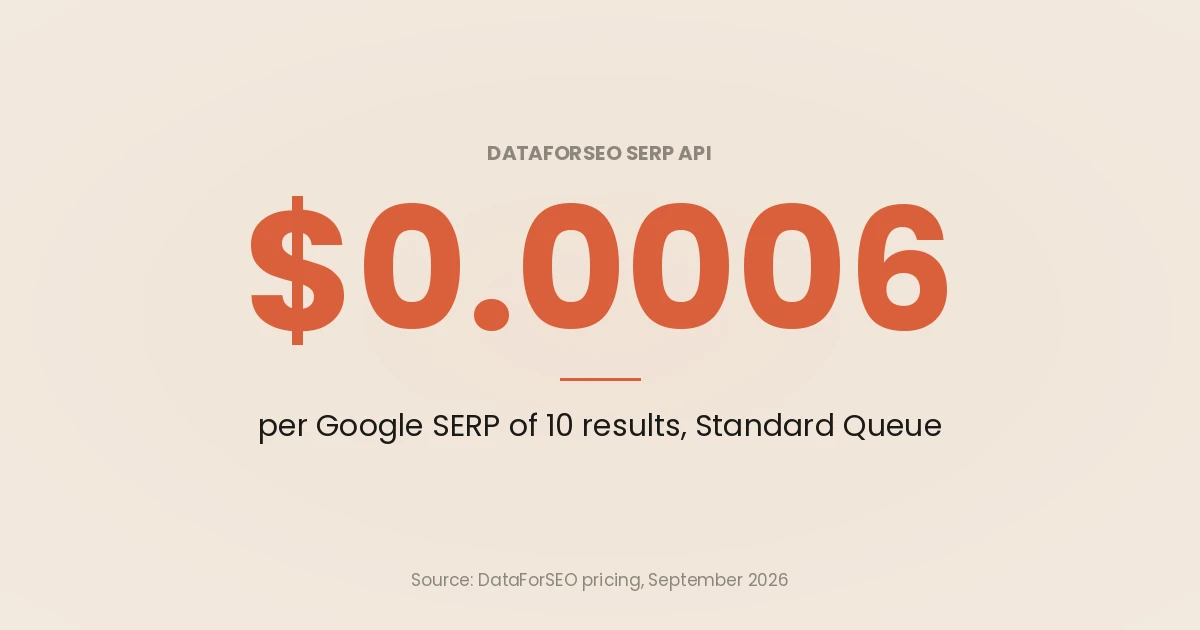
DataForSEO bills per SERP of 10 results. Its SERP API page lists three delivery modes: Standard Queue at $0.0006 per SERP with a 5-minute average turnaround, Priority Queue at $0.0012 with up to 1 minute, and Live mode at $0.002 with up to 6 seconds. The pricing page notes a minimum payment of $50.
The documentation adds three cost details that are easy to miss. The Live Advanced endpoint reference says depth defaults to 10 with a maximum of 200, and that setting depth above 10 may result in additional charges. Queries containing operators such as site: or intitle: are charged at five times the normal rate. Asking for asynchronously loaded AI Overviews with load_async_ai_overview costs an extra $0.002.
On limits, the same reference says you can send up to 2,000 API calls per minute, with one task per Live call. The API introduction says each API has its own ceiling, returned in the X-RateLimit-Limit and X-RateLimit-Remaining headers, so read the headers rather than hard-coding a number.
MCP: yes. The DataForSEO MCP page documents a remote endpoint at mcp.dataforseo.com/v3/mcp, an npm package and a Docker image, exposing the SERP, Keyword Data, Labs, Backlinks, On-Page and other APIs as tools.
SerpApi
SerpApi’s pricing is a monthly allowance, not a meter. As of 24 September 2026:
| Plan | Price per month | Searches per month | Throughput per hour |
|---|---|---|---|
| Free | $0 | 250 | 50 |
| Starter | $25 | 1,000 | 200 |
| Developer | $75 | 5,000 | 1,000 |
| Production | $150 | 15,000 | 3,000 |
| Big Data | $275 | 30,000 | 6,000 |
Only successful searches count, and the pricing page says a response counts as one search whether it returns 100 results or none. The Google Search API reference adds a detail that matters for rank tracking: identical queries are served from a cache for an hour, cached searches are free, and no_cache=true forces a fresh fetch. If two jobs ask for the same keyword within the hour, the second one is not a new observation.
MCP: yes. SerpApi publishes an open-source MCP server with a hosted endpoint at mcp.serpapi.com, using one search tool that accepts the same parameters as the REST API.
Why not scrape Google yourself
Because Google says not to. Its spam policies define machine-generated traffic as sending automated queries to Google, including “scraping results for rank-checking purposes or other types of automated access to Google Search conducted without express permission”, and say such activity violates both the spam policies and the Google Terms of Service.
That is a policy about who sends the queries, and buying from a SERP vendor does not make the underlying question go away: read the vendor’s terms and take your own view. What a vendor does remove is the engineering. On client rank-tracking builds, the part that costs time is never the HTTP request; it is proxies, location targeting, parser breakage when Google changes a layout, and proving that a missing result is a real drop rather than a failed fetch. A SERP API sells you that maintenance. The cheapest way to track rankings is still the one that sends no queries at all, which is the next section.
Rank tracking APIs: first-party positions and tracked keywords
Search Console API (your own site)
For keywords your site already appears for, the Search Console API is free, first-party and needs no SERP fetch. The Search Analytics method returns clicks, impressions, CTR and average position, with a rowLimit of up to 25,000 rows per request and startRow for paging.
The usage limits page sets 1,200 queries per minute per site and per user, and 40,000 per minute and 30,000,000 per day per project. URL Inspection is tighter: 2,000 queries per day and 600 per minute per site. Grouping by both page and query is the most expensive request shape, and longer date ranges cost more load quota.
What it cannot do: show competitors, show keywords you do not rank for, or show the SERP around your result. Average position is also an average across every impression, not a daily snapshot. Those gaps are why the SERP APIs above exist.
SE Ranking API
SE Ranking’s API page says API access is included in every plan, naming Core at $129 a month and Growth at $279, with a pay-as-you-go option from $50 for 250,000 credits and an API add-on from $149 a month. It covers keyword research, backlinks, domain analysis, website audits, AI search visibility and project management, which is where rank tracking lives. Responses are JSON “with up to 10 requests per second”, and SE Ranking’s own FAQ says its default limits are lower than some competitors’ and that it does not offer first-party SDKs. The MCP server is included in every plan.
SEOmonitor API
SEOmonitor’s API 3.0 documentation gives access to all data in your tracked campaigns, including daily keyword ranks, SERP feature presence, AI Overview mentions and citations, and share of voice. Its published limits are 10 requests per second, 1,000 rows per request and a daily quota of 10,000 requests, with HTTP 429 when exceeded. An MCP server is in beta, built on the same API. This is an API for data you already track in the platform, not a general SERP API.
Backlink APIs: querying a vendor’s index
Backlink data cannot be fetched live. It comes from the vendor’s crawl, so the question is whose index and how you pay for rows.
Ahrefs API v3
The Ahrefs API documentation covers Site Explorer (backlinks, organic and paid traffic), Keywords Explorer, SERP Overview (top 100 results), Rank Tracker, Site Audit, Brand Radar and Batch Analysis (metrics for up to 100 targets per request). It is available on eligible paid plans. Most requests consume API units according to the rows returned and fields requested, with a minimum of 50 units per request, and units once consumed are non-refundable.
The default rate limit is 60 requests per minute, with HTTP 429 when exceeded, and the docs warn that requests can also be throttled under load. Ahrefs recommends its free test queries and per-key limits during development, which is good advice for any metered API.
MCP: yes, on all paid plans. The Ahrefs MCP page lists rows per request of 100 on Lite, 250 on Standard, 500 on Advanced and unlimited on Enterprise, with monthly API units of 200,000, 800,000, 2 million and 4 million respectively.
Moz API
The Moz API pricing page meters rows. As of 24 September 2026: a free tier of 50 rows a month (one request every ten seconds), Starter from $20 to $75 for 3,000 to 15,000 rows, Growth from $125 to $500 for 50,000 to 500,000 rows, and Advanced from $2,000 for 4 million rows. Paid API access is not included in a Moz Pro subscription. All plans include URL Metrics, Links, Link Intersect, Anchor Text, Top Pages and keyword endpoints (Keyword Metrics, Suggestions, Search Intent, Ranking Keywords).
MCP: in beta, for account owners with an eligible Moz API subscription, according to the same page.
DataForSEO Backlinks API
DataForSEO sells its own backlink index on the same pay-as-you-go account as the SERP API, and it is one of the tools exposed by its MCP server. I did not verify its per-request price for this article, so check the pricing list before modelling a budget.
Keyword APIs: volume, difficulty and competitive data
Every index vendor above also sells keyword data, so the choice usually follows the backlink or SERP decision. The one that needs explaining is Semrush, because its access model has two layers.
According to Semrush’s API access guide, Standard API access requires the SEO Business plan, and you then buy API units separately; after upgrading, the unit balance starts at zero. Costs are per line returned. The guide’s example: one line of the Domain Organic Search Keywords report costs 10 units for live data and 50 for historical, so listing 1,000 keywords for 100 domains costs 1,000,000 units live or 5,000,000 historical. The display_limit parameter caps lines per request and is the main lever on cost.
MCP: yes, and priced separately from the Standard API. The Semrush MCP knowledge base page says Semrush One Starter and Pro+ and SEO Classic Pro and Guru include 50,000 MCP API units a month, with larger packages available on higher plans. It is available as an app in ChatGPT, Claude and Perplexity, and the connection is read-only.
If you only need keyword metrics to feed SERP-overlap clustering, a SERP API is often the better buy: overlap is computed from the ranking URLs, not from volume. The free keyword clustering tool on this site works that way.
Crawl and performance APIs
A crawl API runs a crawler against a site on request and returns the issues, which suits scheduled audits and CI checks more than a desktop crawler does. For the desktop and SaaS side of this category, see the best technical SEO tools and the Screaming Frog alternatives.
DataForSEO On-Page API. The On-Page API page prices a basic crawl at $0.00015 per page ($0.15 per 1,000), rising to $0.0015 per page with JavaScript loaded and $0.0051 with full browser rendering. The crawler waits 2,000 ms between requests by default (crawl_delay), and you can set daily spending limits per endpoint, after which the API stops the crawl with error 40203. Price the JavaScript tier before you point it at a client-side rendered site: it is ten times the basic rate.
PageSpeed Insights API. Google’s getting-started guide says the API returns Lighthouse lab data and Chrome UX Report field data, and that a key is recommended for automated queries. It is the simplest way to put Core Web Vitals into a monitoring job, one URL per call.
Ahrefs and SE Ranking also expose audit data from projects you run in their platforms. That suits reporting on an existing audit, not crawling an arbitrary URL on demand.
What 500 keywords a day costs
A worked example makes the pricing models comparable. Take 500 keywords checked once a day for 30 days: 15,000 SERP requests, top 10 results each, one location, desktop. The arithmetic below uses the prices above.
| Option | Calculation | Monthly cost |
|---|---|---|
| DataForSEO, Standard Queue | 15,000 × $0.0006 | $9 |
| DataForSEO, Priority Queue | 15,000 × $0.0012 | $18 |
| DataForSEO, Live | 15,000 × $0.002 | $30 |
| SerpApi, Production plan | 15,000 searches included | $150 |
| Search Console API | Your own positions only | $0 |
The per-request model wins on this volume, with two caveats. DataForSEO’s $50 minimum payment means the first deposit covers several months at Standard Queue rates. And the gap narrows or reverses as requirements change: a top-100 check is billed per 10-result page at DataForSEO, while SerpApi counts one search per request whatever it returns, so compare on the depth you actually need. Mobile plus desktop doubles every line.
The cheapest design combines them. Pull your own positions from Search Console every day, and spend SERP requests only on competitors, SERP features and target keywords you do not rank for yet. The SEO automation guide covers where scheduled jobs like this fit.
Two code samples
Both samples use only the Python standard library, so they run anywhere Python 3.9 or later does. I checked that each one parses a response shaped like the vendor’s documented schema; I did not call either live API for this article, so treat the first real response as the test.
Sample 1: DataForSEO Live SERP, find a domain’s rank
This calls the Google Organic Live Advanced endpoint with HTTP Basic authentication and returns the first organic result from your domain. rank_group is the position among organic results; rank_absolute counts every SERP element.
import base64
import json
import os
import urllib.request

ENDPOINT = "https://api.dataforseo.com/v3/serp/google/organic/live/advanced"


def dataforseo_rank(keyword, domain, location_code=2840, language_code="en", depth=10):
    """Return (rank_group, rank_absolute, url, cost) for the first organic hit on domain."""
    creds = f"{os.environ['DATAFORSEO_LOGIN']}:{os.environ['DATAFORSEO_PASSWORD']}"
    token = base64.b64encode(creds.encode()).decode()
    payload = [{
        "keyword": keyword,
        "location_code": location_code,  # 2840 = United States
        "language_code": language_code,
        "depth": depth,                  # billed per 10 results
        "device": "desktop",
    }]
    request = urllib.request.Request(
        ENDPOINT,
        data=json.dumps(payload).encode(),
        headers={"Authorization": f"Basic {token}", "Content-Type": "application/json"},
        method="POST",
    )
    with urllib.request.urlopen(request, timeout=60) as response:
        body = json.load(response)

    task = body["tasks"][0]
    if task["status_code"] != 20000:
        raise RuntimeError(f"{task['status_code']}: {task['status_message']}")

    items = (task["result"] or [{}])[0].get("items") or []
    for item in items:
        host = item.get("domain") or ""
        if item.get("type") == "organic" and (host == domain or host.endswith("." + domain)):
            return item["rank_group"], item["rank_absolute"], item["url"], task["cost"]
    return None, None, None, task["cost"]


if __name__ == "__main__":
    print(dataforseo_rank("seo rank api", "example.com"))
Log task["cost"] with every result. It is the only way to see the depth and operator surcharges in your own numbers rather than on the invoice.
Sample 2: SerpApi, the same question
The SerpApi Google Search API takes query parameters on a GET request and returns organic_results, each with a position and a link. Setting no_cache to true makes every daily run a fresh observation instead of an hour-old cached one.
import json
import os
import urllib.parse
import urllib.request
from urllib.parse import urlparse


def serpapi_rank(keyword, domain, location="United States", gl="us", hl="en"):
    """Return (position, link) for the first organic result on domain, or (None, None)."""
    params = urllib.parse.urlencode({
        "engine": "google",
        "q": keyword,
        "location": location,
        "gl": gl,
        "hl": hl,
        "no_cache": "true",  # a rank check should not reuse a cached SERP
        "api_key": os.environ["SERPAPI_API_KEY"],
    })
    with urllib.request.urlopen(f"https://serpapi.com/search?{params}", timeout=60) as response:
        body = json.load(response)

    if "error" in body:
        raise RuntimeError(body["error"])

    for result in body.get("organic_results", []):
        host = urlparse(result.get("link", "")).hostname or ""
        if host == domain or host.endswith("." + domain):
            return result["position"], result["link"]
    return None, None


if __name__ == "__main__":
    print(serpapi_rank("seo rank api", "example.com"))
A None from either function means “not in the results you paid for”, not “not ranking”. Store the depth you requested beside every observation, or a later change of depth will look like a ranking change.
When to use the MCP server instead of the API
An MCP server wraps the same API as tools an assistant can call, so you can ask “which of these five competitors gained the most referring domains this quarter?” and get an answer without writing code. The best MCP servers for SEO article compares them in detail.
Use the MCP server for questions a person asks once. Use the API for anything that runs on a schedule, feeds a dashboard such as a Looker Studio SEO dashboard, or needs the same query shape every time. Both routes are metered: Ahrefs’ MCP page lists a monthly API unit allowance per plan, and Semrush’s MCP draws on a separate MCP unit allowance. An assistant that decides its own queries can spend a monthly allowance quickly, so set per-key limits before connecting one.
If the data you need is your own, such as exports, a CMS or a sitemap, you can build an MCP server for your marketing stack around it.
How to choose
- Name the data type. SERP, rank, backlinks, keywords or crawl. If the answer is “rankings for my own site”, start with Search Console and spend nothing.
- Estimate monthly volume honestly. Requests multiplied by locations, devices and depth. Then price it under each model, as in the table above.
- Read the rate limit against your schedule. 60 requests per minute is 3,600 an hour; that is plenty for a nightly job and too few for an interactive tool with many users.
- Check what a unit or row actually is. Semrush and Ahrefs charge by lines returned, Moz by rows, DataForSEO by SERP page, SerpApi by search. The same report can cost very different amounts.
- Decide whether you need an assistant interface. If yes, confirm the MCP server is included on your plan and whether it shares the API’s allowance.
If you would rather have this built than build it, I set up SEO data pipelines and internal tools as part of AI tools and software work.
Frequently asked questions
What is the best SEO API?
There is no single best one, because SEO APIs sell different data. For live SERP and rank data, DataForSEO is the cheaper of the two per request and SerpApi the simpler to budget. For backlinks, Ahrefs and Moz sell access to their own indexes. For your own rankings, the Search Console API is free and first-party.
Is there a free SEO API?
Yes, with limits. The Search Console API and PageSpeed Insights API are free from Google. SerpApi has a free plan of 250 searches a month, Moz has a free tier of 50 rows a month, and DataForSEO offers a free trial with a $1 credit and a sandbox.
What is an SEO rank API?
An SEO rank API returns the position of a URL or domain for a keyword. It either fetches the live results page (SERP APIs such as DataForSEO and SerpApi) or reads positions from a platform that already tracks them (SE Ranking, SEOmonitor, Ahrefs Rank Tracker). Search Console’s API returns Google’s own average position for your site.
Do SEO APIs have rate limits?
Yes, and most publish them. Ahrefs defaults to 60 requests per minute, SE Ranking and SEOmonitor allow up to 10 requests per second, SerpApi limits throughput per hour by plan, and DataForSEO returns each endpoint’s per-minute ceiling in response headers. Exceeding a limit usually returns HTTP 429.
Is it legal to scrape Google search results?
Google’s spam policies say that sending automated queries to Google, including scraping results for rank checking without express permission, violates its spam policies and Terms of Service. SERP API vendors collect results on your behalf, so review their terms and take your own advice on your position. For your own site, the Search Console API avoids the question.
Which SEO APIs have MCP servers?
As of September 2026, DataForSEO, SerpApi, Ahrefs, Semrush and SE Ranking all publish MCP servers, and Moz and SEOmonitor have MCP servers in beta. For the Search Console API, the practical route is to wrap it in a small MCP server of your own.