 Nadia Mohamed
Technical SEO
SSR vs CSR vs SSG for SEO: What a Crawler Sees Before and After JavaScript (With Test Results)
For server-side rendering SEO, the short answer is this: SSR and SSG put your content, links and metadata in the first HTML response, and CSR does not. Google can render a client-side page and fill the gap, but that is a second step that can fail, and the AI crawlers behind ChatGPT, Claude and Perplexity do not take it at all.
Every framework guide says some version of that and then moves on. This article shows it. I built the same course page three ways, fetched each one the way a non-rendering crawler does and the way a rendering crawler does, and recorded exactly what came back. Then I broke the client-rendered version in four common ways, and finished with a decision table by site type.
Key takeaways
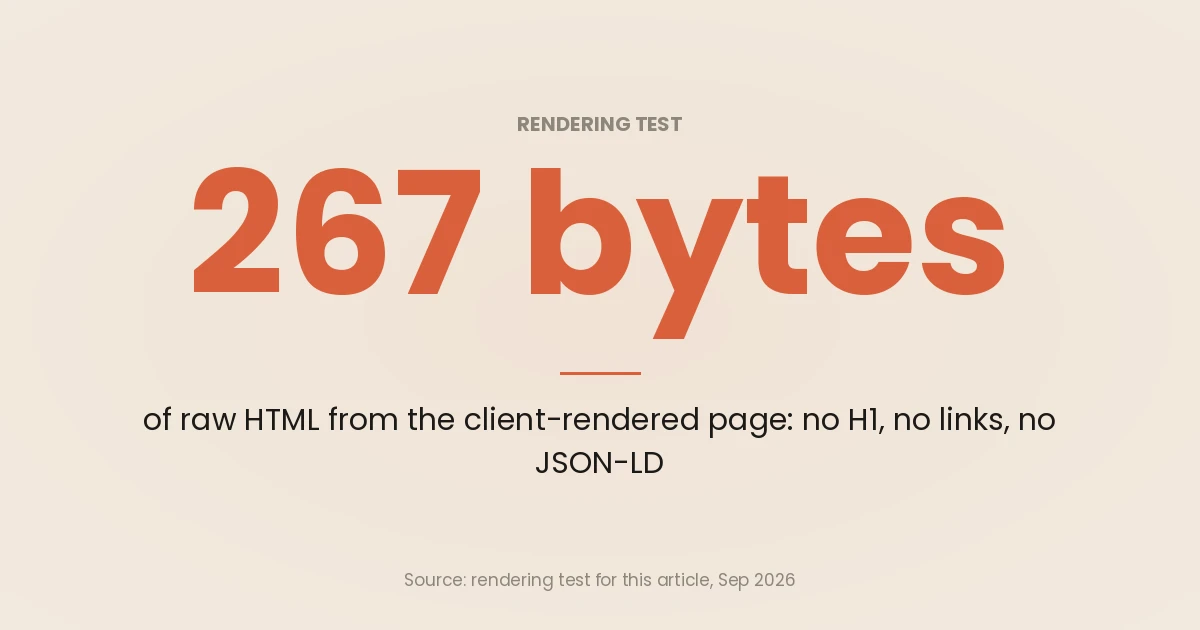
- In the test, the SSG and SSR pages returned the title, description, canonical, H1, all 68 words, 3 links and the JSON-LD in the raw HTML. The CSR page returned 267 bytes: a generic title and an empty
<div>. - After rendering in headless Chromium, all three versions were identical. Rendering closes the gap for crawlers that render, which is Googlebot, and nobody else in the AI crawler set Vercel measured.
- The CSR failures that cost rankings are quieter than “Google can’t see it”: a
noindexin the shell that JavaScript removes, an API the renderer cannot reach, and a missing page that returns200. - SSG versus SSR is not a crawlability decision. Both passed every raw-HTML check. The difference is freshness: the SSR page showed a data change at once, the SSG page only after a rebuild.
- Choose per template, not per site. Docs and course catalogues should be static, fast-changing public pages server-rendered, and client rendering kept for logged-in views that should not rank.
SSR, CSR and SSG in one line each
web.dev’s rendering guide gives the clearest definitions, and they are worth keeping straight because the SEO consequences follow directly from them.
- Server-side rendering (SSR): the server builds the HTML for each request and sends HTML, not JavaScript, to the browser. Most frameworks then hydrate it, running client scripts to make the page interactive.
- Static site generation (SSG), or static rendering: the HTML for every URL is built once, at build time, and served as files, usually from a CDN.
- Client-side rendering (CSR): the server sends a near-empty page and a script, and the browser fetches data and builds the DOM.
The same guide notes that prerendering, running a client-side app at build time to capture its first state as HTML, is a separate technique again. It is the retrofit route for an existing single-page app, covered in single-page application SEO.
For the wider picture of how Google handles JavaScript (the crawl, render and index phases, and the common failure modes), read JavaScript SEO first. This page stays on one question: what each rendering strategy actually hands a crawler.
The test: one course page, built three ways
What I built
The page is a course detail page for a fictional academy: a title, a summary, the next start date, six modules, three links to related courses, and a Course JSON-LD block. One React component renders all of it. The only thing that changes between versions is where and when that component runs.
| Version | When the HTML is built | JavaScript sent to the browser |
|---|---|---|
| SSG | Once, by a build script that writes an .html file | None (the page has no interactive parts) |
| SSR | On every request, by a Node server that reads the data and calls renderToString | A hydration bundle plus the page data serialised into a <script> |
| CSR | In the browser: the server sends a shell, the bundle fetches /api/courses/intro-to-sql and renders | The same React bundle, which does all the work |
The stack was React 19.3.0, bundled with esbuild 0.28.2 and served by a plain Node 22 HTTP server. The CSR version sets document.title, the meta description and the canonical with JavaScript once the API responds, which is how most hand-rolled single-page apps do it.
How I measured it
Each URL was fetched two ways, on 24 September 2026:
- Raw. A plain HTTP request, sent once with a Googlebot smartphone user-agent string and once with a GPTBot one. The response was parsed with JavaScript disabled, so nothing executed. This is what a crawler sees before rendering, and all a crawler that never renders will ever see.
- Rendered. The same URL loaded in headless Chromium 153 with the Googlebot user-agent and a mobile viewport, waiting until the network had been idle for half a second. This approximates what a rendering crawler builds.
From both, the harness recorded the status code, the title, meta description, canonical and robots tags, the H1, the word count inside <main>, the number of <a href> links, and the number of JSON-LD blocks. The core of it:
// Raw view: fetch the HTML, then parse it with JavaScript switched off.
const res = await fetch(url, { headers: { 'User-Agent': GOOGLEBOT_UA } });
const html = await res.text();
const rawPage = await browser.newPage();
await rawPage.setJavaScriptEnabled(false);
await rawPage.setContent(html, { waitUntil: 'domcontentloaded' });
const raw = await rawPage.evaluate(extractSeoFields);

// Rendered view: load the URL in Chromium and let the JavaScript run.
const page = await browser.newPage();
await page.setUserAgent(GOOGLEBOT_UA);
await page.goto(url, { waitUntil: 'load' });
await page.waitForNetworkIdle({ idleTime: 500, timeout: 20000 });
const rendered = await page.evaluate(extractSeoFields);
One honest limit before the numbers. Headless Chromium with a Googlebot user-agent is not Googlebot. Google’s renderer, the Web Rendering Service, has its own queue, caching and resource rules. Google’s troubleshooting guide points to the Rich Results Test and the URL Inspection tool as the way to see how Google itself crawls and renders a URL. The test here shows the mechanics; URL Inspection is the ground truth for your own site.
Results: what each version returned
Here is the raw response for each version, which is the same for the Googlebot and GPTBot user-agents because the server did not vary by user-agent:
| Field in the raw HTML | SSG | SSR | CSR |
|---|---|---|---|
| Status | 200 | 200 | 200 |
| HTML size | 1,602 bytes | 2,331 bytes | 267 bytes |
<title> | Course title | Course title | ”Example Academy” |
| Meta description | Yes | Yes | No |
| Canonical | Yes | Yes | No |
| H1 | Yes | Yes | No |
Words in <main> | 68 | 68 | 0 |
| Crawlable links | 3 | 3 | 0 |
| JSON-LD blocks | 1 | 1 | 0 |
This is the whole CSR response:
<!doctype html><html lang="en"><head><meta charset="utf-8"><meta name="viewport" content="width=device-width,initial-scale=1">
<title>Example Academy</title>
</head><body><div id="root"></div><script></script><script src="/static/csr.js" defer></script></body></html>
And here is the rendered result, after Chromium ran the JavaScript:
| Field after rendering | SSG | SSR | CSR |
|---|---|---|---|
| Title, description, canonical | All present | All present | All present |
Words in <main> | 68 | 68 | 68 |
| Crawlable links | 3 | 3 | 3 |
| JSON-LD blocks | 1 | 1 | 1 |
| JavaScript downloaded | 0 bytes | 224,416 bytes | 224,901 bytes |
| Requests to build the page | 1 | 2 | 3 |
Two conclusions follow, and they pull in different directions.
For a crawler that renders, the three versions converge. Once the JavaScript ran, the CSR page had every field the SSG page had. That matches the largest public study of Google’s renderer. A Vercel and MERJ study of Googlebot fetches found 100% of indexable HTML pages were rendered, at a median of 10 seconds after the initial crawl. Three sites, and the median hides the tail: the 90th percentile is roughly 3 hours and the 99th roughly 18 hours. For a large JavaScript site the tail is the risk, not the median. (Vercel and MERJ)
For a crawler that does not render, the CSR page is empty. The raw column is all a non-rendering crawler gets. In Vercel’s analysis of AI crawler traffic, none of the major AI crawlers rendered JavaScript, including OpenAI’s OAI-SearchBot, ChatGPT-User and GPTBot, Anthropic’s ClaudeBot and PerplexityBot. The same study found that Gemini uses Googlebot’s infrastructure and that AppleBot renders pages in a browser-based crawler. So the 267-byte shell is what the ChatGPT and Claude crawlers read.
Google says as much in its own JavaScript SEO basics: server-side or pre-rendering is “still a great idea because it makes your website faster for users and crawlers, and not all bots can run JavaScript.”
Where client-side rendering actually breaks
The first test is the happy path, where the CSR page renders cleanly. Production sites are rarely that tidy. These four variants reproduce common CSR failure modes, using the same page and harness.
1. A slow API: content arrives six seconds late
I delayed the CSR page’s API response by six seconds. In Chromium the H1 appeared 6,057 ms after navigation, against 64 ms for the SSG page and 103 ms for the SSR page. The harness waited, so the rendered result was complete.
Whether a production renderer waits that long is not something to bet on. Google does not publish a render timeout, and its renderer may skip resources it decides do not contribute to essential page content. Server-rendered HTML takes the question off the table: the content is there when the response arrives.
2. A noindex in the shell that JavaScript removes
One app-shell pattern is to ship <meta name="robots" content="noindex"> by default and remove it once the data loads, so empty or error states never get indexed. In Chromium it looks like it works: the rendered DOM had no robots tag and the full page content.
For Google it does not work. Google queues pages with a 200 for rendering “unless a robots meta tag or header tells Google not to index the page”. The Vercel and MERJ study tested exactly this: pages with noindex in the initial HTML were not rendered, so the JavaScript that removes the tag never ran. The page stays out of the index, and the rendered DOM in your browser gives no hint of it.
The fix runs the other way. Leave the robots tag out of the shell and add noindex with JavaScript only for real error states, which is the pattern Google’s own docs show.
3. The API is blocked, so the render is empty
I refused every request to /api/ inside the renderer, which is what a Disallow: /api/ in robots.txt does to a crawler that honours it. The rendered page then had the generic title, no H1, no words, no links and no JSON-LD. The JavaScript ran, but it had nothing to render.
Google states that it won’t render JavaScript from blocked files or on blocked pages, and the Vercel and MERJ study found that when rendering does fail, it is often because of resources blocked in robots.txt. An SSR or SSG page is immune to this, because the data was fetched on the server before the crawler arrived. If you do run CSR, check that the scripts and the API routes the page depends on are crawlable; the rules for that are in robots.txt for developers.
4. A missing page returns 200
I requested a course that does not exist:
| Version | Status | What the page said |
|---|---|---|
| SSG | 404 | ”Not found” (the host had no file) |
| SSR | 404 | ”Course not found” (the server set the status) |
| CSR | 200 | ”Course not found”, but only after rendering |
The CSR version is a textbook soft 404: a success status on an error page. It happens because the server hands out the same shell for every path before any data is fetched, so it cannot know the course is missing. Google’s guidance for client-rendered apps is to redirect with JavaScript to a URL that returns a real 404, or to add noindex with JavaScript on error views (JavaScript SEO basics). The full diagnosis and fix sequence is in soft 404 errors.
SSG vs SSR: the difference is freshness, not crawlability
Both pre-rendered versions passed every raw-HTML check, so the choice between them rests on something else. I edited the course’s next start date in the data file after building, then fetched both pages again:
- SSR served the new date on the next request, because it reads the data per request.
- SSG kept serving the old date until I ran the build again. Then it served the new one.
That is the real trade-off. web.dev sets out the rest of it: static rendering gets a consistently fast time to first byte because nothing is generated per request, while server-side rendering can raise time to first byte but can serve “live” data and personalised requests that static files cannot. Its catch is that static rendering needs an HTML file for every URL ahead of time, which becomes hard for sites with a very large number of unique pages.
Frameworks now blur the line with incremental or on-demand regeneration: static pages rebuilt one at a time when their data changes. The Vercel and MERJ recommendations point to incremental static regeneration as a way to balance freshness with SEO. In Next.js, that is a per-route setting, covered in Next.js SEO.
The SSR cost that shows up in the HTML
The SSR page was 729 bytes heavier than the SSG page, and nearly all of that is the page data serialised into a <script> so the client can hydrate. web.dev calls this “one app for the price of two”: the server sends the rendered HTML, the data behind it, and the code to render it again.
On a small page that does not matter. On a large listing page it can, because Googlebot crawls the first 2MB of a supported file type, measured on the uncompressed data, and stops the fetch there. An inlined hydration payload counts towards that limit, so keep serialised state lean on long templates. Hydration also has a user cost: web.dev notes that server rendering with rehydration can hurt Total Blocking Time and INP even when it improves First Contentful Paint. The Core Web Vitals side is in Core Web Vitals for developers.
Which rendering strategy to use, by site type
Rendering is a per-template decision. Most real sites need two or three of these modes at once.
| Site type | Templates that should rank | Recommended mode | Why |
|---|---|---|---|
| Documentation | Guides, API reference, changelogs | SSG, rebuilt on merge | Content changes with releases, not per request. Static HTML is the fastest and has nothing to fail at render time. |
| SaaS product | Marketing pages, pricing, integrations, blog | SSG, or SSR where pricing or availability is live | These pages carry the search demand and must be readable by every crawler. |
| SaaS product | The logged-in app | CSR is fine | It sits behind a login, should not be indexed, and needs the interactivity CSR is good at. Return real status codes at the edge of it. |
| Course catalogue | Course pages, category listings | SSG with on-demand regeneration; SSR for live seats, prices or start dates | Course facts change on a schedule. Regenerate a page when its record changes, and keep Course markup in the HTML. |
| Marketing site | Every public page | SSG | A small, slowly changing page set is exactly what static rendering suits. |
Two rules apply across all of them. First, anything a crawler needs (the main content, title, description, canonical, internal links and structured data) goes in the server response, whichever mode builds it. Second, keep client-side rendering for things that should not rank: account areas, dashboards, and widgets such as live chat. Vercel’s AI crawler study makes the same split: server-render critical content, and use CSR for non-essential dynamic elements.
For a course catalogue specifically, the markup side is in course schema. The stack-by-stack routes to server output are in React SEO, Astro SEO and technical SEO for headless architecture, which also covers the per-template rendering audit.
How to run the same test on your own pages
You do not need the harness to get most of the value. For one representative URL per template:
- Fetch the raw HTML.
curl -sA "GPTBot" https://example.com/pageand look for the H1, the body copy, the canonical and the JSON-LD. If they are missing, every non-rendering crawler is missing them too. - Look at Google’s render. In Search Console, run URL Inspection, choose Test Live URL and open the rendered HTML, or paste the URL into the Rich Results Test. Google’s troubleshooting guide notes both show loaded resources, JavaScript console output and the rendered DOM.
- Diff the two. Anything in the rendered HTML but not the raw HTML depends on rendering. Decide, field by field, whether that is acceptable.
- Break it on purpose. Request a URL that should not exist and check the status code. Check that the shell has no
noindexyou rely on JavaScript to remove. Check robots.txt against the scripts and API paths the page loads.
At site scale, run a crawler twice, once with rendering off and once with it on, and compare. The method is in the crawling section of JavaScript SEO, and it sits in the technical and crawl health phase of the 12-phase SEO and GEO audit.
If you would rather have the rendering strategy chosen and built into the codebase, that is part of my full-stack development work.
Frequently asked questions
Is server-side rendering better for SEO than client-side rendering?
For pages that need to rank or be cited, yes. In the test, the SSR page had all its content, links and JSON-LD in the first response, and the CSR page had none until JavaScript ran. Google can render CSR pages, but AI crawlers such as GPTBot and ClaudeBot do not render JavaScript, so a CSR page is blank to them.
Is SSG better than SSR for SEO?
Not for crawlability: both put complete HTML in the response and both passed every raw-HTML check in the test. SSG is usually faster and has nothing to go wrong per request, which suits docs and marketing pages. SSR suits pages whose data changes too often to rebuild, such as live prices or availability.
Can Google index a client-side rendered page?
Yes. Google queues pages that return 200 for rendering and indexes the rendered HTML. The risks are in the edge cases: a noindex in the shell stops rendering entirely, blocked scripts or APIs produce an empty render, and missing pages often return 200 instead of 404.
Do AI crawlers render JavaScript?
In Vercel’s analysis of AI crawler traffic, none of the major AI crawlers rendered JavaScript, including GPTBot, OAI-SearchBot, ChatGPT-User, ClaudeBot and PerplexityBot. Gemini uses Googlebot’s infrastructure and AppleBot renders in a browser-based crawler. For the rest, the raw HTML is all they read.
Is dynamic rendering still a good option?
No. Google’s documentation now calls dynamic rendering a workaround and not a recommended solution, because it adds complexity and resource requirements. Server-side rendering, static rendering or prerendering solve the same problem with one version of the page.
Does hydration hurt SEO?
Hydration does not hide content, because the HTML is already server-rendered before it runs. Its costs are performance and size: the serialised data inflates the HTML, and heavy hydration can hurt Total Blocking Time and INP. Keep hydrated state lean and hydrate only the parts of the page that are interactive.