 Nadia Mohamed
Technical SEO
Structured Data in SEO: The 2026 Guide to What Google Still Rewards
Structured data in SEO is machine-readable markup, usually JSON-LD using the schema.org vocabulary, that labels what a page contains so Google can understand it and, for a limited set of types, show it as a rich result. It does not raise rankings. In Google, its payoff is eligibility for a richer listing, and the list of listings it can earn has shrunk every year since 2023.
This guide is scoped to Google Search. It covers what structured data is, which rich results Google still supports as of October 2026, which it removed and when, how to decide which types are worth your developers’ time, and how to validate and monitor markup once it ships. How AI answer engines use the same markup is covered in the companion piece, structured data for AI search.
Key takeaways
- Structured data makes a page eligible for a rich result. It does not guarantee one, and Google says a structured data manual action “doesn’t affect how the page ranks in Google web search”.
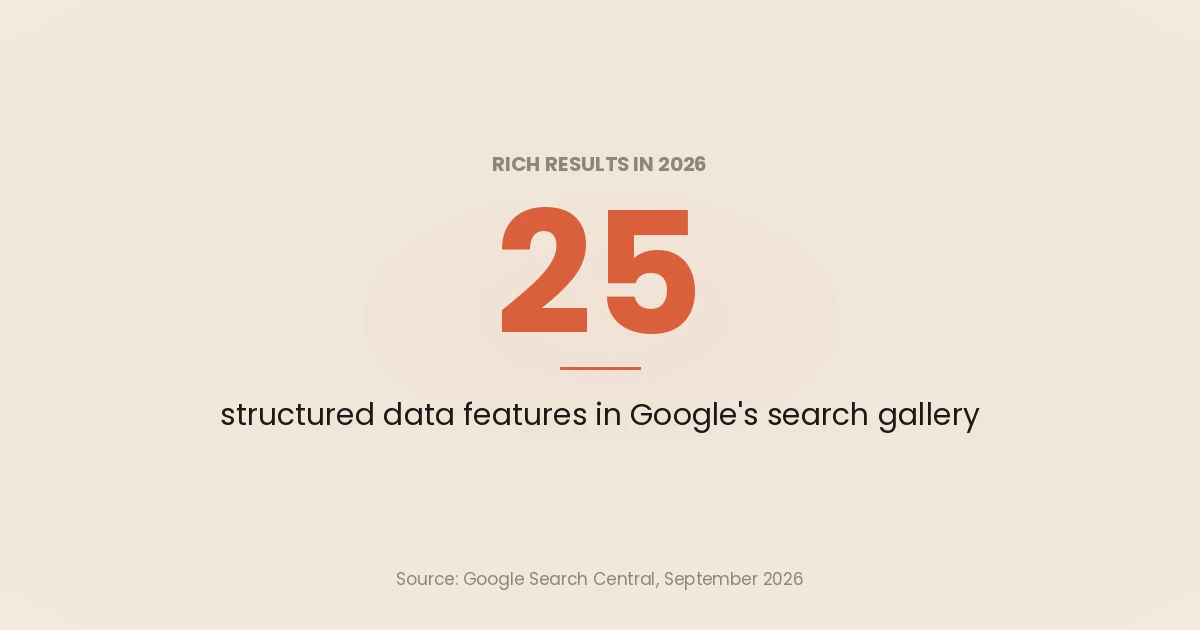
- Google’s search gallery listed 25 structured data features when I read it in September 2026. FAQ, HowTo, sitelinks search box, Course Info, Claim Review, Estimated Salary, Learning Video, Special Announcement, Vehicle Listing and practice problems are all gone from Search.
- The types that survive describe things people buy, book, apply for, cook or watch: products, reviews, events, jobs, recipes and video. Prioritise by which of those your revenue pages actually are.
- Validate with the Rich Results Test before launch, then monitor the rich result reports and the Performance report’s search appearance filter, because templates break markup silently.
- Google’s own guide on generative AI features says structured data “isn’t required” for them. The Google case for markup in 2026 is rich result eligibility, nothing more mysterious.
What structured data is
Google describes structured data as “a standardized format for providing information about a page and classifying the page content”. On a recipe page, that means stating in code which text is the ingredient list, which number is the cooking time and which is the calorie count, rather than leaving a parser to guess.
Three terms get mixed up, so it helps to separate them:
- Schema.org is the vocabulary: the shared list of types (
Product,Event,Recipe) and properties (price,startDate,cookTime). - JSON-LD, Microdata and RDFa are the formats you write that vocabulary in. Google supports all three and recommends JSON-LD, because it sits in a
<script>block instead of being woven through your HTML. - Rich results are the output: the enhanced listings Google may show when a page carries valid markup for a supported feature.
Schema.org defines hundreds of types, but Google’s intro page says to rely on Google Search Central documentation “as definitive for Google Search behavior, rather than the schema.org documentation”. Valid schema.org markup and markup that Google does something visible with are two different sets.
Here is a minimal JSON-LD block for an article page. It combines three items in one @graph, which Google handles whether you nest items or list them separately:
<script type="application/ld+json">
{
  "@context": "https://schema.org",
  "@graph": [
    {
      "@type": "Organization",
      "@id": "https://example.com/#org",
      "name": "Example Ltd",
      "url": "https://example.com/",
      "logo": "https://example.com/logo.png"
    },
    {
      "@type": "BreadcrumbList",
      "itemListElement": [
        { "@type": "ListItem", "position": 1, "name": "Guides", "item": "https://example.com/guides/" },
        { "@type": "ListItem", "position": 2, "name": "Structured data in SEO" }
      ]
    },
    {
      "@type": "Article",
      "headline": "Structured data in SEO",
      "datePublished": "2026-10-29",
      "author": { "@type": "Person", "name": "Jane Smith", "url": "https://example.com/about/" },
      "publisher": { "@id": "https://example.com/#org" }
    }
  ]
}
</script>
For copy-paste blocks across more types, see schema markup examples.
What structured data does in Google, and what it does not
Structured data does two jobs in Google. It helps Google understand the page, and it makes the page eligible for a rich result. Only the second has a visible, measurable outcome.
It is not a ranking factor. Google’s general structured data guidelines say a structured data manual action means a page “loses eligibility for appearance as a rich result; it doesn’t affect how the page ranks in Google web search.” The two systems are separate: markup can open the door to a richer listing, but it does not move the listing.
Eligibility is not appearance either. Google decides per query whether to show the enhanced version. What rich results do move is click-through, and Google publishes brand-reported case studies on its intro to structured data: Rotten Tomatoes measured a 25% higher click-through rate on 100,000 pages enhanced with structured data, and Nestlé measured an 82% higher click-through rate for pages shown as rich results. These are self-reported by the brands, not controlled experiments. The full argument is in do rich snippets help SEO.
Google’s AI features do not change this. Its guide to optimising for generative AI features says “Structured data isn’t required for generative AI search,” and recommends keeping it “as it helps with being eligible for rich results on Google Search.” Other engines are a separate question, handled in the companion article.
Which rich results Google still supports in 2026
The authoritative list is Google’s structured data search gallery, last updated 15 June 2026 when I read it in September 2026. It listed 25 features. I have grouped them by the kind of site that can use them:
| Site type | Features in the gallery |
|---|---|
| Any site | Breadcrumb, Organization, Article, Video, Image metadata, Profile page |
| Ecommerce | Product (product snippets and merchant listings), Review snippet |
| Software | Software app, Review snippet |
| Publishers and news | Article, Speakable, Subscription and paywalled content |
| Food and entertainment | Recipe, Movie, Carousel (with Recipe, Course list, Restaurant or Movie) |
| Local and travel | Local business, Vacation rental |
| Jobs | Job posting, Employer aggregate rating |
| Events | Event |
| Education and science | Course list, Education Q&A, Math solver, Dataset |
| Communities | Discussion forum, Q&A |
Three entries need a qualifier, because the gallery shows them without one:
- Breadcrumb rich results appear on desktop only. Google’s changelog of 22 January 2025 added a feature availability note saying breadcrumbs “only appear on desktop search results, not mobile.”
- Dataset markup feeds Dataset Search, not Google Search. The same changelog, on 5 November 2025, clarified that Dataset structured data “is only used by Dataset Search.”
- Organization markup does not produce a listing enhancement on your result. The gallery says the information “can show up in knowledge panels and other visual elements.” It is still worth having, as Organization schema explains, but do not expect a visible change on your own listing.
Product is the most detailed feature. Google’s product structured data intro splits it into product snippets, for pages where people cannot buy directly, and merchant listings, for pages where they can, and says combining page markup with a Merchant Center feed “maximizes your eligibility.”
What Google removed, and when
Every removal below comes from Google’s own documentation changelog or Search Central blog. The pattern over three years is steady: Google keeps pruning features it calls lesser-used.
| Date | What changed | Source |
|---|---|---|
| 8 Aug 2023 | FAQ rich results limited to “well-known, authoritative government and health websites”; HowTo limited to desktop | Search Central blog |
| 14 Sep 2023 | HowTo documentation removed: the rich result no longer shown on desktop or mobile | Changelog |
| 29 Nov 2024 | Sitelinks search box documentation removed; feature no longer shown | Changelog |
| 22 Jan 2025 | Breadcrumbs limited to desktop results | Changelog |
| 12 Jun 2025 | Book Actions, Course Info, Claim Review, Estimated Salary, Learning Video, Special Announcement and Vehicle Listing to be phased out | Search Central blog |
| 9 Sep 2025 | Those types (except Book Actions) removed from Search Console reports and the Rich Results Test | Search Central blog, update |
| 5 Nov 2025 | Practice problem deprecated; Book Actions banner removed because a feature still uses the markup | Changelog |
| 6 Jan 2026 | Practice problem documentation removed | Changelog |
| 7 May 2026 | FAQ rich results stop showing for all sites | Changelog |
| 15 Jun 2026 | FAQ rich result documentation removed | Changelog |
The FAQ change is the one most sites felt. Google stopped showing FAQ rich results from 7 May 2026, posted the deprecation notice on 8 May, removed the documentation on 15 June 2026 and dropped Rich Results Test support in June 2026. That is distinct from the August 2023 restriction, which limited FAQ rich results to government and health sites rather than removing them. Search Console API support for the FAQ enhancement report ends August 2026. What FAQPage markup is still good for is covered in FAQ schema in 2026.
Google’s reasons are consistent. The June 2025 post said the removed types were “not commonly used in Search” and were “no longer providing significant additional value for users.” The same post said: “This update won’t affect how pages are ranked,” and “the use of these structured data types outside of Google Search (and dependent features) is not affected.”
What to do with markup for a removed type
You do not have to rip it out. When Google restricted FAQ and HowTo in 2023, it said “there’s no need to proactively remove it. Structured data that’s not being used does not cause problems for Search, but also has no visible effects in Google Search.”
In practice I sort retired markup into three buckets:
- Keep it if it is accurate, matches the visible page and costs nothing to maintain. Other engines and tools may still read it.
- Stop extending it. Do not add retired types to new templates or spend sprint time fixing their warnings.
- Remove it if it is out of sync with the page. Stale markup misdescribes the page to every parser that reads it.
If you export Search Console data to BigQuery, check your queries too. Google’s September 2025 update warned that deprecated search appearance fields are reported as NULL, and recommended the IS operator so a condition still works when a field becomes NULL. Its example, from the same post:
SELECT data_date, SUM(clicks)
FROM `myproject.searchconsole.searchdata_url_impressions`
WHERE data_date > DATE('2025-09-01')
  AND is_learning_videos IS NOT TRUE
GROUP BY 1;
How to prioritise structured data types by business value
Most sites do not need 25 types. They need the three or four that sit on their revenue pages, implemented completely and kept correct. I use three questions, in this order.
1. Does Google render a feature for this type? If the type is not in the search gallery, it earns nothing visible in Google. That does not make it worthless, but it moves it to the bottom of the list.
2. Is the page type where your money is made? Markup on a product detail page or a job listing is attached to a conversion. Markup on a blog archive is not. Rank types by the traffic and revenue of the templates they would sit on, not by how many URLs they would cover.
3. Is the data already structured in your system? Price, availability, event dates and salary usually live in a database, so the markup can be generated from the same source the page renders from. Data that has to be typed in by hand drifts out of date, and Google says it “won’t show a rich result for time-sensitive content that is no longer relevant”.
Applied to common business models, that gives a starting order:
| Business model | Do first | Do next | Baseline on every site |
|---|---|---|---|
| Ecommerce | Product (merchant listing), return policy under Organization | Review snippet, Video | Organization, Breadcrumb |
| Publisher | Article, Video | Paywalled content (if gated), Speakable (news) | Organization, Breadcrumb |
| SaaS and software | Software app | Video, Profile page for authors | Organization, Breadcrumb, Article on the blog |
| Local business | Local business | Event (if you run them) | Organization, Breadcrumb |
| Education | Course list, Event for live sessions | Education Q&A, Video | Organization, Breadcrumb |
| Recruitment | Job posting | Employer aggregate rating | Organization, Breadcrumb |
The baseline column is sitewide template work done once. Breadcrumb schema and Article schema have their own guides, and Course schema covers the education case in detail.
Should you mark up types Google does not render?
Sometimes. Google’s intro page says it “can make general use of the sameAs property and other schema.org structured data”, and that some of these elements “may be used to enable future Search features.” That is a reason to describe your organisation and authors well. It is not a reason to add 40 types to every page.
The same page is blunt about quality over quantity: it is “more important to supply fewer but complete and accurate recommended properties rather than trying to provide every possible recommended property with less complete, badly-formed, or inaccurate data.”
Implementation rules that decide eligibility
Most markup that never earns a rich result fails a guideline, not a parser. These come from Google’s general structured data guidelines:
- Mark up only what readers can see. “Don’t mark up content that is not visible to readers of the page.”
- Include every required property for the feature. “Items that are missing required properties are not eligible for rich results.”
- Use the most specific type schema.org defines, for example a
LocalBusinesssubtype over plainOrganization. - Do not block the page with robots.txt,
noindexor any other access control. - Keep image URLs crawlable and indexable, and relevant to the page they appear on.
- Put markup on the page it describes, and on duplicate pages as well as the canonical.
- Include the main type for the page. A recipe page with only
VideoObjectmarkup will not be understood as a recipe.
Review markup has an extra trap. Google’s review snippet documentation says that if the entity being reviewed controls the reviews about itself, its pages using LocalBusiness or any other Organization markup are ineligible for star ratings. That includes reviews pulled in through an embedded third-party widget. Stars on your own homepage are not coming back.
Server-rendered or JavaScript?
Google can read JSON-LD injected with JavaScript. Its guide on generating structured data with JavaScript says Google “can understand and process structured data that’s available in the DOM when it renders the page”, and covers Google Tag Manager and custom scripts.
I still ship it in the server-rendered HTML: it removes a rendering dependency, survives a tag that fails to fire, and is visible to parsers that do not run JavaScript. If you use Tag Manager, Google warns that duplicating page values in the tag “increases the risk of having a mismatch between page content and the structured data.” The wider trade-offs are in JavaScript SEO and SSR vs CSR vs SSG for SEO.
How to validate structured data before launch
Use two tools, because they answer different questions.
- The Rich Results Test answers: is this page eligible for a Google rich result? It only tests types Google supports, and it follows Google’s required properties. Test the rendered URL, not a pasted snippet, so you see what Googlebot sees.
- The Schema Markup Validator answers: is this valid schema.org? It checks any type, including ones Google ignores, but says nothing about Google eligibility.
A page can pass the second and fail the first, and a page can pass both and still never show a rich result, because eligibility is not appearance. For a side-by-side of these and the third-party options, see schema markup validators compared.
For a new template, I validate one URL per template variant (in stock, out of stock, on sale; single author, multiple authors) rather than one URL per template. Most failures come from the variant nobody tested.
How to monitor structured data after launch
Google’s intro page makes the point directly: use the Rich Results Test during development and the rich result status reports after deployment, because markup “might break after deployment due to templating or serving issues.”
Rich result reports
Search Console shows one report per supported type under Enhancements, with product reports under Shopping. Two details from Google’s rich result report help page change how you read them:
- The reports show “a sample of detected items”, not every item. Use URL Inspection for pages that are not listed.
- The numbers count items, not pages. One product page can hold several items.
A report only appears when Google finds valid markup for a supported type. If a report you expect is missing, that is itself a finding.
The Performance report
The rich result reports tell you whether markup is valid. The Performance report, filtered by search appearance, tells you whether rich results are showing and being clicked. To prove the effect, Google suggests a before-and-after test: take pages without structured data that have several months of Search Console data, add markup, confirm it with URL Inspection, then record performance for a few months. Pick stable, non-seasonal pages, or the noise will swamp the signal.
A monitoring routine
- Weekly: check each rich result report for new invalid items, and read the “first detected” date against your release log.
- On every template release: re-run the Rich Results Test on one URL per variant. Add it to the release checklist, not to someone’s memory.
- Monthly: compare rich result impressions and clicks in the Performance report against the previous period, by search appearance.
- Quarterly: read Google’s documentation changelog for deprecations, and move any retired type into the “keep, stop extending or remove” triage above.
To automate the monthly check, pull Performance data with the Search Console API or lay it out in an SEO dashboard in Looker Studio. Structured data checks also belong in a wider technical SEO audit checklist.
Where this fits
For Google, structured data in 2026 is a narrower tool than it was: fewer rich results, the same strict guidelines, and no ranking effect. On the pages where a supported feature exists and the page makes money, it still earns its keep. For how the same markup is read by ChatGPT, Perplexity and other answer engines, read the companion guide on structured data for AI search.
If you want the markup layer designed from your data model, validated per template and monitored after release, that is part of GEO and technical SEO consulting.
Frequently asked questions
What is structured data in SEO?
Structured data is code, usually JSON-LD using the schema.org vocabulary, that labels the content of a page so search engines can classify it. In Google, it helps the page be understood and makes it eligible for rich results such as product prices, review stars, recipe cards and event listings.
Is structured data a Google ranking factor?
No. Google’s structured data guidelines say a structured data manual action removes rich result eligibility but does not affect how the page ranks in web search. Its value is in how the listing looks and how often it is clicked.
Which rich results does Google still show in 2026?
Google’s search gallery listed 25 structured data features in September 2026, including Product, Review snippet, Article, Breadcrumb, Event, Job posting, Recipe, Video, Local business and Software app. Breadcrumbs appear on desktop only, and Dataset markup is used by Dataset Search rather than Google Search.
Should I remove FAQ or HowTo schema now that the rich results are gone?
Not necessarily. Google has said that unused structured data does not cause problems for Search. Keep it if it is accurate and matches the visible content, stop adding it to new templates, and remove it only where it no longer matches the page.
Is JSON-LD better than Microdata for SEO?
Google treats all three formats as equally valid when implemented correctly, but recommends JSON-LD because it is easiest to implement and maintain. It sits in one script block instead of being spread through the HTML, so template changes are less likely to break it.
How do I check whether my structured data is working?
Test the rendered URL in the Rich Results Test before launch, then watch the rich result reports in Search Console for invalid items. To see whether rich results are actually shown and clicked, filter the Performance report by search appearance.