 Nadia Mohamed
Technical SEO
Cheap SEO: What Low Prices Buy and What to Avoid
Cheap SEO that works is mostly a tool stack, not a service. For $0 to about $50 a month you can buy ranking data, a site crawler, keyword volumes and competitor research. Your own hours do the rest. What low prices rarely buy is someone who ships fixes to your site, and that is where most budget SEO goes wrong.
This cheap SEO guide lists eight free and low-cost tools by the job each one does, with prices checked on each vendor’s own pricing page on 18 November 2026. After the list come the traps to avoid and the point where cheap stops being enough.
Key takeaways
- Start free. Google Search Console, Bing Webmaster Tools and Ahrefs Webmaster Tools cost nothing and cover measurement, indexing and a basic site audit.
- Pay for the bottleneck, not the suite. One $7 to $40 tool that fixes the job you’re stuck on beats a $129 all-in-one you half use.
- Read the billing terms before the price. Some “monthly” prices are only available with annual billing, and lookup caps can stop a workflow mid-task.
- A $99-a-month SEO package doesn’t buy a full-time SEO. At average market rates it covers less than an hour of work a month.
- Tools find problems; they don’t fix them. Budget for the person who ships the fix, or the data just sits in a dashboard.
What cheap SEO buys in 2026
“Cheap SEO” covers two very different purchases. One is a low-cost service: someone else does the work for a small monthly fee. The other is low-cost software: you do the work with tools that cost little or nothing.
My rule is simple: buy for the bottleneck. If you don’t know which pages Google indexes, you need measurement, not a keyword tool. If you know your pages but not what people search for, you need keyword data, not a crawler. With cheap SEO tools, most small SaaS and tech teams can cover the first year of SEO groundwork with the free tools below and one paid tool chosen for the job they’re stuck on.
What a cheap SEO stack won’t give you is execution. Every tool on this list produces findings. None of them edits your templates, deploys structured data or fixes a redirect chain.
1. Google Search Console: free ranking and index data
Search Console is the first cheap SEO tool to set up, always, because it costs nothing. Google’s Search Console help page describes it as a free service offered by Google, and it is the only place you get Google’s own data on your site.
What it gives you:
- Performance data: the queries that bring people to your pages, with clicks, impressions and average position.
- Indexing reports: which pages Google has indexed, which it hasn’t, and why.
- URL Inspection: how Google crawled and rendered a specific page.
- Sitemap submission and email alerts when Google finds issues.
Use it for: finding pages that get impressions but few clicks (rewrite the title), pages that dropped, and pages Google refuses to index. If you only set up one tool this week, set up this one.
2. Bing Webmaster Tools: free, with AI citation data
Bing Webmaster Tools is free and does for Bing what Search Console does for Google. In 2026 it also became the cheapest way to see part of your AI-search visibility.
Bing’s AI Performance announcement introduced the report as a public preview on 10 February 2026. It shows total citations, the average number of your pages cited, and the grounding queries the AI used when it retrieved your content. The data covers Microsoft Copilot, AI-generated summaries in Bing and select partner integrations.
Honest limit: this is Microsoft data only. It doesn’t show whether ChatGPT cites you. ChatGPT search needs OAI-SearchBot access and separate tracking. I cover the setup and its blind spots in my guide to Bing Webmaster Tools for AI search.
Use it for: a free first read on which of your pages AI answers already pull from, and which queries trigger them.
3. Ahrefs Webmaster Tools: a free site audit and backlink view
Ahrefs Webmaster Tools gives you a site audit and a backlink view for sites you can verify, at no cost. The free limits are generous for a small site: 5,000 Site Audit crawl credits per project per month, and up to 1,000 backlinks and keywords visible at once in Site Explorer.
The catch is in the word “verified”. You can only analyse your own sites. Looking at a competitor’s backlinks or keywords requires a paid subscription.
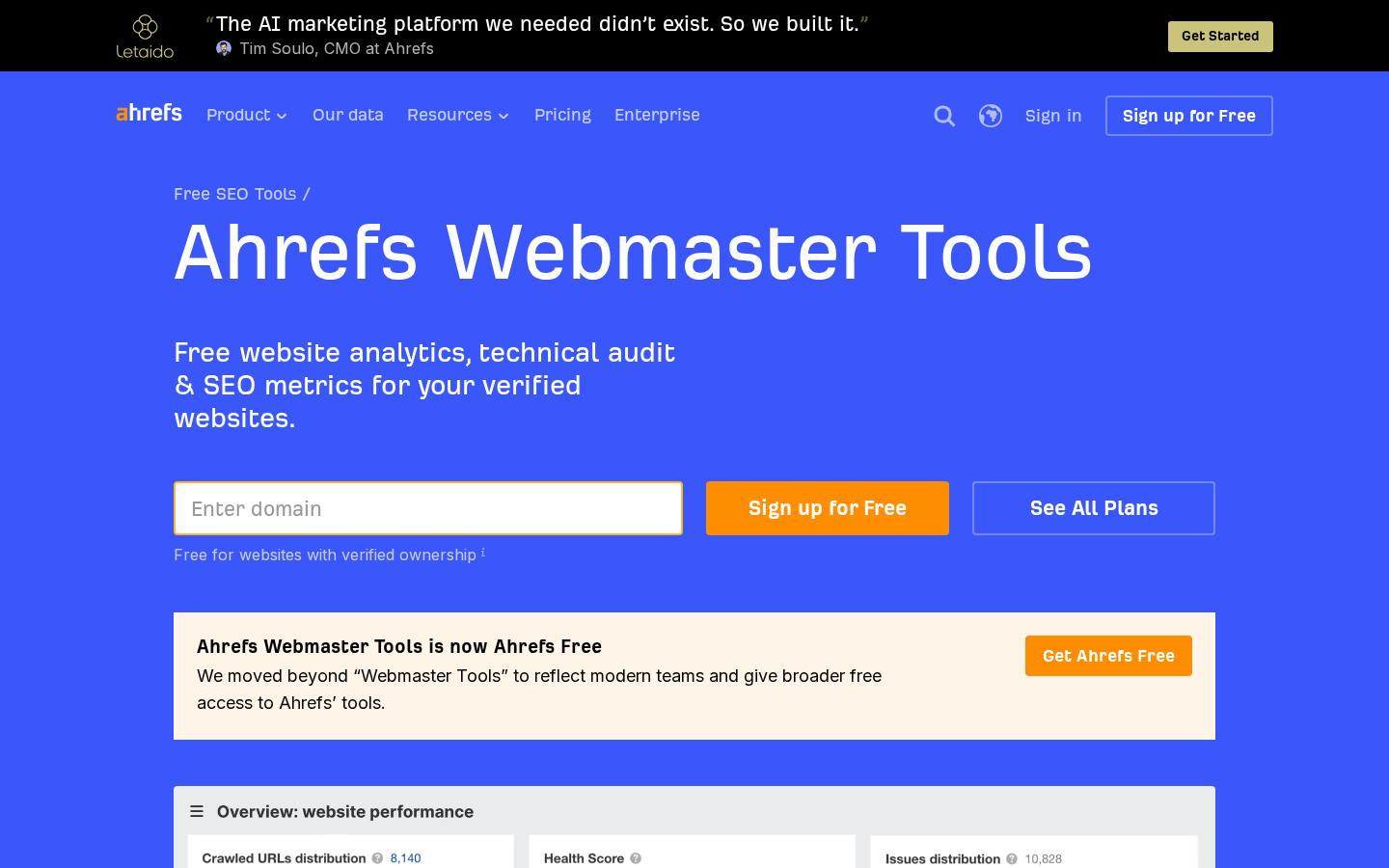
Ahrefs Webmaster Tools: free for sites you can verify.
Use it for: a monthly technical health check and seeing who links to you. Pair it with Search Console: Ahrefs shows what is broken, Search Console shows whether Google cares.
4. Screaming Frog SEO Spider: a desktop crawler, free to 500 URLs
Screaming Frog is a desktop crawler you run on your own machine. According to Screaming Frog’s pricing page, the free version crawls up to 500 URLs, and the paid licence costs €245 per year.
Five hundred URLs is enough for most early-stage SaaS marketing sites. It covers the homepage, product pages, pricing, docs landing pages and a modest blog. Once your blog, docs or localised pages push you past that, the licence is worth paying for.
Use it for: finding broken links, redirect chains, missing or duplicate titles, canonical mistakes and pages blocked from indexing, all in one crawl you control.
5. Keywords Everywhere: keyword volumes for $84 a year
Keywords Everywhere is a browser extension that adds search volume and related keywords to Google results. Keywords Everywhere’s pricing page lists the Bronze plan at $7 a month with 100,000 credits a year. Read the fine print, though: all plans are billed annually, so you pay $84 up front.
Use it for: checking demand while you browse, before you commit to a topic. It won’t replace a keyword research suite, but it answers “does anyone search for this?” for the price of a lunch.
6. Ahrefs Starter: competitor and keyword research from $29 a month
Free tools stop at your own site, and this is where cheap SEO starts costing money. The moment you need to see what a competitor ranks for, you have to pay. Ahrefs’ pricing page lists the Starter plan at $29 a month and Lite at $129 a month, both exclusive of tax.
Starter is the entry price for Ahrefs’ backlink and keyword data. It’s built for occasional research, not daily tracking at scale.
Use it for: a quarterly look at what competitors rank for and where your content gaps are. Then cancel or downgrade between research sprints if your workflow allows it.
7. Mangools Basic: a budget all-in-one
Mangools bundles keyword research, SERP analysis, rank tracking, backlinks and site analysis in one subscription. Mangools’ plans page lists Basic at $37.70 a month billed annually ($452.40 a year), or $61 a month on monthly billing.
The limits are what to read: Basic allows 100 keyword research requests per 24 hours and tracks 200 keywords. That’s fine for a small site with a focused keyword set, and tight if you’re researching a new market in one sitting. There is a 48-hour money-back guarantee, so test it against your real workflow on day one.
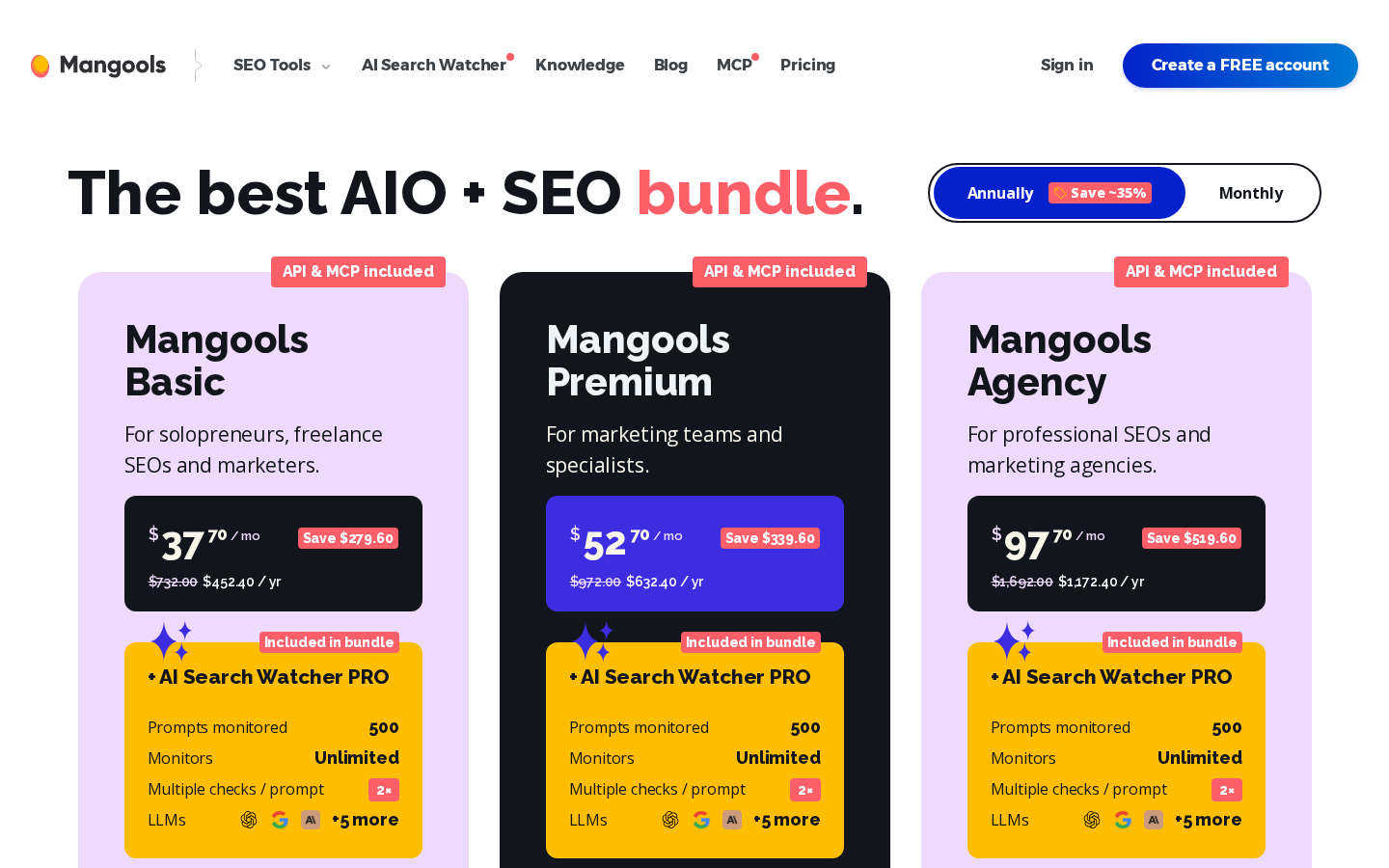
Mangools plans: daily lookup limits differ more than the prices.
Use it for: one tool that covers keyword research and rank tracking for a single small site.
8. SE Ranking Core: where cheap ends
SE Ranking is where a cheap SEO stack turns into a proper platform. SE Ranking’s pricing page lists Core at $129 a month, or $103.20 a month billed annually, with 10 projects and 2,000 keywords tracked daily.
That’s no longer cheap, but it’s the right step when you track several sites or locales, or need daily rank data across thousands of keywords. If you’re weighing it against crawlers and audit tools, my comparison of the best technical SEO tools covers what each category is for.
Use it for: daily tracking at scale across several projects, once the free and under-$50 tools are the bottleneck.
Pick by job: the cheap SEO stack
Use this table to build cheap SEO around the job, not the brand.
| Job | Tool | Cost (vendor page, 18 Nov 2026) |
|---|---|---|
| Google rankings, clicks, indexing | Google Search Console | Free |
| Bing data and AI citations in Microsoft surfaces | Bing Webmaster Tools | Free |
| Site audit and your own backlinks | Ahrefs Webmaster Tools | Free (verified sites only) |
| Technical crawl | Screaming Frog SEO Spider | Free to 500 URLs; €245/year |
| Search volume while browsing | Keywords Everywhere | $84/year (annual billing only) |
| Competitor research | Ahrefs Starter | $29/month |
| Keyword research + rank tracking | Mangools Basic | $37.70/month annually, $61 monthly |
| Daily tracking at scale | SE Ranking Core | $103.20/month annually, $129 monthly |
The free stack: Search Console, Bing Webmaster Tools, Ahrefs Webmaster Tools and the free version of Screaming Frog. That covers measurement, indexing, technical health and your own backlinks.
The under-$50 stack: the free stack plus one paid tool chosen by bottleneck. Choose Keywords Everywhere if you need demand data, Ahrefs Starter if you need competitor data, or Mangools Basic if you want keyword research and tracking in one place. Don’t buy two of them before you’ve used one for a month.
Cheap SEO services: what $99 a month competes with
Packages advertised at $99 a month rank on page one for “cheap seo”. To see what that price buys, compare it with what SEO work costs. Ahrefs’ poll of 439 SEO providers, updated in August 2024, found that SEO costs $2,917 a month on average. Agencies charge $3,209 and freelancers $1,348. The same poll puts the average hourly rate at $111.
At $111 an hour, $99 buys less than an hour of work a month. A provider at that price is either very junior or automating, or doing a small fixed task for many clients at once. That can be fine for one narrow job. It can’t be a strategy.
I’ve written a separate guide to what affordable SEO packages should include, with the scope checklist I’d use before signing. If the work you need is technical, my breakdown of technical SEO pricing shows what each type of engagement usually covers.
What to avoid
Guaranteed rankings. Google’s own guidance on hiring an SEO says it plainly: “No one can guarantee a #1 ranking on Google.” A “you don’t rank, you don’t pay” headline is a marketing claim. Read the terms behind it before you trust it.
Cheap SEO link bundles. “50 backlinks a month” at a low price usually means links nobody would place by choice. Cheap links are a liability you pay to remove later.
Monthly prices that are only available annually. Several tools quote a per-month figure that you can only get with a yearly upfront payment. Compare the annual total you’ll actually be charged, not the headline number.
Lookup caps that break a workflow. A tool with a daily request limit is fine for weekly checks and frustrating for a research sprint. Check the cap against the job before you pay.
Reports with no owner. A cheap audit that lists 200 issues and fixes none of them hasn’t saved you money. It has handed you a to-do list.
What cheap tools can’t do
Tools find problems. Someone still has to fix them, and on SaaS and tech sites the fixes usually live in code: JSON-LD templates, canonical logic, redirect maps, rendering issues and hreflang across locales. A free stack can tell you a page isn’t indexed. It can’t tell you whether your framework renders the content Google needs, and it won’t deploy the fix.
That is the real cost of cheap SEO: findings that never ship. Cheap SEO data is only worth what you deploy from it. If you’d rather start with a scored read of where a priority page stands before spending anything, my free SEO + GEO health check scores one page across five dimensions and lists the top three fixes within 48 hours, with no sales call.
Honest limit: the prices above are list prices on the vendor pages on the date shown. Taxes, currency and promotions change what you pay, so check the vendor page on the day you buy.
FAQ
Is cheap SEO worth it?
Cheap SEO tools are worth it when they solve a specific bottleneck: measurement, crawling or keyword data. Cheap SEO services are worth it only for one narrow, defined task, because at average market rates a very low monthly fee buys little working time.
What is the cheapest SEO tool?
The cheapest useful SEO tools are free: Google Search Console, Bing Webmaster Tools, Ahrefs Webmaster Tools for verified sites, and Screaming Frog’s free version for crawls of up to 500 URLs. Among paid tools, Keywords Everywhere’s Bronze plan is $84 a year.
Can I do SEO for free?
Yes, for the groundwork. Free tools cover rankings, indexing, technical audits and your own backlinks. What you can’t get free is competitor data, which needs a paid tool, or the engineering time to ship fixes.
How much should a small business spend on SEO?
Spend on the bottleneck first. A small team can run on free tools plus one paid tool under $50 a month. Paying for done-for-you work means paying for hours, and the average SEO hourly rate is around $111 in Ahrefs’ poll.
Can ChatGPT do SEO?
ChatGPT can draft titles, outlines and code snippets. It can’t see your Search Console data, crawl your site or deploy fixes. Treat it as an assistant inside a workflow, and verify every fact it produces before you publish.