 Nadia Mohamed
AI-SEO & GEO
Bing Webmaster Tools for AI Search: Why Copilot and ChatGPT Visibility Starts Here
“Bing Search Console” is the name people search for, but the product is called Bing Webmaster Tools: Microsoft’s free console for checking how Bing crawls, indexes and ranks your site. Because Bing’s index grounds Microsoft Copilot and is one of the search providers behind ChatGPT search, it is also the closest thing to a Search Console for AI answers that any vendor currently offers.
This article covers why Bing’s index matters for AI visibility, what Bing Webmaster Tools reports that Google Search Console does not, how to set it up, how to implement IndexNow properly, and where the data stops being useful.
Key takeaways
- There is no product called Bing Search Console. Bing Webmaster Tools is the equivalent, and you can import already verified sites from Google Search Console instead of verifying them again.
- Copilot grounds its web answers in Bing search results, and OpenAI names Bing as a search provider for ChatGPT search. A page Bing has not indexed starts at a disadvantage in both.
- Bing Webmaster Tools has an AI Performance report that counts how often your pages are cited in Copilot and Bing’s AI answers, with the grounding queries behind those citations. Search Console folds AI Overviews and AI Mode into ordinary web search data.
- IndexNow tells Bing and other participating engines the moment a URL is added, updated or deleted. It speeds discovery, not indexing, and it is a small script on most stacks.
- Bing’s data covers Microsoft surfaces and some partners. It does not show your citations inside ChatGPT, which still needs OAI-SearchBot access and its own tracking.
Is there a Bing Search Console?
No. Microsoft’s product is Bing Webmaster Tools, often shortened to BWT. People search for “Bing Search Console” because they know Google’s tool and want the Bing version of it, and that is exactly what BWT is.
The overlap is large. Microsoft’s own comparison of Bing Webmaster Tools and Google Search Console lists search performance, URL Inspection, sitemaps and recommendations as shared features in both tools.
The differences matter more in 2026, because Bing’s index is no longer only a search engine’s index.
Why Bing’s index sits underneath AI answers
An assistant that answers with fresh web information has to retrieve it from somewhere. Microsoft calls this grounding, and its Corporate Vice President of Search and AI wrote in February 2026 that “Microsoft grounding powers nearly every major AI assistant in the market.” That is Microsoft’s own claim about its own product, so treat it as a positioning statement rather than a measurement.
The two cases that matter for most sites are documented more precisely.
Copilot: grounded in Bing search results
Microsoft documents the retrieval flow for Copilot Studio agents. The agent turns the user’s question into “a brief, focused keyword query”, sends it to the Bing search service, and Bing “returns relevant search results (web page titles, snippets, citations)” that the agent uses to write a cited answer, per the Copilot Studio web search documentation. The same page says the searchable set is “all or a subset of public websites indexed by Bing”.
The practical point is that Copilot does not have a separate crawler for you to allow. Bingbot builds the index, and the Copilot citation guide covers the content side of earning a place in those answers.
ChatGPT: Bing is a provider, not the only one
OpenAI is less explicit, but the documentation is clear enough. Its help page on searching the web with ChatGPT says ChatGPT search “sometimes partners with other search providers” and rewrites your prompt into targeted queries for them. It then links to the Microsoft and Shopify privacy policies for how those providers process queries.
For business workspaces OpenAI is specific. ChatGPT Enterprise and Edu “may share disassociated search queries with the Bing search engine to return web results”, according to OpenAI’s Enterprise and Edu search page.
Bing is not the whole story for consumer ChatGPT. Semrush’s August 2025 write-up describes experiments in which a page visible only to Google was still cited by ChatGPT, so Google results reach ChatGPT at least some of the time. OpenAI’s own eligibility rule is also separate from Bing: to be included, you must allow OAI-SearchBot to crawl the site.
So the honest summary is this: being indexed in Bing helps with ChatGPT, and it is required for Copilot, but it does not replace the OpenAI-specific work in the ChatGPT citation guide. For how ChatGPT turns search results into an answer, see how ChatGPT search works.
| AI surface | Index it retrieves from | Crawler you manage | Does BWT report citations? |
|---|---|---|---|
| Microsoft Copilot | Bing | Bingbot | Yes, in AI Performance |
| AI summaries in Bing | Bing | Bingbot | Yes, in AI Performance |
| ChatGPT search | Several providers, Bing among them | OAI-SearchBot (plus Bingbot for the Bing route) | No |
| Google AI Overviews and AI Mode | Googlebot | No (use Search Console) |
What Bing Webmaster Tools shows that Search Console can’t
Google’s position is that pages in AI Overviews and AI Mode “are included in the overall search traffic in Search Console” and reported “within the ‘Web’ search type”, per Google’s AI features documentation. The documentation describes no separate AI view, so an AI citation and a blue link land in the same totals.
Bing took the other route.
The AI Performance report
In February 2026 Microsoft launched AI Performance in Bing Webmaster Tools as a public preview. It “shows how publisher content appears across Microsoft Copilot, AI-generated summaries in Bing, and select partner integrations.” The dashboard has five parts:
- Total Citations: how many times your content was shown as a source in AI answers in the date range.
- Average Cited Pages: the average number of unique pages from your site cited per day.
- Grounding queries: the phrases the AI used when it retrieved your content. Microsoft notes this is a sample of citation activity.
- Page-level citation activity: citation counts per URL.
- Visibility trends: the timeline of citation activity.
In June 2026 Microsoft added Intents, Topics, Citation Share and Compare, rolling out in preview globally. Intents classifies grounding queries into groups such as Informational, Commercial and Research. Topics clusters related grounding queries into themes. Compare overlays a previous period on the current one.
Citation Share is the most useful of the four. It is the percentage of all citations shown for a grounding query that went to your site. Microsoft is explicit that it “does not expose competitor domains, represent traffic share, or assign quality scores to content.”
The grounding query is the new keyword
A grounding query is not what the user typed. It is the search the AI system ran on the user’s behalf, which is the same rewrite step the Copilot Studio documentation describes. That makes it closer to a keyword than a prompt ever is, and it is the one piece of AI-search data you cannot get from a third-party prompt tracker, because only the engine sees it.
Read grounding queries the way you would read Search Console queries: which pages answer which phrasings, and which phrasings retrieve you on the wrong page.
Other reports GSC does not have
- Backlinks for any site. Microsoft lists backlink data for sites other than your own as unique to BWT, which makes it a free check on a competitor’s link profile.
- Chat and Copilot in performance data. The same comparison says BWT search performance draws on sources including “web search, chat/copilot responses, news, images, videos, and knowledge panels”.
- Site Scan, a robots.txt tester and crawl control. Microsoft’s BWT setup guide lists a built-in technical audit, a robots.txt tester for Bingbot and a scheduler for when Bingbot crawls.
| Question | Google Search Console | Bing Webmaster Tools |
|---|---|---|
| Was my page cited in an AI answer? | Not separable from web results | Yes, per URL |
| What query did the AI run to find me? | No | Grounding queries (sampled) |
| What share of citations do I get for a query? | No | Citation Share (preview) |
| Backlinks for a competitor’s site | No | Yes |
| Rendered page view in URL Inspection | Yes (listed by Microsoft as a GSC strength) | No |
| Notify engines of changed URLs in bulk | No | IndexNow, up to 10,000 URLs per request |
What the AI Performance report does not tell you
It is a preview built on sampled and aggregated data, and Microsoft says the counts do not indicate “ranking, authority, or the role of any page within an individual answer.” A rise in citations is a signal to investigate, not a result to report on its own.
It also does not name the “select partner integrations” it covers, in either announcement. Do not assume it includes ChatGPT.
How to set up Bing Webmaster Tools
If you already use Search Console, most of the setup is an import. The steps below follow Microsoft’s June 2025 setup guide.
1. Sign in
Go to bing.com/webmasters and sign in with a Microsoft, Google or Facebook account. Use a shared account or add colleagues as users later, so access does not leave with one person.
2. Add and verify the site
The fastest route is the Search Console import. Choose Import on the My Sites page, sign in with Google and allow access, then pick the sites. Per Microsoft’s import instructions, you can import up to 100 sites at once, traffic data can take up to 48 hours to appear, and BWT keeps checking ownership against your Google account. If that Google access is later revoked, you will need to verify another way.
The other methods are Domain Connect through a supported DNS provider, an XML file in the site root, a meta tag in the homepage <head>, or a DNS record. On a static site, put the meta tag or XML file in the source (the layout or the public folder) rather than on the live server, so the next build does not delete it and silently unverify the site.
3. Submit the sitemap
Add the sitemap under Sitemaps, or reference it in robots.txt. Microsoft says Bing processes sitemaps at least once every 24 hours. Submit the sitemap even if you set up IndexNow: IndexNow reports changes, while the sitemap gives Bing the full list of URLs.
4. Check Bingbot access and Bing’s AI controls
Run the robots.txt tester against your priority URLs. A Disallow aimed at another bot, a WAF rule or a CDN bot filter can block Bingbot without anyone noticing, and blocking Bingbot takes you out of Bing and Copilot together. The robots.txt guide for developers covers the rules, and indexed though blocked by robots.txt covers the most common mix-up.
Then check the two Bing-specific directives. Per Bing’s announcement of the controls, content tagged NOCACHE can appear in AI answers with only its URL, title and snippet, and content tagged NOARCHIVE “will not be included in Bing Chat answers”. Both still appear in Bing search results, which is why an inherited noarchive from a CMS plugin can quietly remove a page from Copilot while it keeps ranking.
5. Turn on IndexNow
This is the step most guides mark optional. For AI visibility it is the one that matters most, so it gets its own section.
IndexNow: implementation that holds up
IndexNow is an open protocol for telling search engines that a URL was added, updated or deleted. Engines that adopt it agree that submitted URLs “will be automatically shared with all other participating search engines”, so one submission reaches all of them.
Microsoft ties it directly to AI answers: IndexNow “helps ensure that AI systems reference the most current version of a page when generating answers”, per the AI Performance announcement. A Copilot answer that cites last month’s pricing table is worse for you than no citation.
Check whether you already have it
Wix, Duda, GoDaddy and XenForo have IndexNow built in, and Cloudflare supports it through Crawler Hints, according to Bing’s IndexNow getting-started page. WordPress users can turn it on in Yoast, Rank Math, AIOSEO or SEOPress, or with the standalone IndexNow plugin. BWT shows whether your URLs are arriving.
The protocol in three parts
- A key. Between 8 and 128 characters, using only a to z, A to Z, 0 to 9 and dashes, per the IndexNow documentation.
- A key file. A UTF-8 text file named
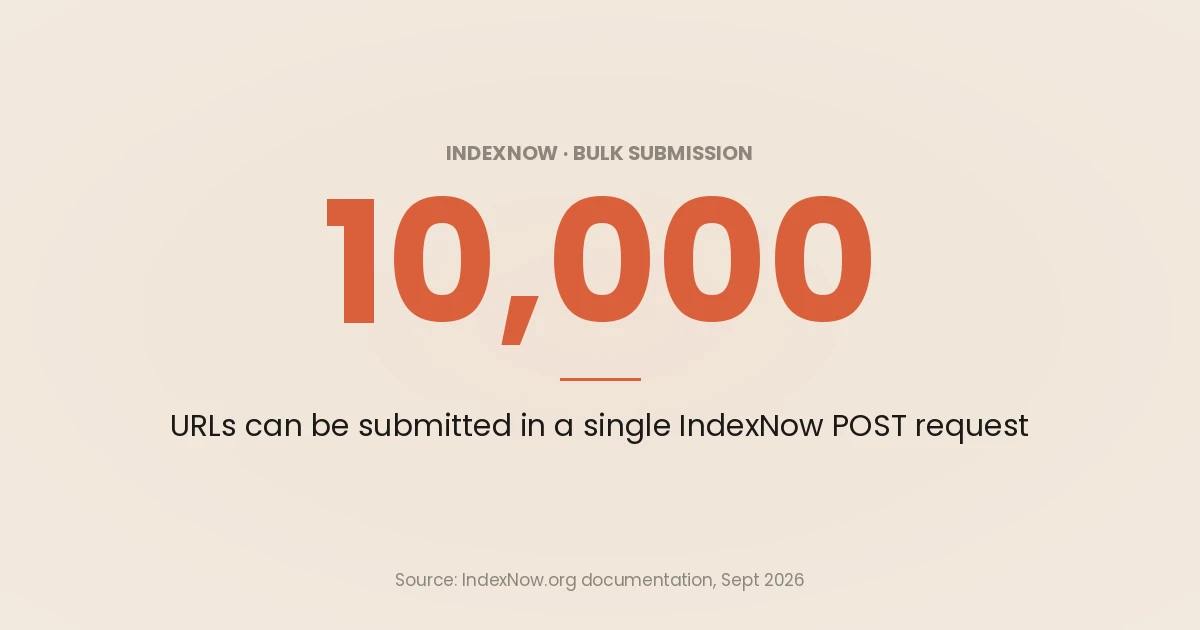
{your-key}.txtin the site root, containing the key. You can host it elsewhere and passkeyLocation, but then it only covers URLs under that folder, so the documentation strongly recommends the root. - A submission. Up to 10,000 URLs per POST request.
The request body looks like this:
{
  "host": "www.example.com",
  "key": "0f3c9a7e2b5d4c1a",
  "keyLocation": "https://www.example.com/0f3c9a7e2b5d4c1a.txt",
  "urlList": [
    "https://www.example.com/insights/new-article/",
    "https://www.example.com/insights/updated-article/"
  ]
}
A deploy-step script
On a static or headless site, the right place to call IndexNow is the deploy pipeline, after the new build is live. This Node 18+ script takes the changed URLs as arguments and fails the step on a bad response:
// indexnow.mjs: notify IndexNow of URLs that changed in this deploy.
// Usage: node indexnow.mjs https://www.example.com/a/ https://www.example.com/b/
const HOST = 'www.example.com';
const KEY = process.env.INDEXNOW_KEY; // 8 to 128 characters: a-z, A-Z, 0-9, -
const urlList = process.argv.slice(2);

if (!KEY || !/^[A-Za-z0-9-]{8,128}$/.test(KEY)) {
  console.error('Set INDEXNOW_KEY to a valid key.');
  process.exit(1);
}
if (urlList.length === 0 || urlList.length > 10000) {
  console.error('Pass between 1 and 10,000 URLs.');
  process.exit(1);
}

const res = await fetch('https://api.indexnow.org/indexnow', {
  method: 'POST',
  headers: { 'Content-Type': 'application/json; charset=utf-8' },
  body: JSON.stringify({
    host: HOST,
    key: KEY,
    keyLocation: `https://${HOST}/${KEY}.txt`,
    urlList,
  }),
});

// 200 = received, 202 = received but key validation pending.
// 403 = key file not found or wrong, 422 = URL not on this host, 429 = too many requests.
console.log(res.status, res.statusText);
if (res.status !== 200 && res.status !== 202) process.exit(1);
Build the URL list from what changed, such as the files in the deploy diff or the entries whose updated date moved. Do not send the whole sitemap on every deploy.
Three rules the documentation is clear about
- It is a notification, not an instruction. A 200 response “only indicates that the search engine has received your URL”, and Bing’s FAQ adds that IndexNow “does not guarantee that web pages will be crawled or indexed”.
- Submit changes only. When you start, Bing’s FAQ says to publish only URLs that change from that point on, not last year’s archive.
- It spends crawl. Per Bing’s IndexNow FAQ, every crawl still counts towards your crawl quota, though engines generally prioritise submitted URLs. Submitting noise uses up that priority. The crawl budget guide explains why that matters on large sites.
A monthly Bing routine for AI visibility
The setup is a one-off. The value comes from a short monthly review, done alongside your Search Console review.
- Coverage first. In Site Explorer and URL Inspection, confirm every page you want cited is indexed. A page Bing has not indexed cannot be retrieved for Copilot at all. Treat Bing crawl problems with the same triage you would use for Search Console crawl errors.
- Cited pages. Open AI Performance and sort pages by citations. Note which pages are cited and which grounding queries retrieve them.
- Indexed but uncited. Take priority pages that are indexed but rarely cited and compare them with the pages that are cited for the same topic. Microsoft’s own advice in the announcement is clear headings, tables, FAQ sections, evidence and freshness.
- Wrong-page retrievals. Where a grounding query retrieves a weaker page than the one you want cited, tighten internal links and the target page’s opening answer.
- Compare after changes. After you update a page and send it through IndexNow, use Compare to overlay the previous 30 days. Remember the counts are sampled and move for reasons outside your control.
- Clicks, not only citations. Citations do not show whether anyone visited. Track Copilot and ChatGPT referrals in GA4 with the setup in how to track AI referral traffic.
A page can be indexed in Google and missing from Bing for months without any Google report showing it. That is why a technical SEO and GEO audit should read both indexes, not only Google’s.
Where Bing Webmaster Tools stops
BWT gives you first-party AI citation data for one ecosystem. It does not give you:
- ChatGPT citations. ChatGPT’s own citation behaviour is not in BWT. Allow OAI-SearchBot, test prompts, and measure referrals.
- Google AI features. AI Overviews and AI Mode stay inside Search Console’s web totals.
- Competitor citations. Citation Share is deliberately anonymous.
- Stable history. Intents, Topics, Citation Share and Compare were all in preview when this was written, and Microsoft says labels and precision will change as the models mature.
For a combined view across engines, pull BWT data next to Search Console. BWT has an API for site data covering traffic, keywords, links and crawl stats. Microsoft’s API page says the legacy SOAP and POX APIs were due to retire on 31 August 2026, so build on the REST APIs. The Search Console API guide covers the Google half.
If you want Bing coverage, IndexNow and AI citation tracking set up as part of a wider technical review, that is part of a GEO and technical SEO engagement.
Frequently asked questions
Is Bing Webmaster Tools the same as Bing Search Console?
Yes. “Bing Search Console” is not an official product name. Microsoft’s equivalent of Google Search Console is Bing Webmaster Tools, a free console for verifying your site, submitting sitemaps, inspecting URLs and reading Bing search performance.
Does Bing Webmaster Tools show ChatGPT citations?
No. The AI Performance report covers Microsoft Copilot, AI-generated summaries in Bing and unnamed partner integrations. OpenAI lists Bing as a search provider for ChatGPT search, but ChatGPT’s citations are not reported in Bing Webmaster Tools, so track them with prompt testing and GA4 referrals.
Do I need Bing Webmaster Tools to be cited by Copilot?
Not strictly. Copilot retrieves from Bing’s index, so what you need is to be crawled and indexed by Bingbot. Bing Webmaster Tools is how you confirm that, find the pages that are missing, and see which pages Copilot is already citing.
Can I import my site from Google Search Console?
Yes. On the My Sites page choose Import, sign in with the Google account that owns the Search Console properties, and select the sites. They are verified automatically, and traffic data can take up to 48 hours to appear.
Does IndexNow get my pages indexed faster?
It gets changes discovered faster, which is the step before indexing. IndexNow notifies Bing and other participating engines the moment a URL changes, but a successful response only means the URL was received. Indexing is still the engine’s decision.
What is a grounding query in Bing Webmaster Tools?
A grounding query is the search phrase an AI system ran when it retrieved content that was then cited in an answer. It is typically a shorter, rewritten version of what the user asked. Bing Webmaster Tools shows a sample of them, which tells you what phrasing retrieves your pages.