 Nadia Mohamed
AI-SEO & GEO
How to Get Cited by Microsoft Copilot in 2026: Complete Guide
How do you get cited by Microsoft Copilot?
Getting cited by Microsoft Copilot is the process of structuring web content so Copilot’s retrieval system selects it as a named source when it grounds an answer in the web. Copilot does not run its own web crawler — it retrieves through Bing’s search index, so the requirements are different from ChatGPT or Perplexity in one specific way: if Bing has crawled and indexed your page, Copilot can already retrieve it. The three highest-leverage requirements are Bingbot crawl access, content structured for sentence-level extraction, and the Bing-specific content controls (NOCACHE / NOARCHIVE) that decide whether your page can appear in a Copilot answer at all.
Copilot is not a single chatbot — it is an assistant woven through Windows, Edge, and Microsoft 365. Microsoft’s first-party family of Copilots surpassed 150 million monthly active users, and more than 90% of the Fortune 500 now use Microsoft 365 Copilot, according to Microsoft’s FY2026 Q1 earnings. A Copilot citation can surface inside a Word draft, an Outlook reply, or a Teams recap — not just a chat window.
TL;DR — Key takeaways
- Copilot grounds web answers in Bing’s index — it generates a distilled search query, sends it to the Bing search service, and synthesises an answer with linked, cited websites (Microsoft Copilot Studio documentation).
- There is no separate Copilot crawler. Bingbot is the crawler — so being indexed in Bing is the prerequisite, and blocking Bingbot removes you from both Bing Search and Copilot.
- Bing gives you a lever no other AI engine does: the
NOCACHEandNOARCHIVEmeta/x-robots tags control whether your content can appear in Copilot answers (Bing Webmaster Blog). - Like ChatGPT and Gemini, Copilot mostly cites content that does not rank in Google’s top 10 — only around 8% of its citations do, versus 28.6% for Perplexity (Ahrefs 15,000-prompt study).
- Definition-first paragraph structure, standalone quotable statements, and FAQ sections written in prompt language are the highest-leverage content changes — the same extraction mechanics as every other AI engine.
- Copilot’s distribution is its differentiator: it is embedded in Windows, Edge, and Microsoft 365 apps (Word, Excel, PowerPoint, Outlook, Teams), so citations reach users inside their workflow, not just a browser tab.
/assets/screenshots/how-to-get-cited-by-microsoft-copilot.png How Microsoft Copilot retrieves and cites content
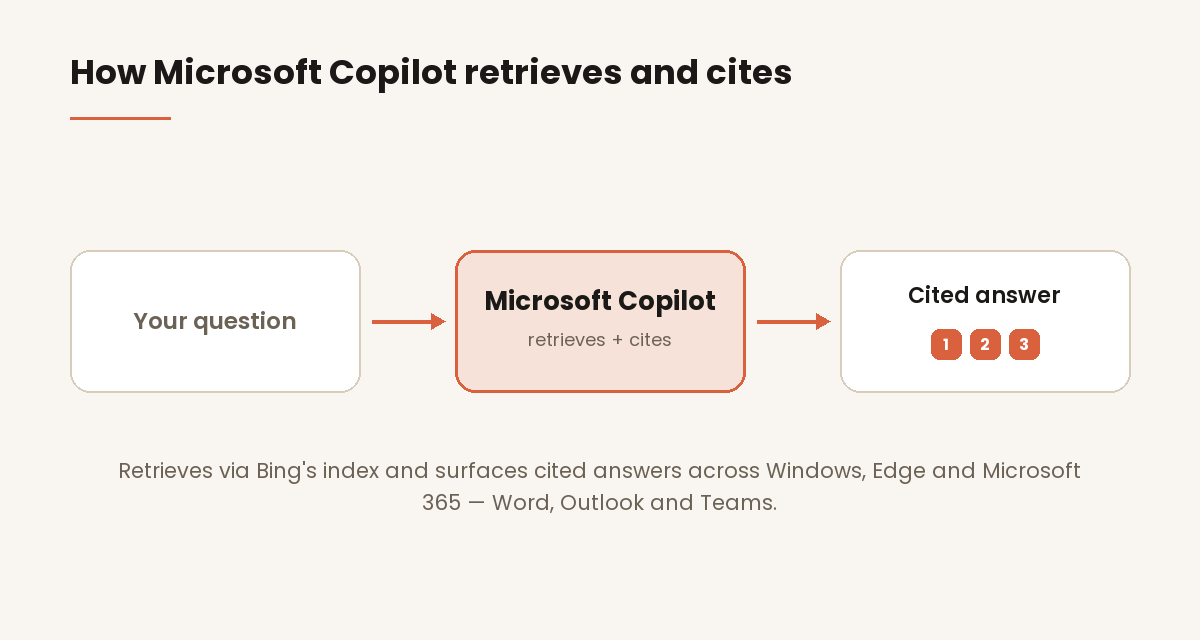
Copilot’s web answers are grounded, not generated from memory. When a query would benefit from fresh information, Copilot generates a short, focused search query — “a distilled set of terms the system determines retrieves relevant info” — and sends it to the Bing search service. Bing “returns relevant search results (web page titles, snippets, citations),” and Copilot “uses the information from these results to compose a summarized final answer,” showing “the cited websites (including links to those websites) that informed the generation of the summary output.” That is Microsoft’s own description of the pipeline in the Copilot Studio web-search documentation.
Two things follow directly from that architecture. First, the citation unit is a linked source with a title and snippet — Copilot surfaces clickable citations inline and reveals the full list in a side panel. Second, your page has to exist in Bing’s index for any of this to happen. Copilot is not fetching your URL live the way an agent might; it is retrieving what Bing has already crawled, cached, and indexed. This is the single most important mental model shift for Copilot optimisation: you are optimising for Bing’s index, and Copilot rides on top of it.
Copilot vs ChatGPT Search: both use Bing, but the work is different
This is the distinction most guides get wrong. Both ChatGPT Search and Copilot surface Bing-indexed content — but the crawler you manage and the controls you have are not the same.
ChatGPT retrieves through OpenAI’s own crawlers (OAI-SearchBot and GPTBot). To be citable there, you allow OpenAI’s user agents and OpenAI’s retrieval layer decides what to surface. Copilot retrieves through Bing’s index directly. There is no Copilot-specific crawler to allow — the crawler is Bingbot, the same one that powers Bing Search. If you are indexed in Bing, you are already retrievable by Copilot; the levers you control are Microsoft’s (Bingbot access, Bing Webmaster Tools, and the NOCACHE / NOARCHIVE tags), not OpenAI’s.
The second difference is distribution. ChatGPT is a standalone assistant. Copilot is embedded across Windows, Edge, and Microsoft 365 — so the same citation can appear while a user drafts in Word, triages Outlook, or reviews a Teams recap. Optimising for Copilot is optimising for the Microsoft ecosystem’s default assistant, not a separate destination site. Treat the two as parallel spokes: the content-structure work is shared, but the crawl-access and content-control work is Bing-specific here and OpenAI-specific there. (For the Perplexity equivalent — a live-web crawler and the most Google-aligned citation pool — see How to Get Cited by Perplexity.)
Only around 8% of Copilot’s cited URLs rank in Google’s top 10, per Ahrefs’ analysis of 15,000 prompts — clustering with ChatGPT (~8%) and Gemini (~8%), and far below Perplexity’s 28.6%, measured on long-tail prompts and on standalone assistants rather than AI Overviews, where the same dataset put overlap at 76%. The practical implication: chasing Google rank is not the fastest path to Copilot citations. Being cleanly indexed in Bing, and structured for extraction, is.
Step 1 — Make sure Bingbot can crawl and index your site
Because Copilot retrieves from Bing’s index, Bingbot crawl access is the first technical requirement. If Bingbot cannot reach your pages, Bing cannot index them, and Copilot cannot cite them — no amount of content optimisation changes that.
Confirm your robots.txt explicitly allows Bingbot:
User-agent: bingbot
Allow: /
Then verify indexation directly in Bing Webmaster Tools: claim your site, submit your XML sitemap, and confirm your priority pages are indexed. Bingbot respects robots.txt and the Crawl-delay directive, so review any WAF or security-plugin rules that block crawlers by default — Cloudflare in particular often blocks bots unless explicitly allowed. Blocking Bingbot is not a partial move: it removes you from Bing Search results and from Copilot, Bing Chat, and other Microsoft AI surfaces at the same time.
Step 2 — Control how Copilot uses your content (NOCACHE / NOARCHIVE)
Bing gives publishers a content-usage control that has no equivalent on ChatGPT or Perplexity. Standard indexing tags decide whether — and how — your content can appear in Copilot answers, as documented in the Bing Webmaster Blog:
- No tag (default): your content may be included in Copilot/Bing Chat answers in full, and benefits from the added visibility.
NOCACHE: your content may still be included, but Copilot “will only display URL/Snippet/Title in the answer” — you get a linked mention, not a synthesised passage.NOARCHIVE: your content “will not be included in Bing Chat answers, not be linked to in the answers.” If both tags are present, Bing treats the page asNOCACHE.
Critically, NOCACHE and NOARCHIVE do not remove you from Bing’s search results — they only govern AI-answer usage. For a page you want cited by Copilot, the correct configuration is no archive/cache restriction. Audit your pillar and commercial pages for stray NOARCHIVE directives (some CMS and security plugins add them site-wide), because a single inherited tag can silently make a page ineligible for citation while it still ranks in Bing. This is the fastest, most Copilot-specific win available — and it is invisible unless you look for it.
Step 3 — Structure content for sentence-level extraction
Whatever Bing hands Copilot, the model works at the passage level — it pulls the single most relevant quotable span for a query. Bury your answer at the end of a slow build and there is nothing clean to lift from the opening, which is exactly where extraction tends to land.
So front-load. Each section should lead with a flat declarative answer to the question its heading implies, then supply the evidence and the consequence. The opening 100 words carry outsized weight — put the core definition (“[Topic] is …”) there rather than three paragraphs down. The mechanics are common to every AI platform; for the full framework, see What Is Generative Engine Optimization.
Write quotable standalone statements
Your primary extraction unit is the standalone sentence — 15 to 25 words that answer in full. Give every section at least one that survives quotation with no surrounding context, for example: “Microsoft Copilot retrieves through Bing’s index, so being indexed in Bing is the prerequisite for a Copilot citation.” Treat these as engineered pull-quotes, not introductions.
Write FAQ sections in prompt language
FAQ sections are among the highest-leverage elements for AI citation. Phrase each question the way a user actually types it — “How does Copilot find sources?” beats “The benefits of our approach” — and answer in the first sentence, 50 to 150 words deep. Even after Google deprecated the FAQ rich result, FAQPage schema keeps its value: Copilot and other LLMs still parse it for question–answer pairs.
Step 4 — Implement the schema types that matter most
The Copilot angle on schema is that you are feeding Bing’s parser, not a bespoke AI crawler — Bing has consumed structured data for years, so the markup it already understands is the markup that firms up a Copilot citation. Prioritise an Article block with an honest dateModified for recency-sensitive queries, FAQPage pairs Bing can lift without parsing prose, and Person markup with sameAs links that pin the byline to a verifiable author. For the field-by-field build across every platform, see Structured Data for AI Search.
Step 5 — Build the E-E-A-T and entity signals Copilot cross-references
Copilot leans on Bing’s long-standing entity understanding, so its citation confidence rises when a named, credentialed author — tied to the byline by matching Person schema and sameAs links — resolves consistently across the web, rather than an anonymous “admin” or “team” credit. A domain that stays on one subject and publishes original, first-hand material Copilot cannot reassemble from ten other sources is the version it prefers to cite. For the full framework on how author and entity signals drive citations across AI search and Google, see Why Entities Matter More Than Keywords for AI Search.
Copilot is available across Microsoft 365 — Word (“writing new content, editing documents, and summarizing text”), Excel (“analyze, understand, and visualize data”), PowerPoint, Outlook (“stay on top of your inbox and calendar”), and Teams (“summaries and customized insights from meetings, calls, and chats”), per Microsoft’s Copilot in apps for work page — as well as the Windows 11 taskbar, the Copilot key, and Microsoft Edge. When Copilot grounds an answer in the web across any of these surfaces, it draws on the same Bing index — so one body of well-structured, indexed content works everywhere Copilot appears.
How to track when Copilot cites you
There is no native dashboard listing every Copilot citation, so tracking stays part manual — run your priority prompts and note whether you are cited — and part analytics, with one prerequisite check no other engine needs. Copilot referrals show up in GA4 as copilot.microsoft.com; isolate that domain in a custom AI channel group and read the landing-page report to see which pages Copilot cites and sends traffic to (How to Track AI Referral Traffic in GA4 has the full setup).
The Copilot-specific step is Bing Webmaster Tools: because Copilot rides on Bing’s index, it is where you confirm the precondition for any citation at all — that your priority pages are actually crawled and indexed in Bing. A page missing from Bing’s index will never surface in Copilot, no matter how many prompts you test.
For a per-page readiness score against the structural criteria that drive AI citations, the AEO Article Analyzer scores any article in under 30 seconds. If you would rather have the crawlability, schema, and entity work implemented for you, a GEO & Technical SEO engagement covers it in one workstream.
FAQ
Does Microsoft Copilot use Bing to find sources?
Yes. Copilot grounds its web answers in Bing’s search index. When a query would benefit from fresh information, Copilot generates a short, distilled search query, sends it to the Bing search service, and Bing returns relevant results — titles, snippets, and citations — which Copilot synthesises into an answer that links to the cited websites. This is Microsoft’s own description in the Copilot Studio web-search documentation. The practical consequence is that your page must be indexed in Bing before Copilot can cite it.
What crawler does Microsoft Copilot use?
Copilot does not use a dedicated crawler of its own — it retrieves from Bing’s index, which is built by Bingbot, the same crawler that powers Bing Search. There is no separate “Copilot bot” to allow. This is the key difference from ChatGPT (which uses OpenAI’s OAI-SearchBot and GPTBot) and Perplexity (which uses PerplexityBot). To be citable by Copilot, allow Bingbot in robots.txt and confirm indexation in Bing Webmaster Tools. Blocking Bingbot removes you from Bing Search and Copilot simultaneously.
How is getting cited by Copilot different from getting cited by ChatGPT?
Both surface Bing-indexed content, but the work differs. For ChatGPT, you allow OpenAI’s crawlers (OAI-SearchBot / GPTBot) and OpenAI’s retrieval layer decides what to cite. For Copilot, the crawler is Bingbot and the controls are Microsoft’s — Bing Webmaster Tools plus the NOCACHE / NOARCHIVE tags that decide whether a page can appear in an answer. Copilot also has a distribution advantage: it is embedded in Windows, Edge, and Microsoft 365, so a citation can surface inside Word, Outlook, or Teams, not only a browser. The shared work is content structure; the platform-specific work is crawl access and content controls.
How do I stop Copilot from using my content?
Use Bing’s content-usage tags. A page tagged NOARCHIVE “will not be included in Bing Chat answers, not be linked to in the answers,” and a page tagged NOCACHE will only have its URL, title, and snippet shown — not a synthesised passage — per the Bing Webmaster Blog. Neither tag removes the page from Bing’s search results. Conversely, if you want a page cited, make sure no inherited NOARCHIVE directive is silently making it ineligible.
Does Copilot cite content that ranks well in Google?
Mostly not. Ahrefs’ 15,000-prompt study found only around 8% of Copilot’s cited URLs rank in Google’s top 10 — close to ChatGPT (~8%) and Gemini (~8%), and far below Perplexity (28.6%). More than 80% of Copilot’s citations come from pages that do not rank in Google’s top 10 for the query at all. Strong Google rankings are not the fastest route to Copilot citations; clean Bing indexation plus extractable structure is.
How do I track when Copilot cites my site?
Three methods. Run your 10–15 priority prompts in Copilot monthly and record whether your domain is cited (captures presence). Track copilot.microsoft.com referral traffic in a custom GA4 AI channel group (captures clicks). And confirm in Bing Webmaster Tools that your priority pages are indexed in Bing — the prerequisite for any Copilot citation. There is no native Copilot citation dashboard, so start with manual testing plus GA4 before adding any paid AI-visibility tool.
Do Microsoft 365 Copilot users see the same web citations?
When Microsoft 365 Copilot grounds an answer in public web content, it draws on the same Bing index as consumer Copilot — so the same well-structured, indexed page can be cited whether the user is in the Copilot app, Edge, or inside Word, Excel, Outlook, or Teams (Copilot in apps for work). Microsoft 365 Copilot also grounds in a tenant’s own private data via Microsoft Graph, which is governed by that organisation’s permissions — but for public-web citations, the optimisation target is identical: Bing indexation plus extractable content structure.