 Nadia Mohamed
AI-SEO & GEO
ChatGPT Search: How It Works and How to Use It (2026)
What is ChatGPT Search?
ChatGPT Search is the web-browsing mode inside ChatGPT that fetches live pages from the internet, then answers your question in plain language with inline links to the sources it used. OpenAI introduced it on 31 October 2024, initially for paid ChatGPT Plus and Team users and people on a waitlist, before rolling it out more widely in the months that followed. The point of it is simple: instead of returning a page of blue links for you to sift through, ChatGPT reads the results itself and hands back a synthesised answer — with a Sources panel so you can check where each claim came from.
That combination — a conversational answer plus verifiable citations — is what makes it a genuine search product rather than a chatbot guessing from memory. When ChatGPT Search runs, the answer is grounded in pages it retrieved seconds ago, not in training data that may be months or years old.
TL;DR — key takeaways
- ChatGPT Search launched on 31 October 2024 and lets ChatGPT retrieve live web pages, then answer with links to the sources it used.
- It decides for itself when a question needs a web search — or you can force one by clicking the web-search icon.
- Results are drawn from a set of third-party search services (Microsoft’s Bing being an important one) plus direct content partnerships with major publishers, not a single proprietary index.
- Every searched answer shows inline citations; a Sources button below the response opens a sidebar listing the pages it drew from.
- Since 5 February 2025 you can use it on the web and desktop with no account and no signup — though the native mobile apps still require login.
- Its strengths are speed, synthesis and freshness; its limits are occasional misattribution, uneven recency, and no guarantee that any given page gets cited.
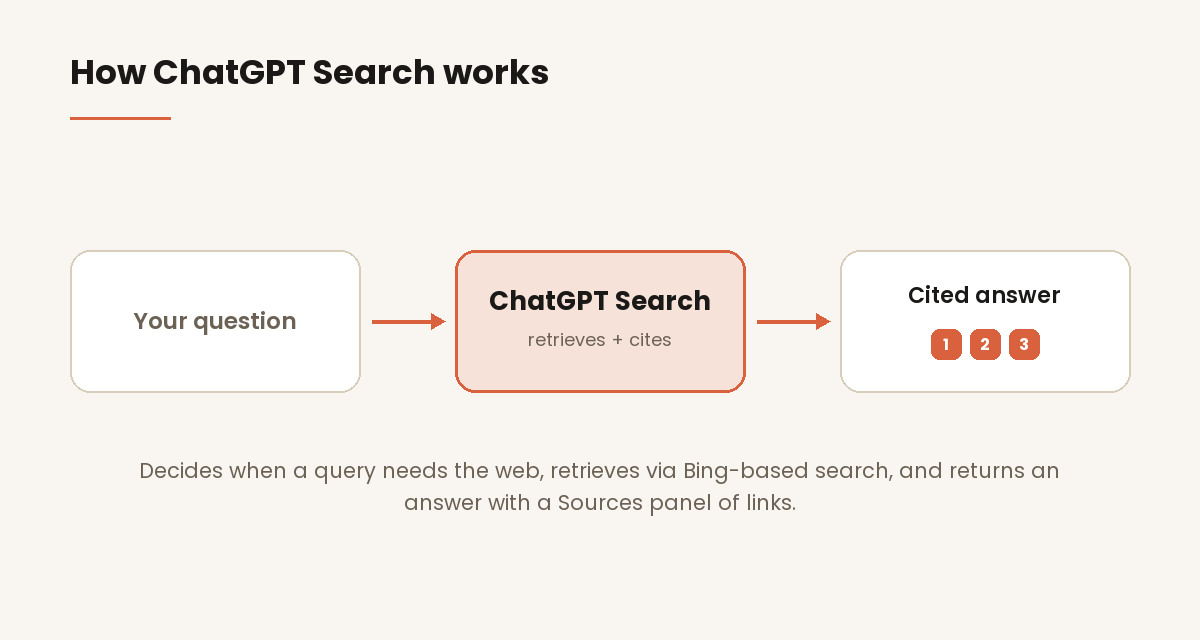
/assets/screenshots/chatgpt-search-how-it-works.png How ChatGPT Search works
Under the hood, ChatGPT Search is a retrieval step bolted onto the model. When you send a message, ChatGPT first decides whether the question is better answered from what it already knows or from the live web. If it chooses to search, it issues queries to external search services, pulls back a set of candidate pages, reads them, and generates an answer that quotes and links the most relevant ones. The mechanics of that pipeline are worth understanding, because they explain both what ChatGPT Search is good at and where it slips.
How it decides when to search the web
ChatGPT Search has two triggers. The first is automatic: the model reads your prompt and, per OpenAI, “will either choose to search the web based on what you ask, or” you can search manually. Questions about current events, prices, recent releases, live scores, or anything time-sensitive tend to trigger an automatic search; timeless questions (“explain how photosynthesis works”) usually don’t, because the model can answer them well from training data alone.
The second trigger is manual. If you want to guarantee a fresh web lookup — or you’re not sure the model will search on its own — you click the web-search icon in the message box before sending. That forces retrieval regardless of how the model would otherwise classify the question. This distinction matters: a lot of “ChatGPT gave me an outdated answer” complaints come from questions the model answered from memory when the user assumed it had searched.
How it retrieves and ranks results
ChatGPT Search does not run its own crawler-and-index in the way Google does. It draws on a set of search services to fetch candidate results, and OpenAI’s engineering team has said Microsoft’s Bing is an important one among them — “we use a set of services and Bing is an important one.” On top of that, OpenAI struck direct content partnerships at launch with major news and data organisations, including the Associated Press, Reuters, the Financial Times, Axel Springer, Condé Nast and Vox Media, among others, so that licensed material from those publishers can surface with proper attribution.
The practical takeaway is that ChatGPT Search sits on top of existing web infrastructure and layers its own reading-and-ranking step over it. Which pages it ultimately cites depends less on classic ranking signals like backlinks and more on how cleanly a page answers the specific question — a shift I unpack in what generative engine optimization actually is.
What the answer looks like: inline links and the Sources panel
When ChatGPT Search answers, it gives you “fast, timely answers with links to relevant web sources” inline in the text. Below the response, a Sources button opens a sidebar listing every page the answer referenced — news articles, blog posts, documentation, whatever it pulled. You can click straight through to the original.
Those citations are the feature’s most important design choice. They let you verify the answer instead of trusting it, and they’re the mechanism by which ChatGPT sends referral clicks back to publishers. If you run a site and want to know whether those clicks are reaching you, they show up in analytics under a chatgpt.com referrer — see how to track AI referral traffic in GA4 for the setup.
How to use ChatGPT Search
You don’t need to learn a new tool — ChatGPT Search lives inside the normal ChatGPT interface. The skill is knowing how to make it search when you want it to, and how to push the conversation further once it has.
Triggering a web search
For most current-information questions, just ask naturally — “what did the Fed decide this week?” or “what’s the latest on the EU AI Act?” — and ChatGPT will search on its own. When you want to be certain it searches (or you’re asking about something obscure or very recent), click the web-search icon in the composer before you hit send. That’s the reliable way to force a live lookup rather than a memory-based answer.
A good habit: if an answer looks suspiciously round-numbered or undated, check whether the Sources panel is populated. No sources means no search happened, and you should re-ask with the web-search icon on.
Asking follow-ups
The real advantage over a traditional search box is that ChatGPT Search is conversational. You can ask a broad question, get a cited answer, then narrow in — “now compare the two cheapest options,” “which of those sources is most recent?”, “summarise just the pricing.” Each follow-up can trigger its own search, and the model keeps the earlier context, so you’re refining one line of research rather than starting a new query from scratch each time. This is what makes it feel less like searching and more like delegating the reading.
Using it without an account
Since 5 February 2025, ChatGPT search is available with no signup required — you can open ChatGPT on the web or the desktop app, ask a question, and get a cited web answer without creating an account or logging in. The one caveat: the native mobile apps still require you to be signed in. On the web, though, the barrier to trying it is effectively zero.
ChatGPT Search vs traditional search
The difference isn’t cosmetic. A traditional search engine returns a ranked list of links and leaves the reading, comparing and synthesising to you. ChatGPT Search does that work itself and returns a conclusion, keeping the links available for verification. For a question like “which of these three tools supports SSO on the cheapest plan?”, that’s the difference between opening eight tabs and reading one paragraph with three citations.
That efficiency is exactly why ChatGPT has become the dominant AI search surface. Across 6.77 million AI-referred sessions, ChatGPT accounted for 92.4% of trackable standalone LLM referral traffic over the report’s full 19-month window, and 94.8% of it in the final month — far ahead of every other assistant.
ChatGPT Search is not the only AI answer engine, and it isn’t the best at everything — Perplexity, Google’s AI Mode, Copilot and Gemini each have their own strengths, which I compare in the best AI search engines roundup. But if you only learn one, ChatGPT Search is the one your audience is most likely to be using.
Strengths and limits for search
Where ChatGPT Search is strong:
- Synthesis. It reads multiple sources and gives you a single, structured answer instead of a list to work through.
- Freshness. For questions it chooses to search, answers are grounded in pages retrieved moments ago, not stale training data.
- Verifiability. Inline links and the Sources panel let you check every claim at the source.
- Follow-through. Conversational refinement makes multi-step research far faster than iterative keyword searching.
Where it falls short:
- It doesn’t always search. Timeless-looking questions may be answered from memory, producing confidently outdated answers. Force a search when recency matters.
- Misattribution happens. The synthesis step can occasionally attach a claim to the wrong source or paraphrase inaccurately — always spot-check anything important against the linked page.
- Coverage is uneven. Very recent, niche, or paywalled material may not surface, even with a manual search.
- No citation guarantee. Being on the web doesn’t mean your page gets cited; retrieval favours pages that answer the exact question cleanly.
That last point is the one publishers ask about most. Getting your content selected as a cited source is a separate discipline from understanding the product — it’s about structure, crawlability and entity signals, and I cover it end to end in how to get cited by ChatGPT. This explainer is about how ChatGPT Search works and how to use it; that guide is about how to earn a place in its answers.
FAQ
How does ChatGPT Search work?
ChatGPT Search adds a live web-retrieval step to ChatGPT. When you ask a question, the model decides whether to answer from what it already knows or to search the web. If it searches, it queries external search services, reads the candidate pages, and returns a written answer with inline links plus a Sources panel listing everything it referenced. It launched on 31 October 2024 and turned ChatGPT from a static chatbot into a cited answer engine.
Does ChatGPT search the web automatically or do I have to tell it to?
Both. ChatGPT will decide on its own to search when your question looks time-sensitive or current — news, prices, recent releases. If you want to be sure it searches, click the web-search icon in the message box before sending, which forces a live lookup regardless of how the model would otherwise classify the question.
Does ChatGPT Search use Google or Bing?
Neither exclusively. ChatGPT Search draws on a set of third-party search services rather than one index, and OpenAI’s engineering team has confirmed Microsoft’s Bing is an important one among them. OpenAI also has direct content partnerships with publishers such as the Associated Press, Reuters and the Financial Times, so licensed material from those sources can surface with attribution.
Do I need an account to use ChatGPT Search?
Not on the web or desktop. Since 5 February 2025, ChatGPT search has been available with no signup required — you can ask a question and get a cited web answer without logging in. The native mobile apps are the exception; they still require you to be signed in.
How do I see the sources behind a ChatGPT Search answer?
Every searched answer includes inline links, and a Sources button appears below the response. Clicking it opens a sidebar that lists each web page the answer drew from, so you can read the originals. If the Sources panel is empty, ChatGPT answered from memory rather than searching — re-ask with the web-search icon on if you need current information.
Is ChatGPT Search reliable enough to trust?
It’s reliable for orientation and synthesis, but verify anything that matters. The synthesis step can occasionally misattribute a claim or paraphrase inaccurately, and the model doesn’t always search when it should. Treat the answer as a fast, cited starting point and use the Sources panel to confirm specifics at the original page.
How is ChatGPT Search different from getting cited by ChatGPT?
Using ChatGPT Search is the reader’s side — asking questions and getting cited answers. Getting cited by ChatGPT is the publisher’s side — structuring your content so ChatGPT selects it as a source in those answers. They’re separate topics: this page explains the product, and how to get cited by ChatGPT explains how to earn a place in its results.